Connecting a device (If using an external device)
You can connect an external camera, microphone, or speaker to the machine.
For details about how to connect these types of external devices, see page 69 "Devices That Can
Be Connected to the Machine".
For details about how to connect an external device via Bluetooth, see page 173 "Managing
Devices Connected via Bluetooth".
Switching to RICOH UCS mode
You can use the floating toolbar to switch the screen display mode to RICOH UCS mode. For
details, see page 18 "Screen Display Modes".
Specifying the settings
Before connecting to a contact to have a meeting, you must first specify the audio and camera
settings. For details, see page 86 "Specifying the Settings".
Holding a Meeting
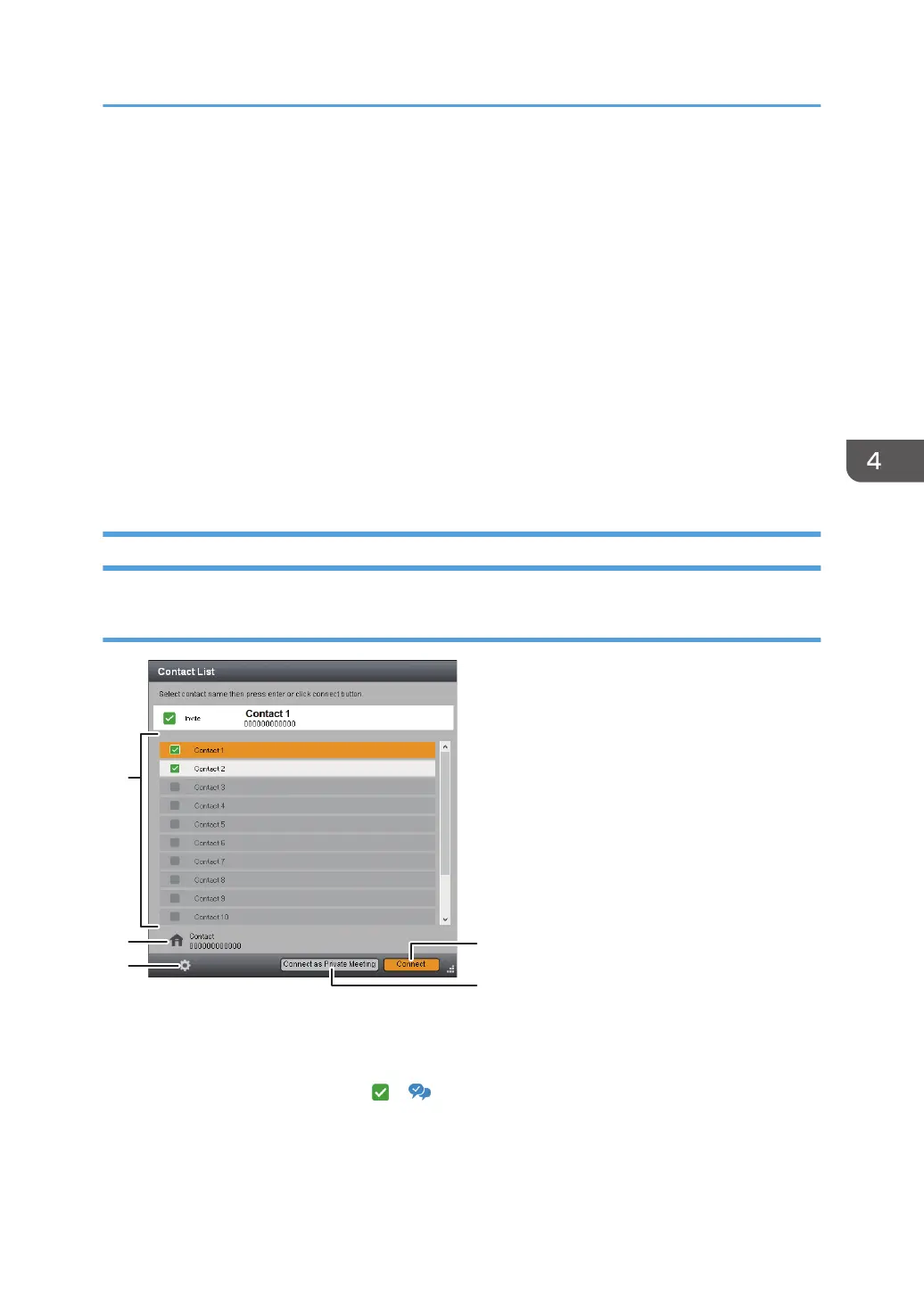
Calling a contact
1. Contact List
From this list, select a contact with whom you want to have a meeting.
You can select any contact that has a or icon.
2. Your own contact information
Check your contact name and Contact ID.
Using the RICOH UCS Function
83



 To Next Page