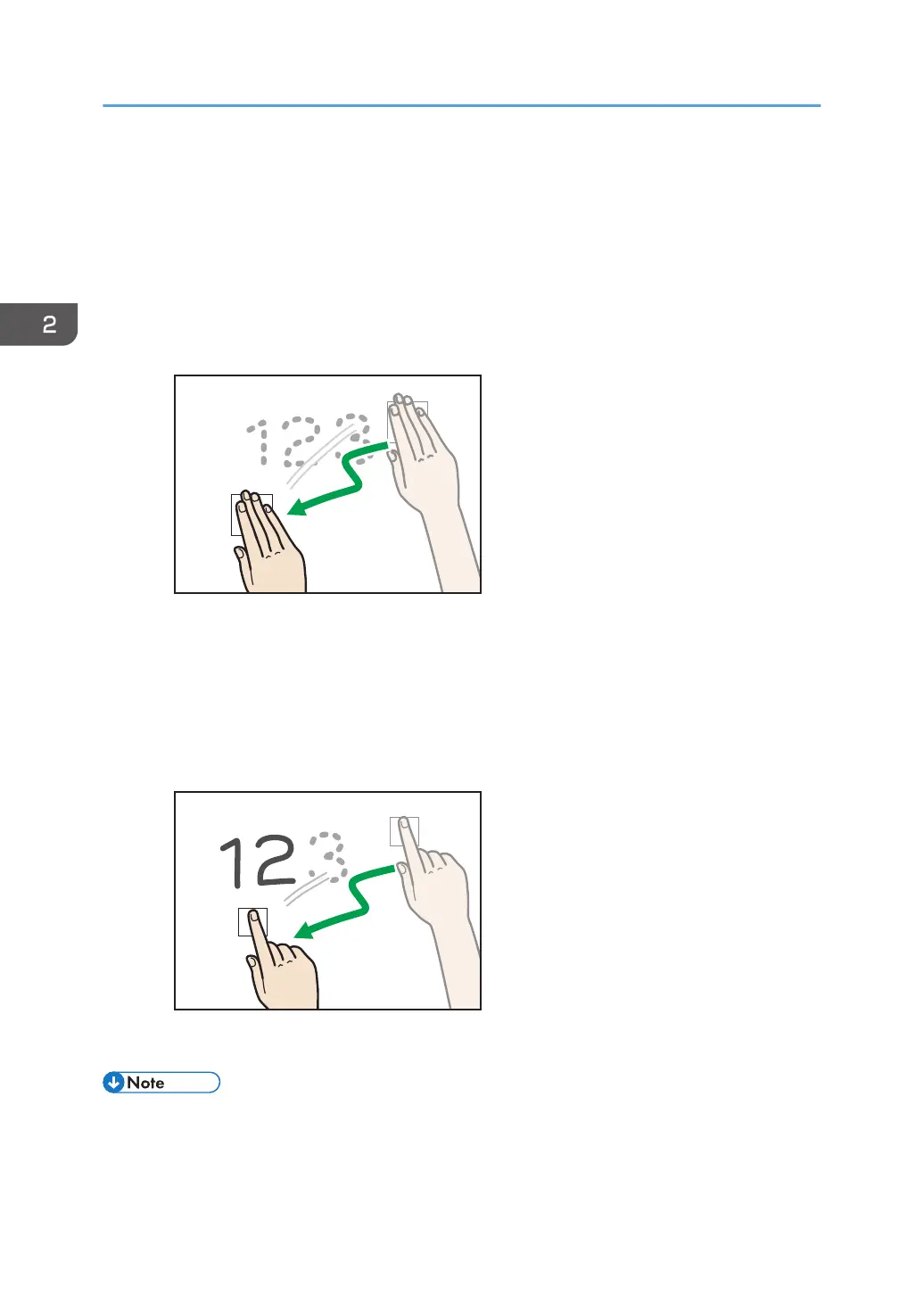
In palm deletion mode, either a large or small icon is displayed, depending on the area of your contact
on the screen with your hand or fingers. To delete an entry, move drag the displayed delete icon across
the entry.
Deleting with the palm of your hand
To delete a larger area of an entry, use the palm of your hand.
1. Touch the screen with the palm of your hand.
2. Drag the displayed delete icons across the entry that you want to delete.
The portion of the entry that you dragged the delete icons across is deleted.
Deleting with the balls of your fingers
To delete a narrower area of an entry, use the ball of your finger.
1. Touch the screen with the ball of your finger.
2. Drag the displayed delete icon across the entry that you want to delete.
The portion of the entry that you dragged the delete icon across is deleted.
• If the area that your finger touches on the screen is too narrow, the touch may not be recognized
correctly, resulting in a deletion failure.
• Fair copy entered, text, graphics, or stamps cannot be partially deleted.
2. Using a Whiteboard
38



 To Next Page