6.6.3. “DATA TRANSFER” PAGE
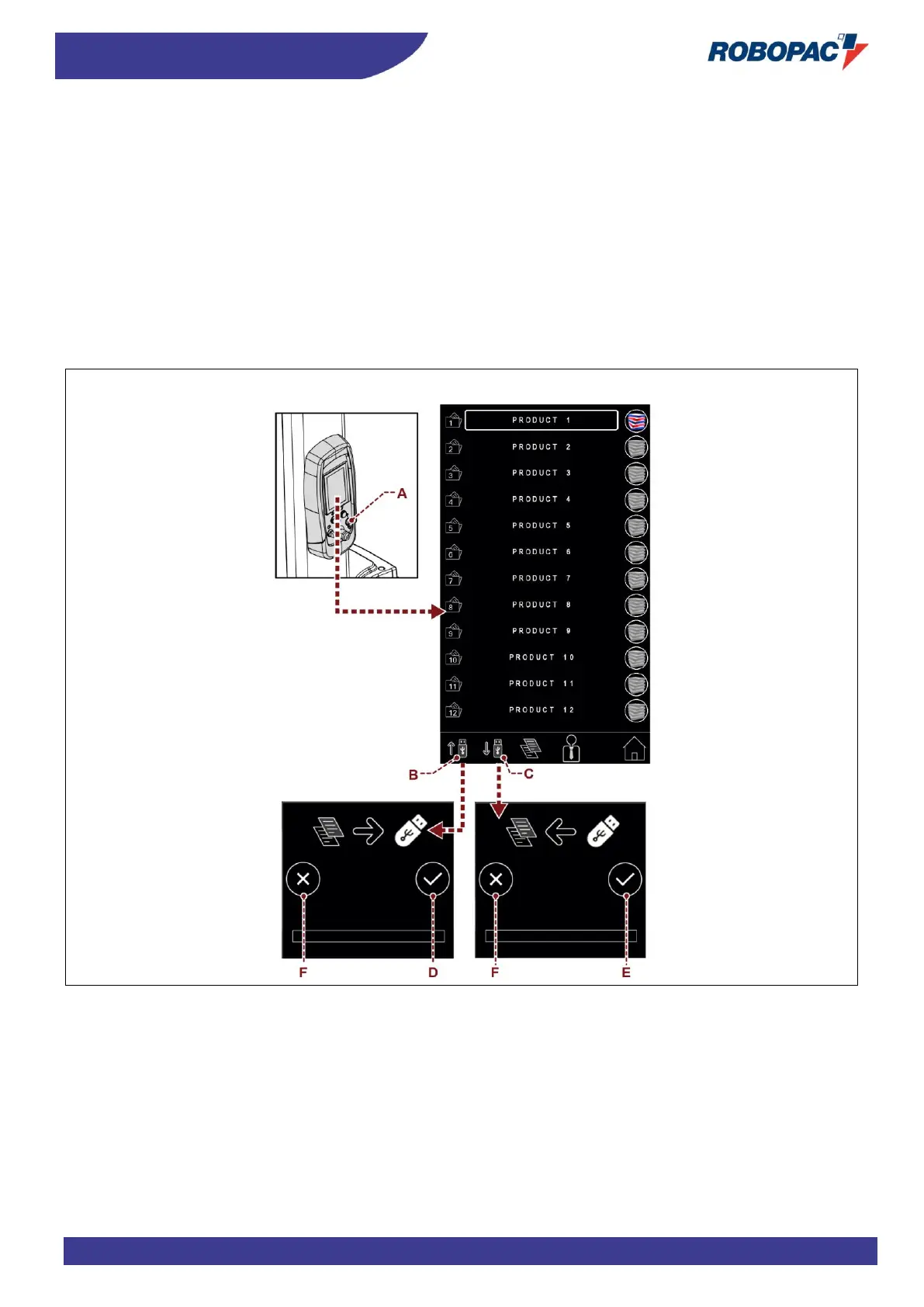
To transfer or update the parameters of a certain “work recipe”, it is necessary to:
− Insert the portable mass storage in the USB port (A).
In the bar of the “RECIPES” page, the buttons (B) and (C) will appear.
− Pressing the key (B), the page “UPLOAD RECIPES” is enabled.
By pressing the key (D), all the “Work recipes” displayed are copied in the mass storage, inserted in the USB
port (A).
− Pressing the key (C), the page “DOWNLOAD RECIPES” is enabled.
By pressing the key (D), the starting “Recipe”, selected in the mass storage, is transferred in the destination
“Recipe” of the machine.
F) Button: it is used to cancel the operation



 To Next Page