INFORMATION ABOUT THE USE
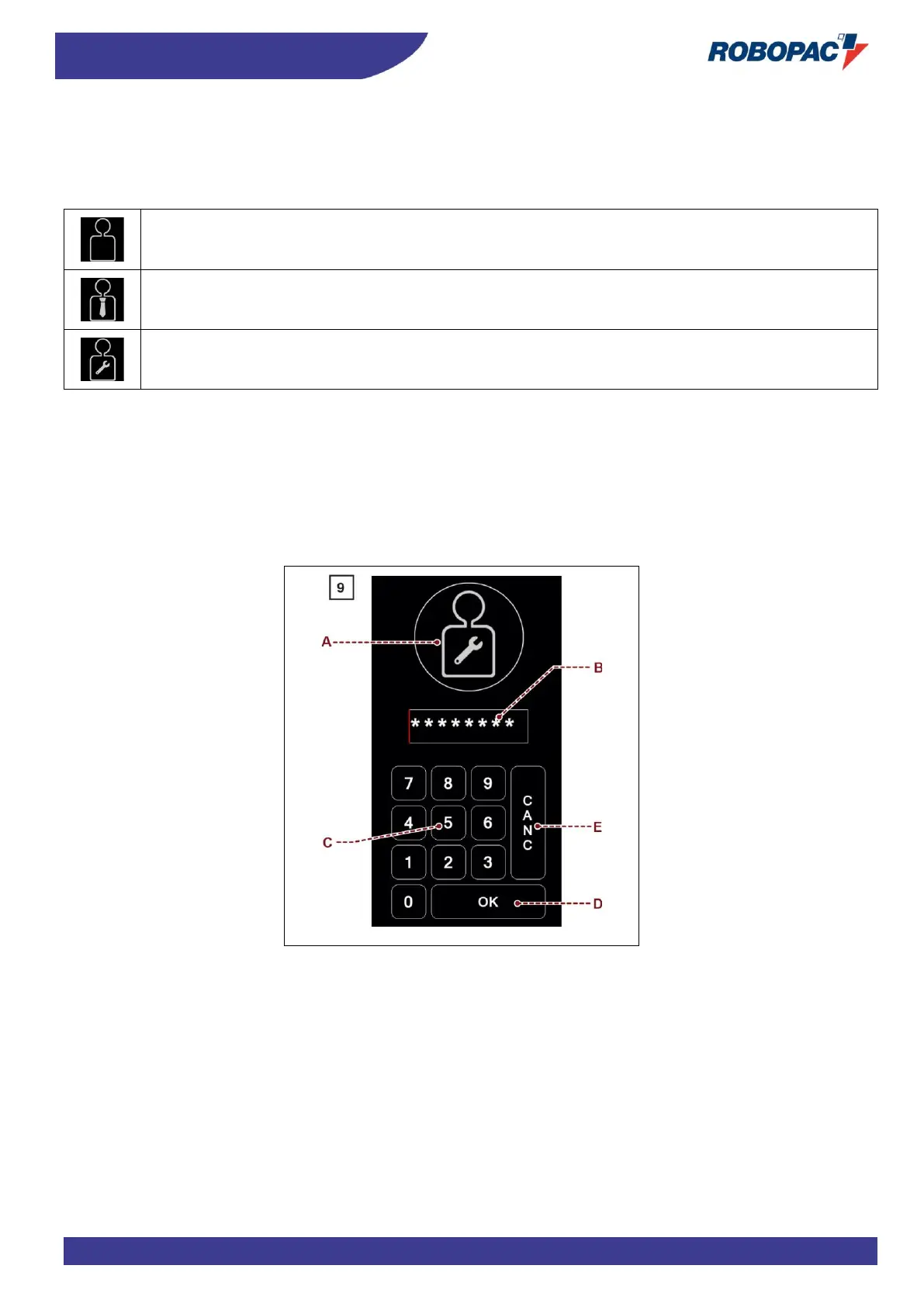
6.12. “ENTER PASSWORD” SCREEN (USER LOGIN)”
The page displays the controls to enter the password (relating to the selected user) to access the protected functions.
A) Button: it is used to select the type of user concerned.
At every activation, the button displays the enabled function with the reference icon.
Icon (A1): it is used to select the “machine user”.
Icon (A2): it is used to select the “machine operator” user.
Icon (A3): it is used to select the “service support” user.
B) Area: it displays the entered characters.
C) Numerical keyboard.
D) Button: it is used to confirm the entered password (login).
To prevent another type of user from accessing the protected functions, use one of the following procedure to
perform the “user logout” at the end of the operations.
- Touch the icon (A1) located in the toolbar.
- Switch the machine off and then on again.
E) Button: it is used to delete incorrect entered values.



 To Next Page