EasyManua.ls Logo

Robopac SPIROR HP - User Manual

Robopac SPIROR HP
95 pages
Print Icon
To Next Page IconTo Next Page
Loading...
USE AND MAINTENANCE MANUAL
ENG
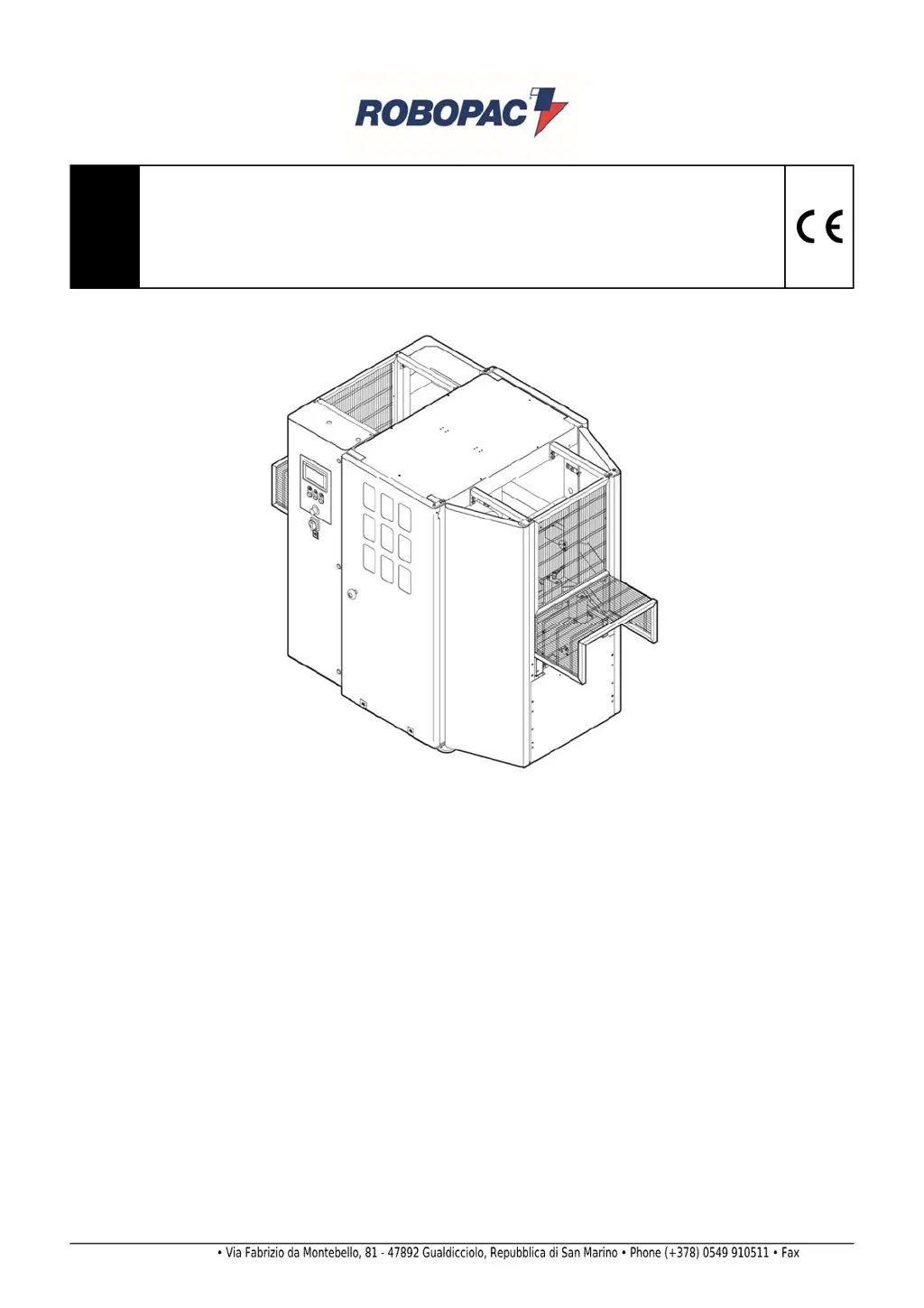
Automatic rotating ring wrapping machine with single (HP) or double (DR) plastic
film reel
SPIROR HP - DR
Translation of the original instructions
Code:
3709303158.0
Edition:
0917
____________
SERIAL NUMBER
____________
A
TTENTION
Read and understand these instructions before using the machine.
Keep this handbook for further consultation.
ROBOPAC S.p.A.

Table of Contents

Questions and Answers

  • J
    Joseph StokesAug 31, 2025
    What to do if Robopac Packaging equipment displays E50 WARNING “BUS CAN OPEN COMMUNICATION ALARM”?
    • L
      Lisa YoungAug 31, 2025
      If the Robopac Packaging equipment displays an E50 WARNING “BUS CAN OPEN COMMUNICATION ALARM”, it means The PLC can’t gather information from the CAN OPEN hubs. Check the BUS connection on the modules and on the PLC.
  • J
    John SimmonsAug 30, 2025
    What to do if Robopac SPIROR HP displays E01 EMERGENCY ALARM MUSHROOM BUTTON PRESSED?
    • K
      Katie YoungAug 30, 2025
      If the Robopac Packaging equipment displays an E01 EMERGENCY ALARM because the MUSHROOM BUTTON is PRESSED, reset the button and then press the Reset button.
  • D
    Daniel TrevinoAug 29, 2025
    What to do if Robopac SPIROR HP displays E61 PRODUCT OUTFEED PHOTOCELL ALARM?
    • B
      Brian HinesAug 29, 2025
      If the Robopac Packaging equipment displays an E61 PRODUCT OUTFEED PHOTOCELL ALARM, it means that the photocell detects that the product is not in the correct position or that the reflector is not properly aligned. To resolve this, remove the product or align the photocell with the reflector.
  • T
    Tonya RamirezAug 28, 2025
    What to do if Robopac SPIROR HP displays E60 PRODUCT INFEED PHOTOCELL ALARM?
    • S
      Savannah HenryAug 28, 2025
      If the Robopac Packaging equipment displays an E60 PRODUCT INFEED PHOTOCELL ALARM, it means that the photocell detects that the product is not in the correct position or that the reflector is not properly aligned. To resolve this, remove the product or align the photocell with the reflector.
  • E
    Eric CallahanAug 27, 2025
    What to do if Robopac Packaging equipment displays E10 PROTECTION COVER OPEN ALARM?
    • R
      Ryan HillAug 27, 2025
      If the Robopac Packaging equipment displays an E10 PROTECTION COVER OPEN ALARM, it means the protection cover is open or there is a limit switch malfunction. To resolve this, close the cover and press the Reset button. Alternatively, if the limit switch is malfunctioning, replace the power switch.
  • S
    salazarstephanieAug 26, 2025
    What to do if Robopac Packaging equipment displays E30 FAULT INVERTER OVERLOAD?
    • K
      Kathryn HornAug 27, 2025
      If the Robopac Packaging equipment displays an E30 FAULT INVERTER OVERLOAD, it indicates an error with the inverter. To address this, check the alarm on the inverter display and refer to the technical manual.
  • E
    Emily FoleyAug 25, 2025
    What to do if Robopac SPIROR HP Packaging equipment displays E02 “AIR LACK” ALARM?
    • M
      Mark PerezAug 26, 2025
      If the Robopac Packaging equipment displays an E02 “AIR LACK” ALARM, this is due to a faulty pressure switch or a lack of air in the plant. Check the pressure switch or reactivate the air supply to resolve this.
  • G
    grantdeanAug 25, 2025
    What to do if Robopac SPIROR HP displays E64 "FILM RUPTURE" Alarm?
    • S
      Steven PittmanAug 25, 2025
      If the Robopac Packaging equipment displays an E64 "FILM RUPTURE" Alarm, it means the film has broken or the reel is empty. To fix this, insert a new film or replace the reel.

Summary

General Information

Purpose of the Manual

Provides operator instructions to prevent and reduce risks from machine interface.

Manufacturer and Machine Identification

Describes the identification plate applied on the machine with its references.

Terms and Definitions

Defines recurring terms used in the manual for clarity and understanding.

Modes of Requesting for Assistance

Details how to contact ROBOPAC for technical support or spare parts.

Attached Documentation

Lists documentation provided with the machine, including manuals and software.

How to Read the Directions for Use

Explains how the handbook is divided and how to use it for efficient information retrieval.

Safety Information

General Safety Precautions

General safety guidelines to follow for safe operation and handling of the machine.

Safety Warnings for Handling and Installation

Safety precautions for personnel involved in machine handling and installation.

Safety Warnings for Use and Operation

Essential safety rules for operating the machine correctly and preventing accidents.

Appropriate Use of the Machine

Defines the intended use of the machine for wrapping stable-shaped products.

Safety Warnings on Residual Risks

Highlights risks that persist even after safety measures are applied during design.

Safety Warnings for Regulations and Maintenance

Guidelines for maintenance and adherence to regulations for safe operation.

Safety Warning for Electrical Equipment

Safety precautions related to the machine's electrical system and operating conditions.

Information and Safety Signals

Identifies and describes the safety and information signs affixed to the machine.

Technical Information

Machine General Description

Provides an overview of the machine's function, models, and main components.

Description of the Operation Cycle

Details the different wrapping cycles performable by the machine.

Safety Device Descriptions

Explains the function and purpose of various safety devices installed on the machine.

Description of the Electrical Devices

Identifies and describes the positioning of electrical components on the machine.

Pneumatic Device Description

Details the positioning and function of pneumatic devices on the machine.

Accessories Available Upon Request

Lists optional accessories that can be supplied with the machine.

Technical Specifications (Spiror HP - Spiror DR)

Presents detailed technical specifications for HP and DR models.

Surrounding Areas

Defines the necessary working and surrounding areas around the machine.

Noise Level

Provides measured noise levels during machine operation.

Installation Environment Characteristics

Specifies recommended environmental conditions for machine installation.

Information on Handling and Installation Operations

Recommendations for Handling and Loading

Provides essential guidelines for safe and proper machine handling and loading.

Package

Describes the machine's packaging for transport and handling.

Transport and Handling

Details methods and precautions for transporting the machine by various vehicles.

Handling and Lifting

Explains how to safely lift and move the machine using a forklift.

Machine Installation

Outlines the steps required for installing the machine and its dismantled parts.

Information on Adjustments

Recommendations for Adjustments

General advice for performing adjustments safely and effectively.

Pressure Platen Pressure Adjustment

Describes how to adjust pressure platens for secure product holding.

Film Wrapping Tension - Adjustment

Details the procedure for adjusting film wrapping tension for optimal results.

Guide Units Adjustment

Explains how to adjust guide rollers for product length and alignment.

About the Use

Recommendations for Operation and Use

Provides crucial advice for operating the machine safely and efficiently.

Control Description

Details the function of main controls like the master switch and emergency button.

Display in Operation

Describes the touch screen interface for setting parameters and monitoring operations.

Maintenance Information

Maintenance Instructions

General guidance and safety precautions for performing maintenance operations.

Routine Maintenance Intervals

Lists scheduled maintenance tasks and their recommended intervals.

Lubrication Point Diagram

Illustrates lubrication points and intervals for machine parts.

Lubricants Table

Specifies recommended lubricants (oils and greases) for machine components.

Draining the Condensate

Procedure for draining condensate from pneumatic system components.

Cleaning the Filter

Instructions for cleaning the pneumatic system filter.

Rotating Ring Belt - Adjustment

Describes how to adjust the tension of the rotating ring belt.

Product Infeed Unit Chain - Adjustment

Explains how to adjust the tension of the product infeed unit chain.

Machine Cleaning

Guidelines for general machine cleaning to maintain efficiency.

Troubleshooting

Some Suggestions on Operation

Provides solutions for common operational problems encountered during machine use.

Alarm Messages

Lists displayed alarm messages, their causes, and remedies.

Spare Parts Replacement Information

Recommendations for Replacing Parts

General advice and safety precautions for replacing machine parts.

Film Cutting Blade Replacement

Step-by-step instructions for safely replacing the film cutting blade.

Replace Rotating Ring Belt

Procedure for replacing the belt of the rotating ring unit.

Fuse Replacement

Guidelines for safely replacing fuses in the machine's control panel.

List of Essential Spare Parts

Provides a list of critical spare parts recommended for availability.

Machine Disposal and Scraping

Instructions for the safe and compliant disposal of the machine and its parts.

Enclosed Documentation

Warranty Conditions

Details the warranty terms, coverage, and user obligations.

Pneumatic Circuit Diagram SPIROR HP

Technical diagram illustrating the pneumatic circuits for the SPIROR HP model.

Pneumatic Circuit Diagram SPIROR DR

Technical diagram illustrating the pneumatic circuits for the SPIROR DR model.

EC Declaration of Conformity

Robopac SPIROR HP Specifications

General IconGeneral
BrandRobopac
ModelSPIROR HP
CategoryPackaging equipment
LanguageEnglish

Related product manuals