122
Recording/playing back a performance
Using a foot switch to punch-in/out
If you are playing an instrument at the same time that you operate the controls of the
recorder, it will be difficult for you to perform punch-in/out operations using the
REC [ ] button. In such cases, it is more convenient to press a separately sold foot
switch (such as the DP-2 or BOSS FS-5U) instead of pressing the REC [ ] button.
1. Connect an optional foot switch (DP-2, BOSS FS-5U, etc.) to the FOOT SWITCH
jack.
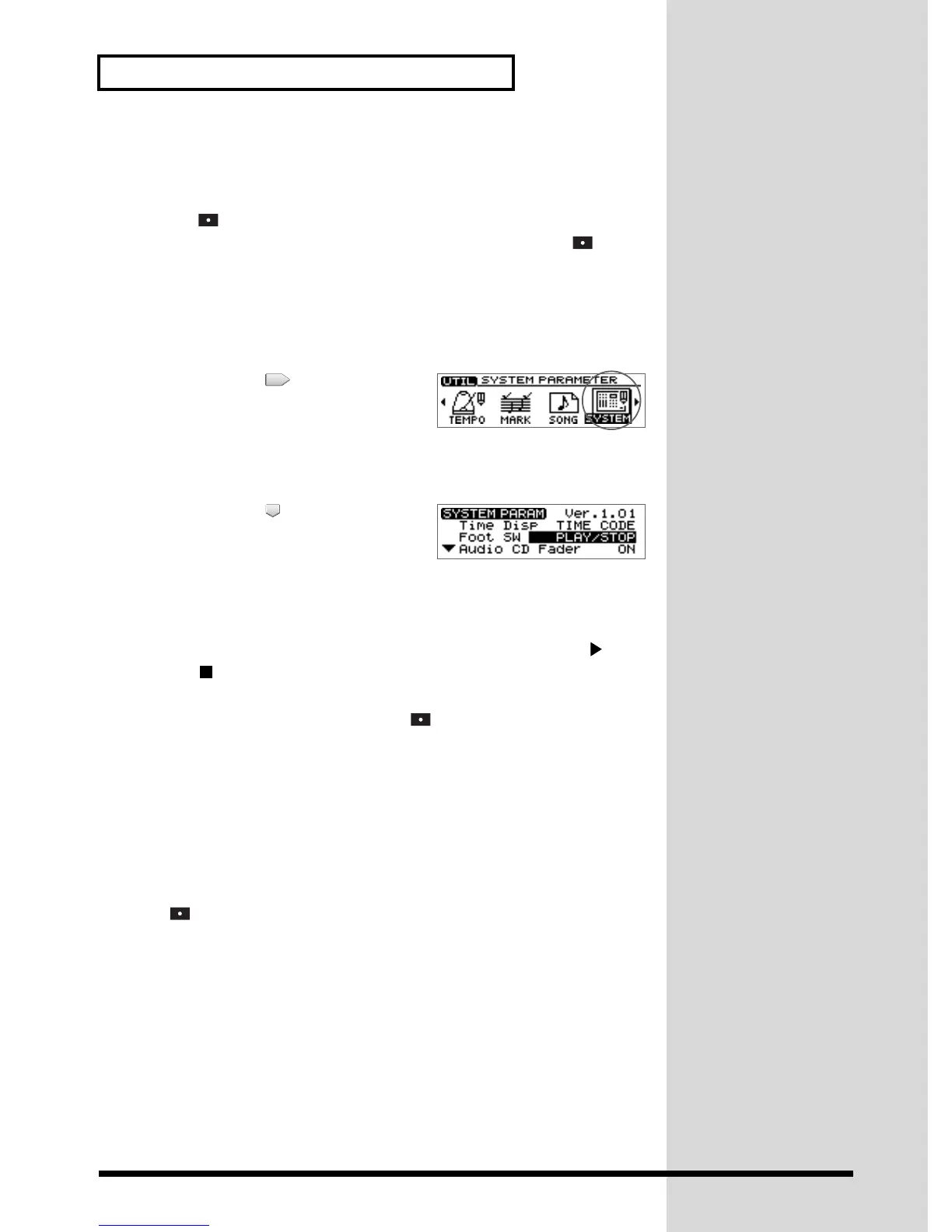
2. Press [UTILITY].
The Menu are displayed as icon.
fig.2-06
3. Press CURSOR [ ] to select the System
icon.
4. Press [YES/ENTER].
The System settings screen appears.
fig.2-07
5. Press CURSOR [ ] to move the cursor to
“Foot SW.”
6. Turn the VALUE dial to select “PUNCH I/O.”
● FSW Func (Foot Switch):
PLAY/STOP:
Each time you press the foot switch, the song will alternately play back ([ ]) and
stop([ ]).
PUNCH I/O:
It will perform the same function as REC [ ]. Use this to switch between punch-
in recording and playback.
SAMPLER TRIG:
The samples specified for each pad bank will play. (➔ “Playing a sample from a
connected foot switch” p. 75)
7. Press [DISPLAY] to return to the Basic screen.
This changes the settings so that the foot switch will perform punch-in/out
operations. Perform punch-in/out as described in “Using the Record button to
punch-in/out” (p. 121). At this time, press the foot switch instead of pressing REC
[].
Automatically punching-in/out at a specified location
—Auto Punch-in/out
Auto punch-in/out is a function that automatically performs punch-in/out at the
time locations that you specify beforehand. This is convenient when you wish to
punch-in/out at precise times.
Specifying the area for recording
Before you begin recording, you must register the locations at which punch-in and
punch-out will occur automatically.
1. Move to the desired punch-in location.


 To Next Page
 Loading...