68
Recording a sound to a pad—Sampling
Loading Pad/Sequence from a CD-RW disc
To load Pad/Sequence saved in CD-RW disc, carry out the following process.
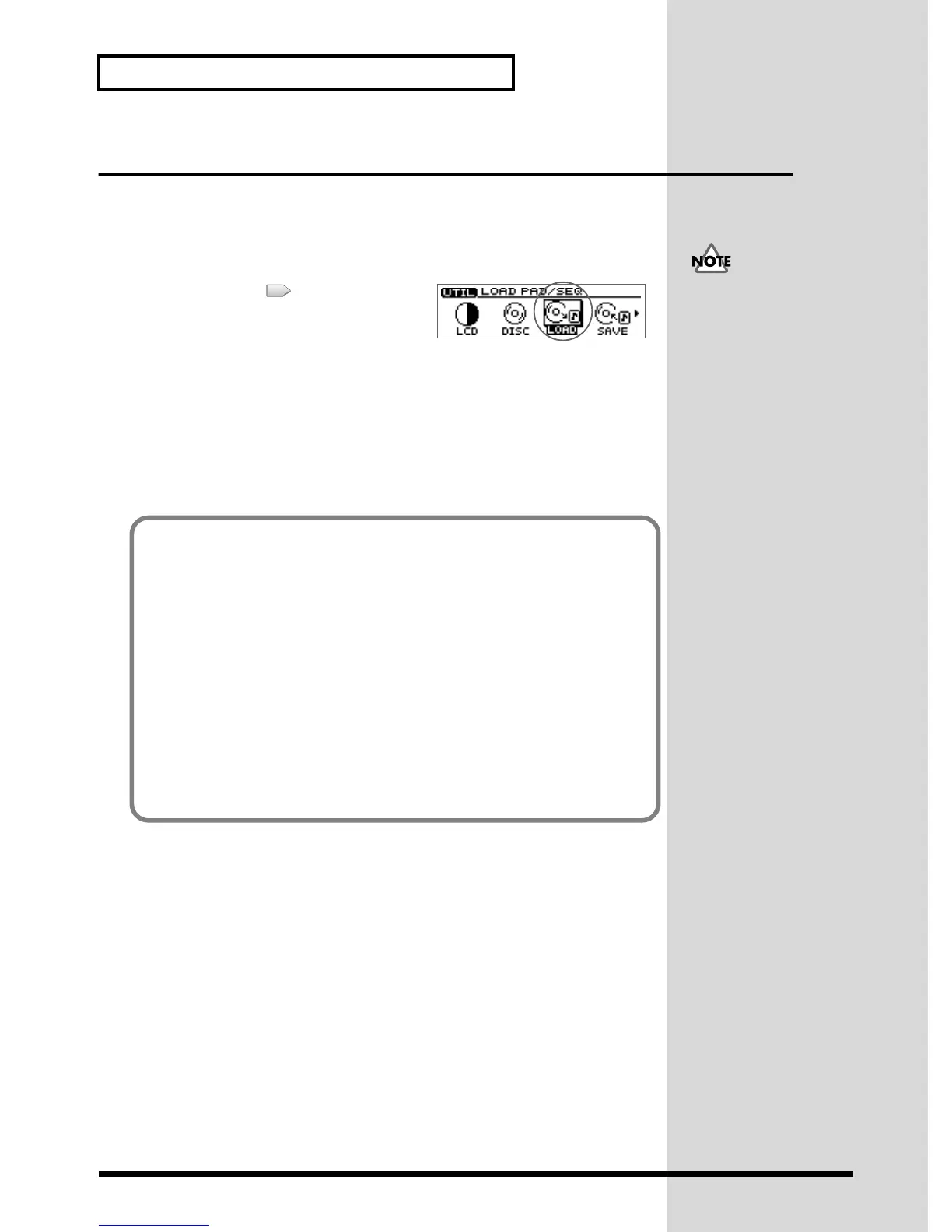
1. Press [UTILITY].
The Menu are displayed as icon.
fig.31-14
2. Press CURSOR [ ] to select the Load
PAD/SEQ icon.
3. Press [YES/ENTER].
A message of “Load PAD/SEQ data?” appears.
4. Press [YES/ENTER].
The display will indicate “Loading PAD/SEQ...,” and the data will be loaded. When
loading is completed, the display will show a message of “Completed.” and the Basic
screen will reappear.
In case any Pad/Sequence is
held in internal memory of
CDX-1, it will be overwritten
y those loaded from CD-RW
disc. It is recommended to
save Pad/Sequence in internal
memory to another CD-RW
disc before loading.
➔ “Saving
Pad/Sequence” (p. 67)
If the display asks “Load PAD/SEQ data?”
If you insert a CD-RW disc containing Pad/Sequence when internal memory
contains Pad/Sequence, a message of “Load PAD/SEQ data?” will be displayed. In
this case, use the following procedure.
■ Use the Pad/Sequence that are stored in internal memory
In response to the “Load PAD/SEQ data?” message, press [NO/EXIT].
The Pad/Sequence stored in internal memory will continue to be available.
■ Use the Pad/Sequence from the CD-RW disc
In response to the “Load PAD/SEQ data?” message, press [YES/ENTER].
The Pad/Sequence from the CD-RW disc will be assigned to the pads.
* At this time, the Pad/Sequence stored in internal memory will be replaced. This means that the
sample that was previously in internal memory will be lost. If necessary, save the Pad/Sequence on
a CD-RW disc. For details refer to “Saving Pad/Sequence” (p. 67).


 To Next Page
 Loading...