About the Documentation for This Machine
22
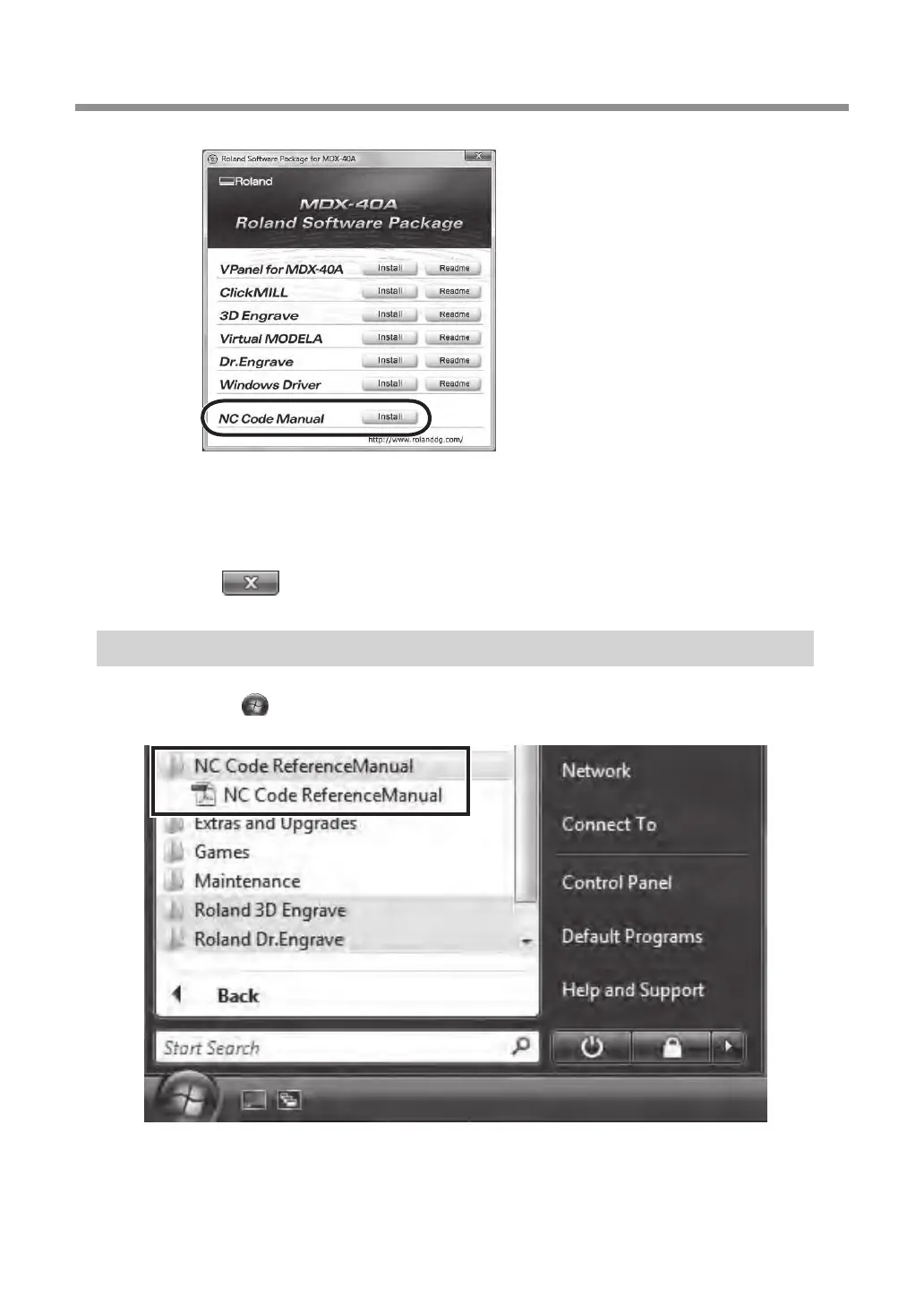
Click [NC Code Manual Install].
Follow the messages to install the program.
(Windows Vista: The [User Account Control] appears, click [Allow]. Follow the
messages to install the program.)
Click of the install window to complete the installation.
Viewing the NC Code Reference MANUAL
From the [Start] ( )menu, click [NC Code Reference Manual] – [NC Code Reference Manual].
Setup menu


 To Next Page
 Loading...