Configuring the AP
Configuring Wireless Settings
Ruckus Wireless Indoor AP 100.2.0 User Guide, 800-70892-001 Rev A 127
Configuring Common Wireless Settings
Common wireless settings are settings that are applied to all WLANs. On single
radio APs, go to Configuration > Wireless. On dual radio APs, you configure these
settings for the 2.4 GHz and 5 GHz radios independently by going to Configuration
> Radio 2.4G or Configuration > Radio 5G.
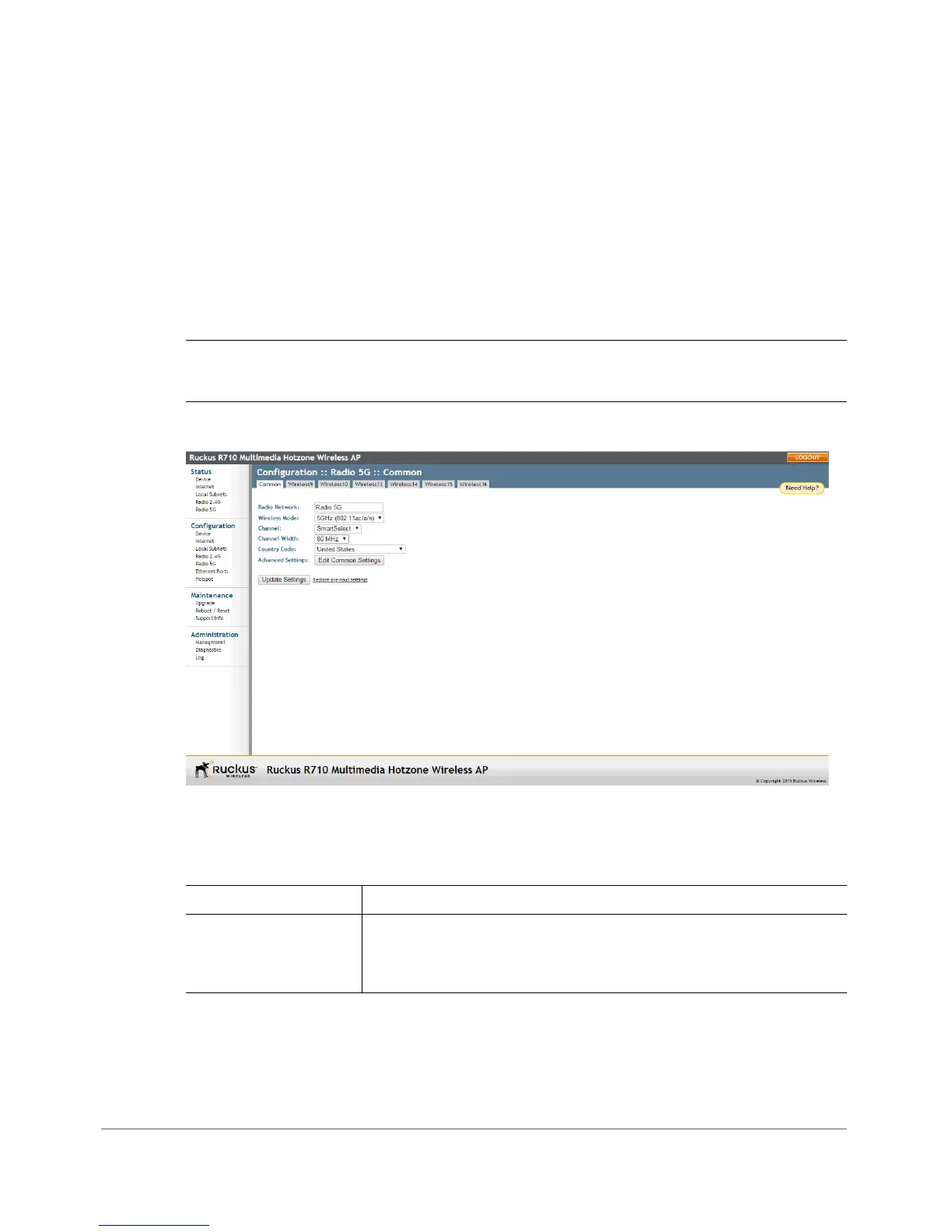
1 Go to Configuration > Wireless. The Configuration > Wireless > Common page
appears.
NOTE If you are using a dual-band AP, then go to Configuration > Radio 2.4G
or Configuration > Radio 5G.
Figure 59. The Configuration > Wireless > Common page
2 Make changes to the common wireless settings listed in Ta b l e 44 .
Table 44. Common Wireless settings
Setting Description
Radio Network (Dual radio APs only) Allows you to change the name of the
2.4GHz and 5GHz radios (default: “Radio 2.4G” and “Radio
5G”).












 To Next Page