Configuring the AP
Configuring Hotspot Service
Ruckus Wireless Indoor AP 100.2.0 User Guide, 800-70892-001 Rev A 152
Configuring Hotspot Service
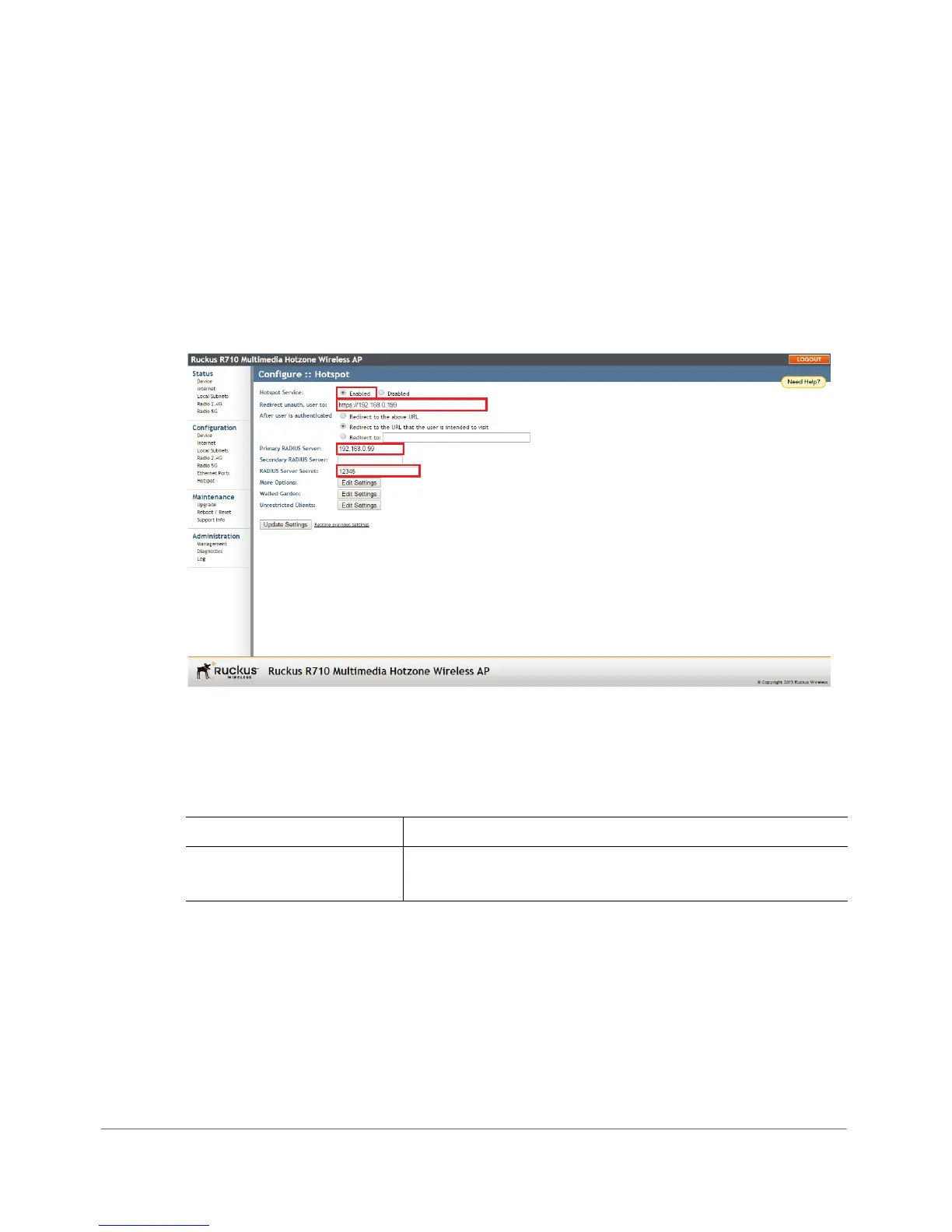
Hotspot service can be deployed on standalone APs through the Web interface. At
a minimum, you must configure a login redirect URL and a RADIUS server to which
users are authenticated. Additional options and controls are provided on subse-
quent pages.
1 Go to Configuration > Hotspot.
Figure 70. Minimum configuration settings for providing Hotspot service
2 Click Enabled next to Hotspot Service.
3 Review the settings in table Ta b l e 5 3, and make changes as needed.
Table 53. Hotspot configuration settings
Setting Description
Redirect unauth. user to Redirect unauthenticated users to the specified URL (login
page).












 To Next Page