Installing the AP
7055 Physical Installation
Ruckus Wireless Indoor AP 100.2.0 User Guide, 800-70892-001 Rev A 98
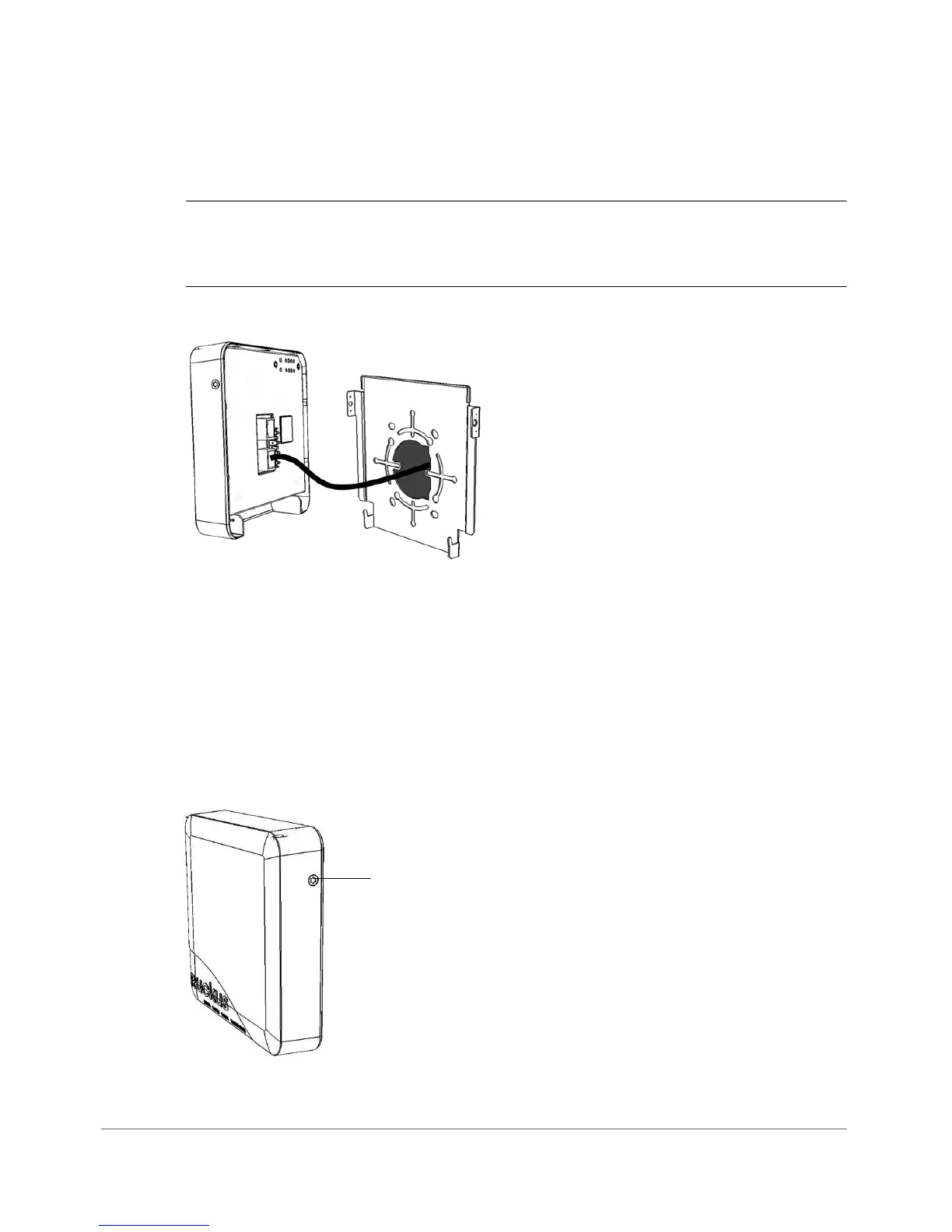
• If required, connect the cable providing support for pass-through devices to
the Pass Through port.
NOTE The status LEDs are intentionally not visible once the 7055 is mounted.
Complete any verification or troubleshooting that requires visibility of the LEDs before
mounting.
Figure 42. Attach 7055 AP cables before mounting to the bracket
4 Mount the AP to the bracket.
• Snap the AP onto the mounting bracket by hooking the two locking tabs on
the bottom of the bracket into the slots on the bottom of the AP. Then push
the top of the AP in toward the wall until it snaps in place.
• Use the two Torx bracket screws provided to secure the AP to the mounting
bracket using a T10 Torx screwdriver.
Figure 43. Secure the 7055 AP to the bracket using Torx screws












 To Next Page