112
Editing an Image
Youcanchangetheshapeofanimage,editanimageor
apply special effects to an image.
Theimageeditorfunctionsaredescribedbelow.
1
Select an image to edit in the Image Viewerwindow,
and select the Image Editortab.TheImageEditor
screen appears.
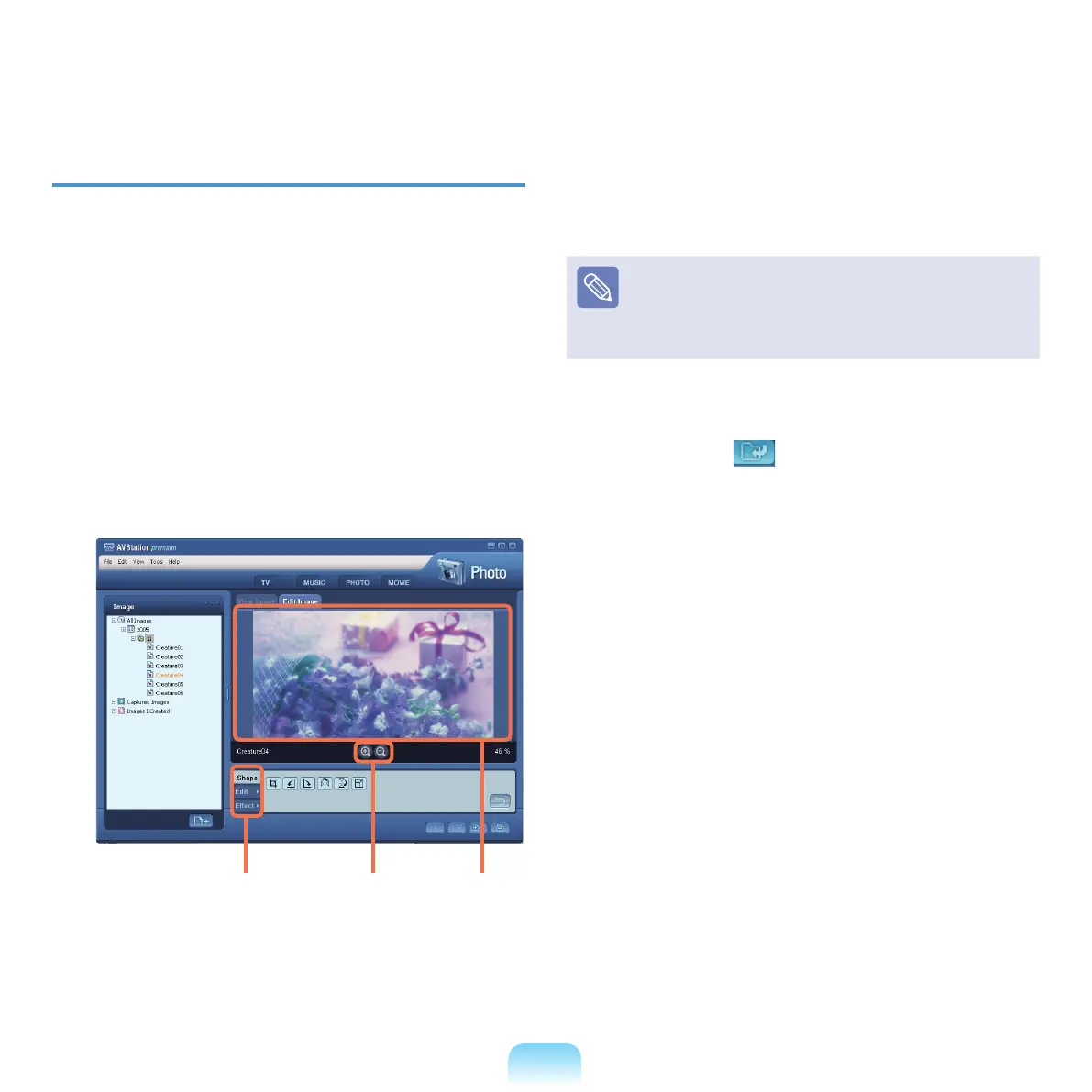
The Image Editor screen consists of an Image
Workspace window and 3 Tool tabs.
2
Edit the image using the Shape,Edit,andEffect
tools.
Shape tool:Changetheshapeofanimagethroughcut,
resize.
Edit tool:
Drawaline,addsomeclipartorenterletters.
Effect tool: Apply various effects to an image.
3
Whennishingeditinganimage,clicktheSave
Edited Image ( )buttonbelowtheImageEditor
window. The edited image is saved.
Image
Workspace
Zoom In /
Zoom Out
Tool Tabs



 To Next Page