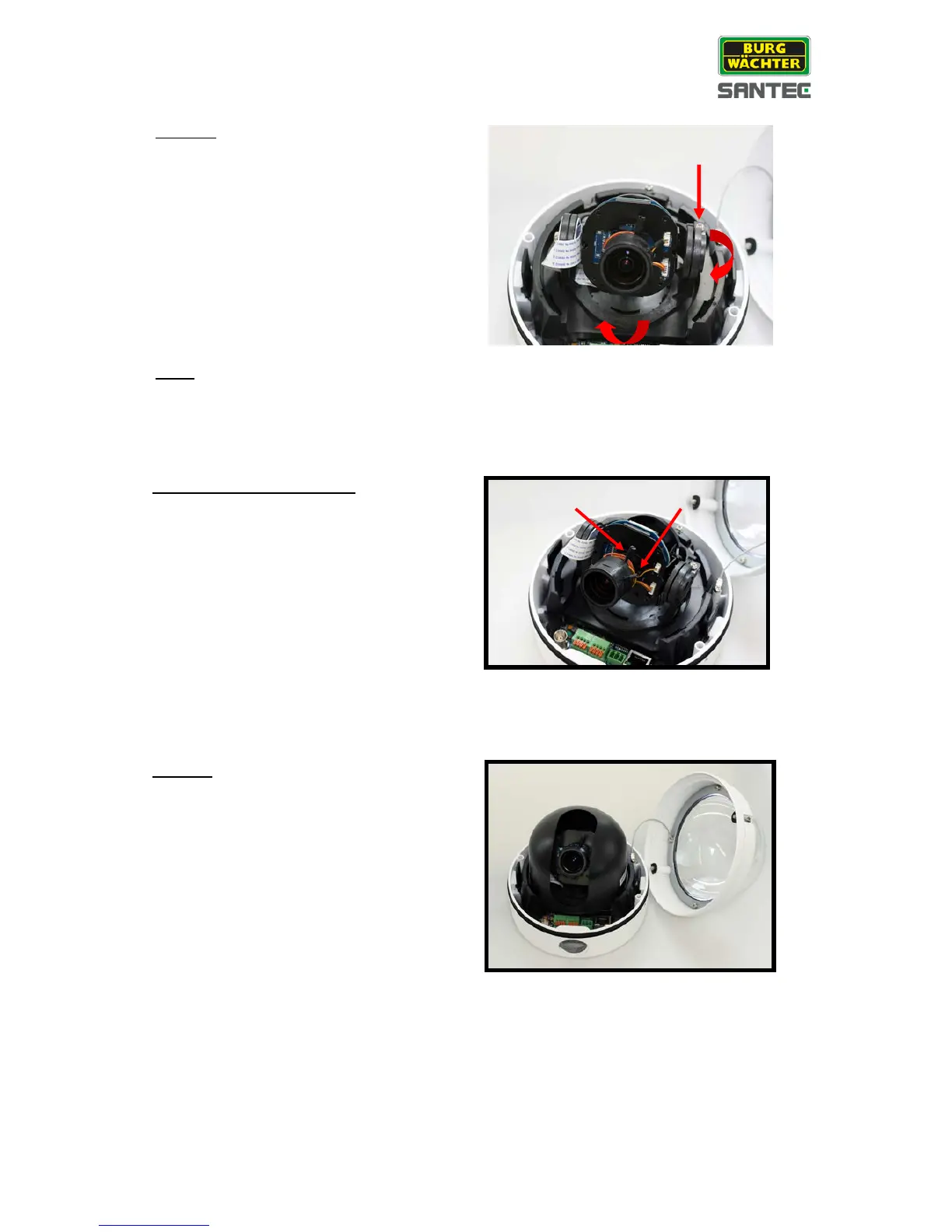
Adjust the camera’s pan/tilt holder to the
desired angle while observing the picture
quality in the web browser’s live view.
1. Use a Phillips screwdriver to loosen the
screw at the pan/tilt holder.
2. Tilt the lens carefully to the desired
position.
3. Turn the holder to the desired position.
4. Tighten the screw at the pan/tilt holder
again.
Note:
Adjust the lens very carefully within the
limits or the cables underneath might be
damaged.
Loosen the cameras zoom/focus screws.
Move the zoom/focus adjustment rings to
the left/right to get the best possible picture
while observing the picture quality in the
web browser’s live view.
If you are satisfied with the zoom and focus
adjustment, tighten the zoom/focus screws
again.



 To Next Page