Software v3.0.9915
© Satmap Systems Ltd 2015
18
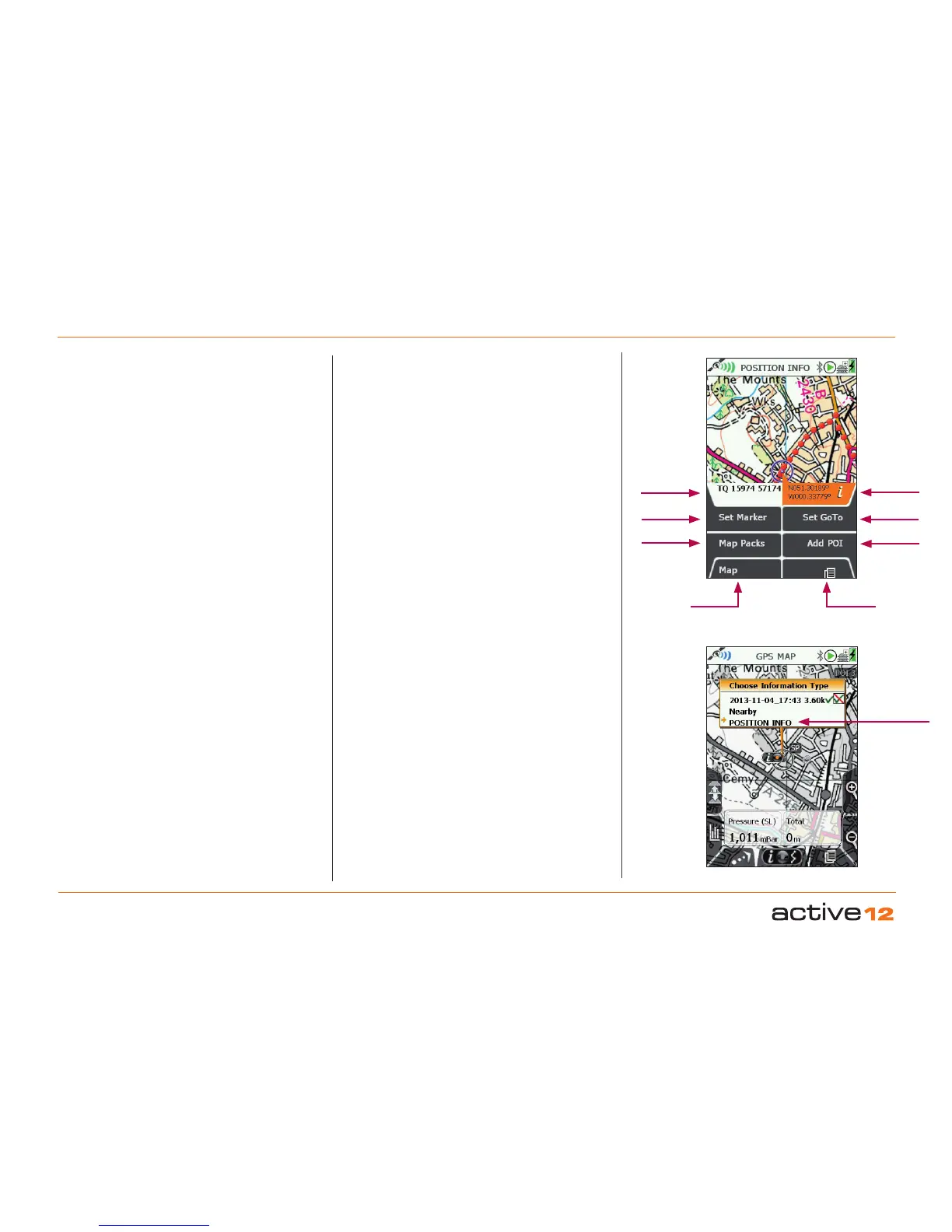
4.3 Screen 3: POSITION INFO
GPS Map
Primary
Screens
Add POI
Set GoTo
Lat/Long
Set Marker
Local Grid
Map Packs
To access POSITION INFO Screen:
(GPS MAP / PLANNING → POSITION INFO, via
Primary Screen page forward)
The POSITION INFO screen is accessed from either
the GPS MAP or PLANNING screens screen either
by a centre press of the joystick, or by pressing the
Primary Screen button once.
The purpose of the POSITION INFO screen is to
display useful information about that particualr
location, be it your own location (GPS MAP) or
somewhere else on the map (PLANNING).
Buttons:
Set Marker - This function allows you to measure
the distance and bearing between any two points
on the map, the first point being the centre of the
circle in the middle of the screen, and the second
point being any that you cursor to with the joystick,
connected by a red line. Cleared by using the Clear
Marker button.
Map Packs - Allows you to see the maps that are
present on your SD MapCard. A separate BookCover
will be displayed for each of the MapPacks present
on the SD card.
Maps - Flicks you back into your previous map
screen
(GPS MAP or PLANNING).
Primary Screens - Pages forward to the TRIP LOG
screen.
Add POI - Will place a POI menu at the centre of the
circle. A defult name will be given (e.g. POI 1) that
can be over written, and a POI Icon can be selected.
Set GoTo - This function places a GoTo waypoint
at the centre of the circle. A solid blue line will then
connect your location to the GoTo point at all times,
until the Clear GoTo button is pressed.
This is a particularly useful and quick way of setting a
simple, single-leg route. Especially when zoomed in
to view map detail, and when in Track Up mode, the
GoTo line still shows the required direction.
Info Boxes: Local Grid & Lat/Long -
This features allows the location of the circle centre
to be simultaneously displayed in two grid formats.
The format of Local Grid is determined in the
SETTINGS / GPS Settings screen.
The format of the right hand box has be pre-set as
Lat/Long (decimals). This feature is very useful if
you may need to quickly convert one position format
into another: simply use the joystick to cursor to the
desired location, and then read off the other format
version of the grid reference.
Alternate
access if
cursor is
on a Route
or POI



 To Next Page