Software v3.0.9915
© Satmap Systems Ltd 2015
23
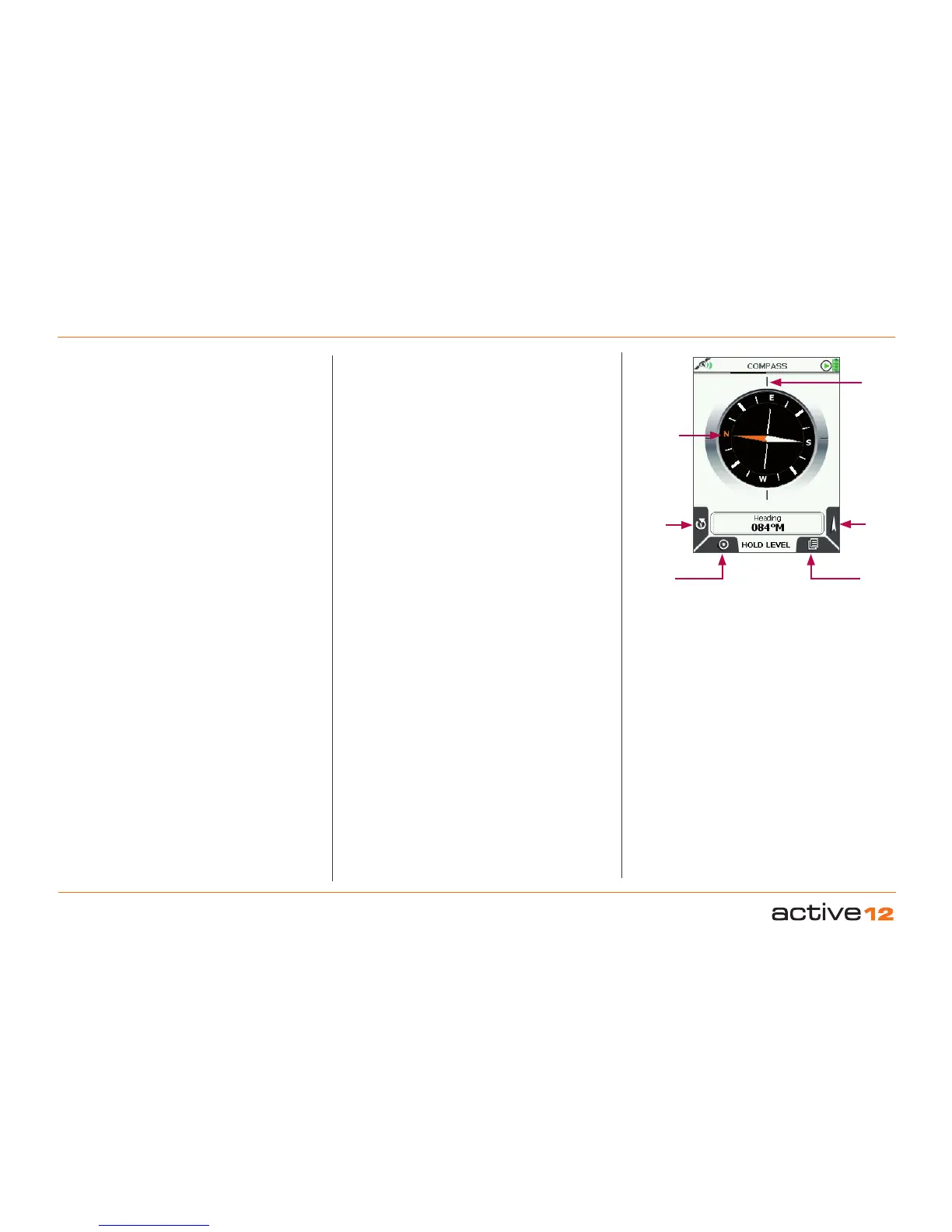
4.6 Screen 6: COMPASS/POINTER
COMPASS
Bearing
indication given
here
Orange
tipped
north
indicator
Pointer
Calibrate Compass
Map
Screens
Primary
Screens
4.6.1 To access COMPASS screen
(GPS MAP → MAIN MENU → COMPASS)
The Active 12 has an electronic compass and a
GPS compass and switches between the two at
a preset speed. Having both ensures you have
the correct bearings at all times whether you are
moving or stationary. It is important that the unit is
held level (like a regular magnetic compass) and is
calibrated correctly.
Buttons:
Calibrate Compass
Go to Calibrate Compass
Spot Button (map Screens)
Return to map screens (GPS MAP / PLANNING)
Pointer
Go to POINTER screen
Primary Screens (page Forward)
Go to TRIP LOG screen and scroll through primary
screens



 To Next Page