Software v3.0.9915
© Satmap Systems Ltd 2015
28
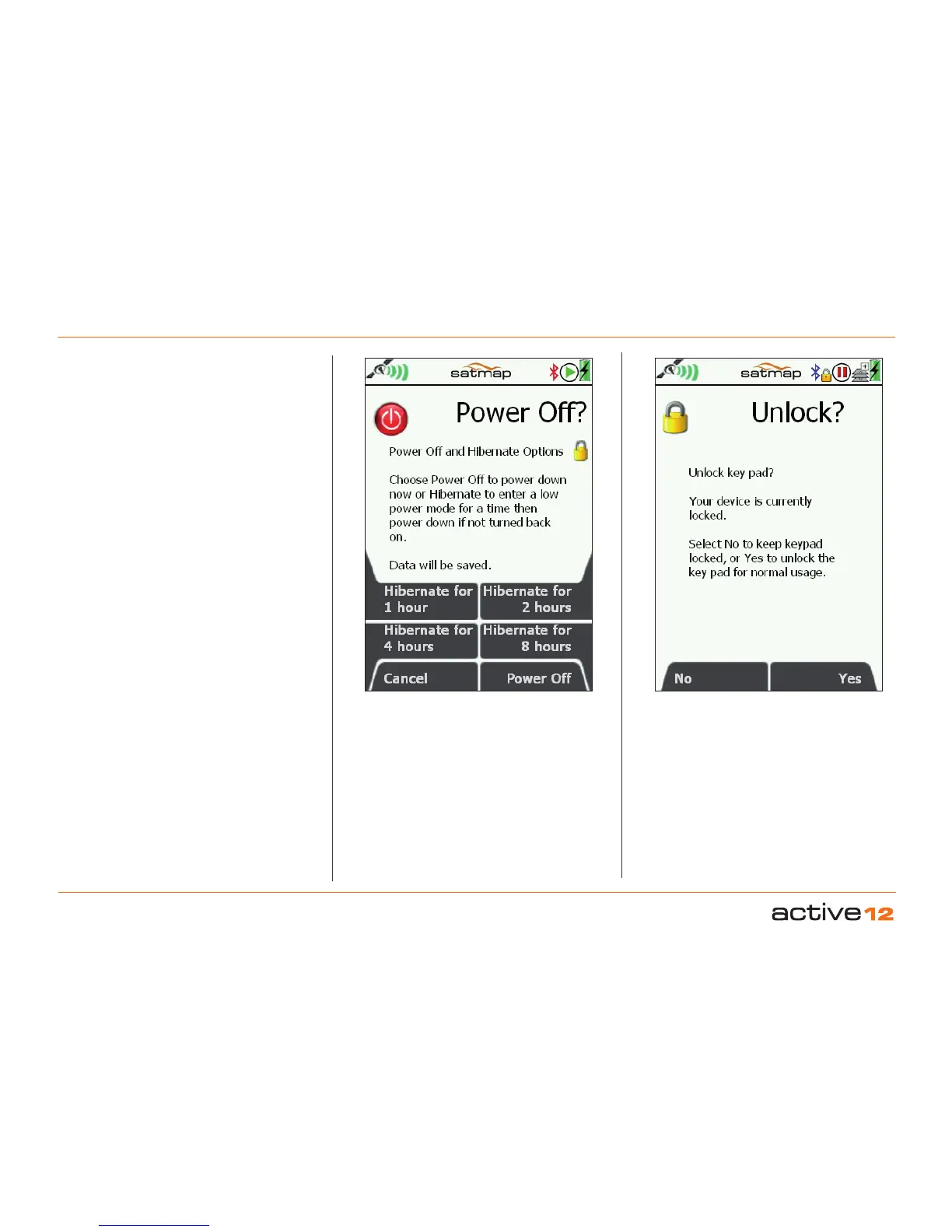
5. POWER OFF Screen
Power Off: Press the long side button on the right
hand side of the GPS to display the
Power Off?
screen. The bottom right
Power Off button will
totally power down the GPS unit, but your current
data will be saved. Once off, no GPS logging or trip
data will be recorded until the unit is tuned on again.
Hibernate: This function puts the GPS into a low
power "stand-by" mode. The primary benefit of this
to allow a very fast restart and GPS re-aquisition.
Typically useful over a lunch break, for instance.
After the specified period, the GPS will do a full
"Power Off". In Hibernate mode, the Active 12 will
not log any further data until the
Power button is
repressed and a GPS lock is restored.
Screen Lock: You may wish to lock the screen
to prevent accidental button presses. From the
Power Off? screen - just press the long Power
Button one more time, this will send you back to
previous working screen, and will place a small
yellow padlock icon on the status bar. Thereafter,
pressing any button will display the
Unlock?
screen.
POWER Screen, with
Hibernate options
LOCK Sceen option.



 To Next Page