Software v3.0.9915
© Satmap Systems Ltd 2015
25
4.7 Screen 7: SHARED DATA
Access SHARED DATA screen
(GPS MAP / PLANNING → POSITION
INFO → TRIP LOG → MAIN MENU →
COMPASS → SHARED DATA)
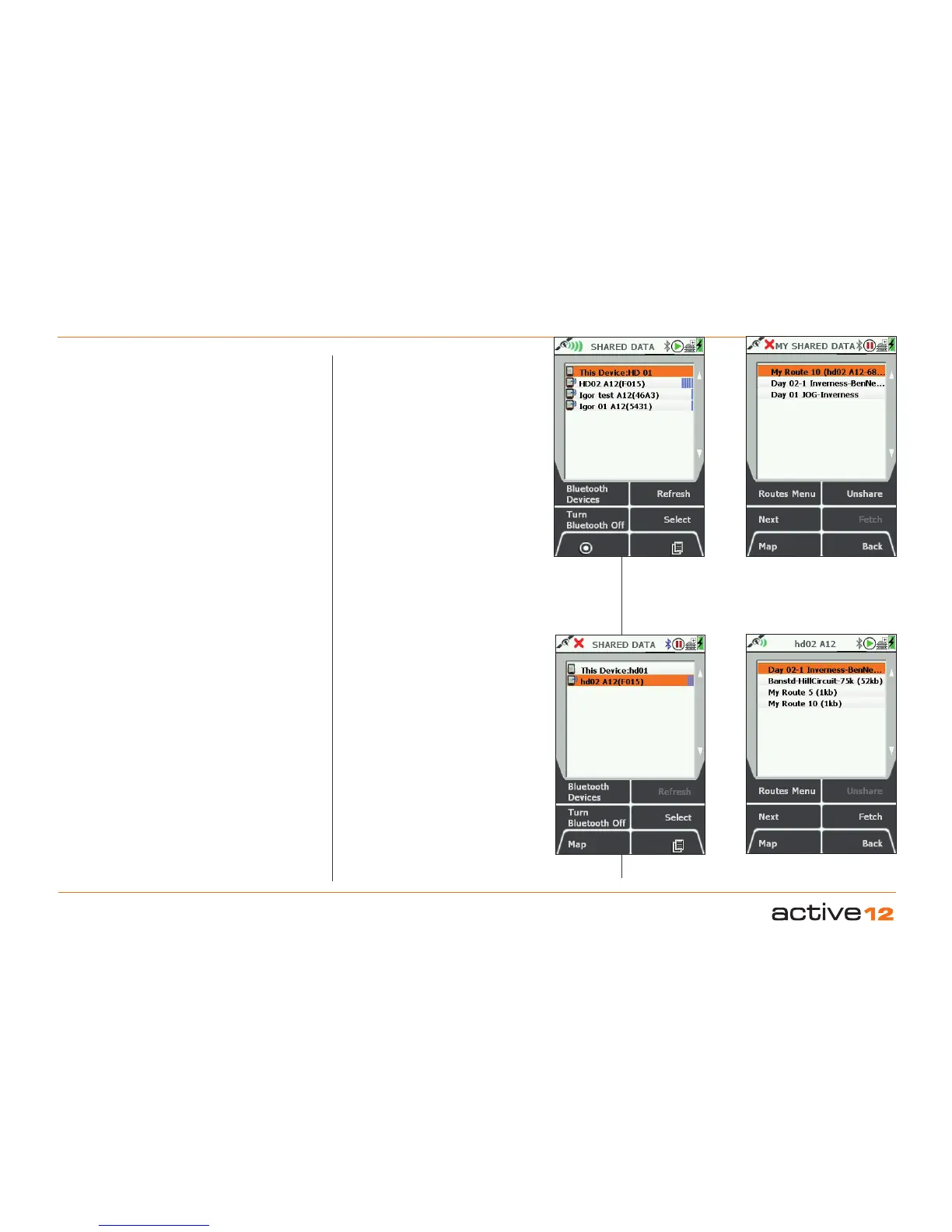
The SHARED DATA screen allows you
to use Bluetooth wireless connectivity to
share route data with other nearby Active
12's. To move Routes between devices,
they have to have been previously marked
as "Share" in the Route Edit screen.
Operation: Selection of this screen will
initiate a scan for nearby Active 12's. Other
Bluetooth devices will not be visible on this
screen.
Main List: The list will display the User
Name and ID number for all nearby Active
12's that have Bluetooth turned on. The
blue signal strength bars on the right hand
side range from 1-5 bars.
This Device: Your device will always be
at the top of the list. Either centre press
the joystick, or the Select button to display
the list of Routes that you have previously
marked as "Share". To make an item
shareable or not, locate it in your ROUTES
menu, press Edit, then Share / Unshare.
MY SHARED DATA screen also allows
access back to the Routes Menu screen,
and the ability to Unshare items.
Fetch Data. Back on the SHARED DATA
screen, items that have been made
shareable by other Active 12's can be
viewed by highlighting that device using
the joystick, and then either a centre press
of the joystick or the Select button will take
you to their "catalogue" data. Press Fetch
to transfer that item to you device. As the
transfer occurs an information box will
display "Data downloading in progress ...
Please wait".
Lists all nearby
Active 12's
Lists your Routes marked
for sharing
Select an Active 12 to view
their shareable routes.
Press Fetch to get a route.



 To Next Page