Software v3.0.9915
© Satmap Systems Ltd 2015
8
2.7 Extreme Weather Care Tips
It is important to remember that the Active 12 unit is
weatherproof (not 100% waterproof), which means
it can withstand weather conditions such as rain and
snow, but is not submergible in water. Rated at IP65,
the Active 12 will have no harmful effects from rain
and is also dust tight, providing the rubber doors
are closed.
Please note the following instructions:
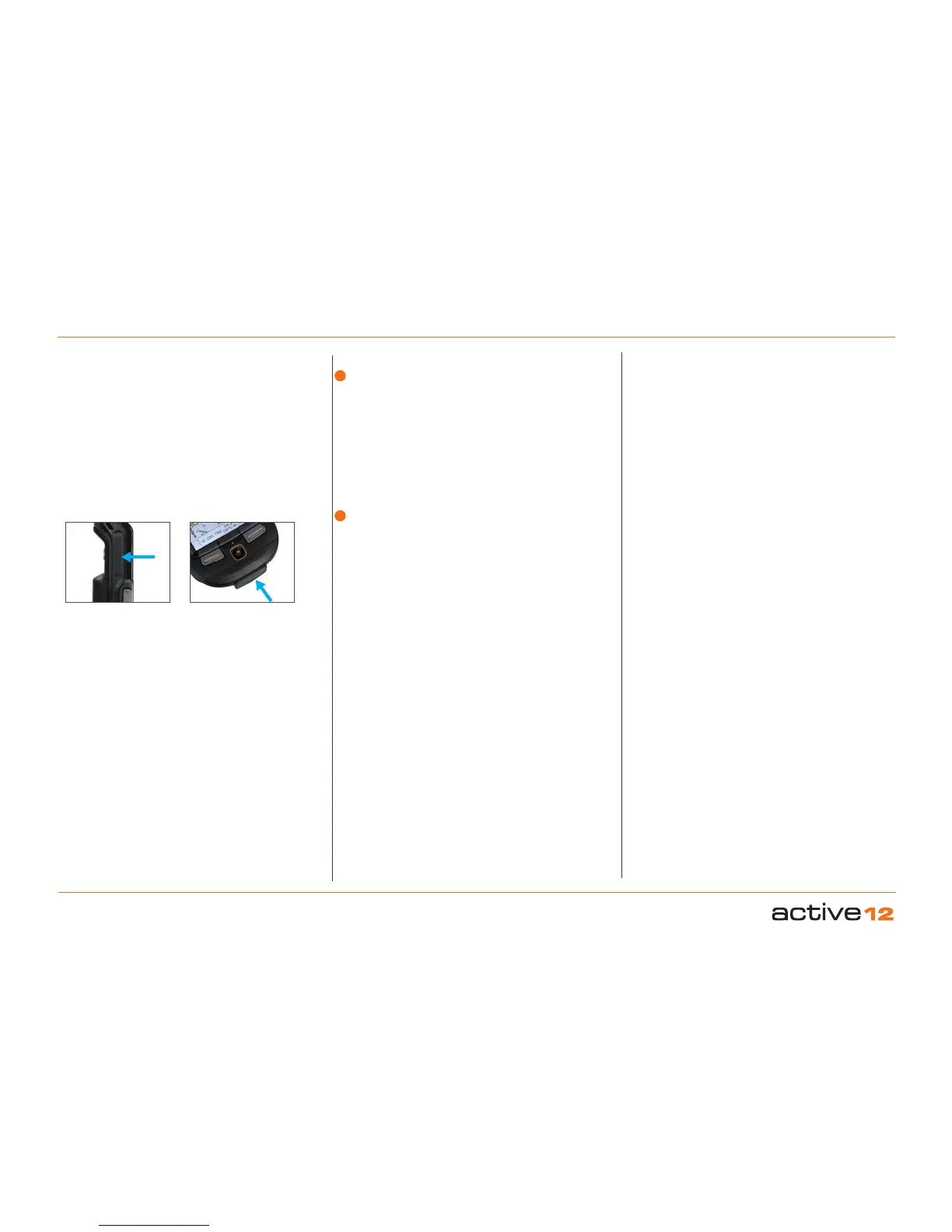
• It is extremely important that all watertight seals
(i.e. USB port & SD card slot) are properly closed
after use, and in good condition.
• Take care if removing the screen cover while
outdoors. Vigorous tugging of the screen cover
may temporarily pull the main seal apart,
potentially allowing water ingress. Use a soft damp
cloth to wipe down the screen in the case of rain
or mud splashes, to avoid undue scratching to the
plastic.
• Map cards: Do not expose the mapcards to water.
They should be kept dry and clean at all times.
NEVER insert a damp, wet or dirty map card into
the Active 12.
2. Care for your Active 12 (... cont)
2.8 In extreme weather conditions:
Provide a degree of protection to the unit by either
placing in a Satmap Standard or Deluxe Carry
Case, or use a Satmap ProShield. Either of these
will protect the unit from driving rain.
You can also carry the unit around your neck on the
lanyard, keeping it safely underneath a waterproof
jacket. This upright position will ensure that any
water slides off the unit, without collecting at the
base (where water damage might occur if the unit is
submerged for periods of time).
• Do not keep the Active 12 in an external waterproof
jacket pocket or back pack outer pocket, where
there is a risk of a pool of water collecting at the
bottom of the pocket and damaging the unit.
• The interior of the unit should not be exposed to
water or dust. Avoid changing the batteries or map
card whilst exposed to bad weather conditions.
With the SD Card door, USB door, or battery back
open, the Active 12 will not remain weatherproof.
Should water or dust enter the Active 12, do not
switch it back on until it has been completely dried
out or the dust has been removed.
2.9 In the case of water submersion:
• Once indoors, remove the screen cover, battery
back and LiPol battery/AA batteries with battery
caddy.
• Wipe down the screen cover with a soft cloth.
• Place the Active 12 and components in a warm,
dry place (e.g. on a window sill near a heater or
airing cupboard), and let them dry completely.
If you are unsure about any damage to your Active
12, please call our technical team who will be able to
give you advice on how to proceed, and if necessary,
repair your unit accordingly. (Please refer to satmap.
com for your local number).
2.10 Missing/worn parts:
You will need to send your Active 12 back to Satmap
for repair if parts have been lost or worn down.
Failure to do so may result in partial or complete
loss of warranty, as it will no longer be weatherproof.
• Rubber seals: The watertight seal on the USB
port and the SD card slot of the Active 12 should
always remain properly intact to prevent water
leaking into the unit. If either of these seals is lost
or damaged, you will need to send your Active 12
back to Satmap for repair.
• Joystick: If your joystick is worn down or ripped,
this can cause water to leak into the unit. Please
send your Active 12 back to Satmap for repair.
SD card door
USB door
1
2



 To Next Page