Software v3.0.9915
© Satmap Systems Ltd 2015
52
6. MAIN MENU: Settings Menu (... cont)
6.20 Screen Data Options
(GPS MAP → MAIN MENU → Settings →
Screen Data Options)
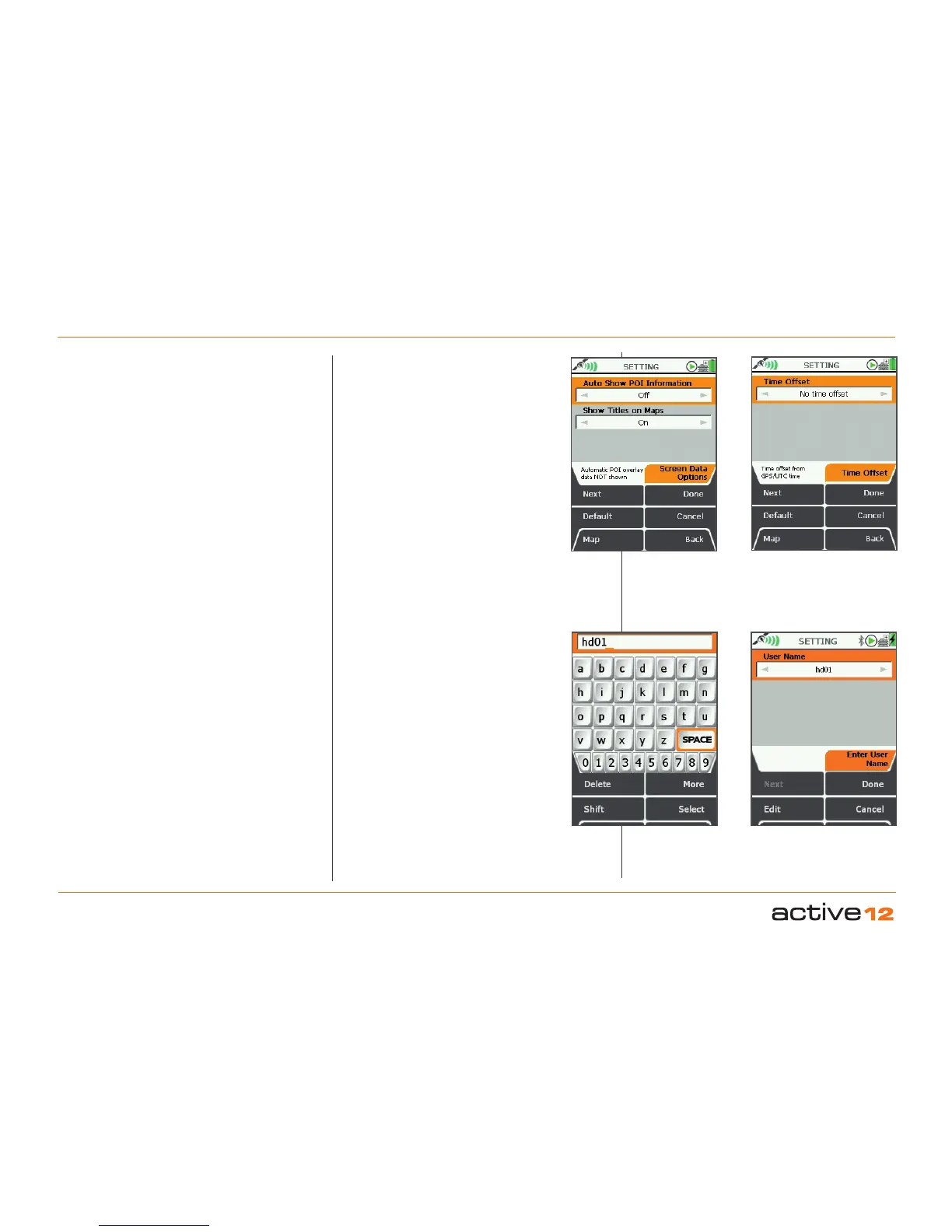
This controls the automatic display of the POI
details screen and the display of POI names,
waypoint names, and route names (i.e. 'titles')
on maps. Pressing the Default button restores
the following settings:
Auto Show POI Information: Off
Show Titles on Maps: On
Auto Show POI Information
• Use the joystick, moving left/right to switch
between;
On: POI overlay data is automatically shown
when nearby.
Off: POI overlay data is not automatically
shown.
• Press Done or centre press the joystick to
return to SETTINGS MENU.
Show Titles on Maps
These are the names of POIs, waypoints and
routes, and appear as white text within a black
rectangle.
• Use the joystick, moving left/right to switch
between;
On: POIs, waypoints and route names
shown on maps.
Off: Names not shown on maps.
• Press Done or centre press the joystick to
return to SETTINGS MENU.
6.21 Time Offset
(GPS MAP → MAIN MENU → Settings → Time
Offset)
This function allows you to vary the time
setting in relation to GMT (e.g. for British
Summer Time add one hour).
• Use the joystick, moving left/right to select
the time offset.
• Press Done or centre press the joystick to
return to SETTINGS MENU
.
GPS/UTC time (appears in the on-screen
descriptor) is the same as Greenwich Mean
Time, GMT. An explanation of UTC is given in
the glossary.
6.22 Enter User Name
(GPS MAP → MAIN MENU → Settings → Enter
User Name)
This function allows you to set a User Name
for your device. This name is primarily used in
the SHARED DATA screens to identify other
nearby Active 12s.
After a full default factory reset - the device will
normally ask you to set a User Name.
POI Info on
Map screens
Set Time
offset
Press Done
to complete
Enter User Name
in Text Box



 To Next Page