Software v3.0.9915
© Satmap Systems Ltd 2015
38
6.7 Backlight
(MAIN MENU → Settings → Backlight)
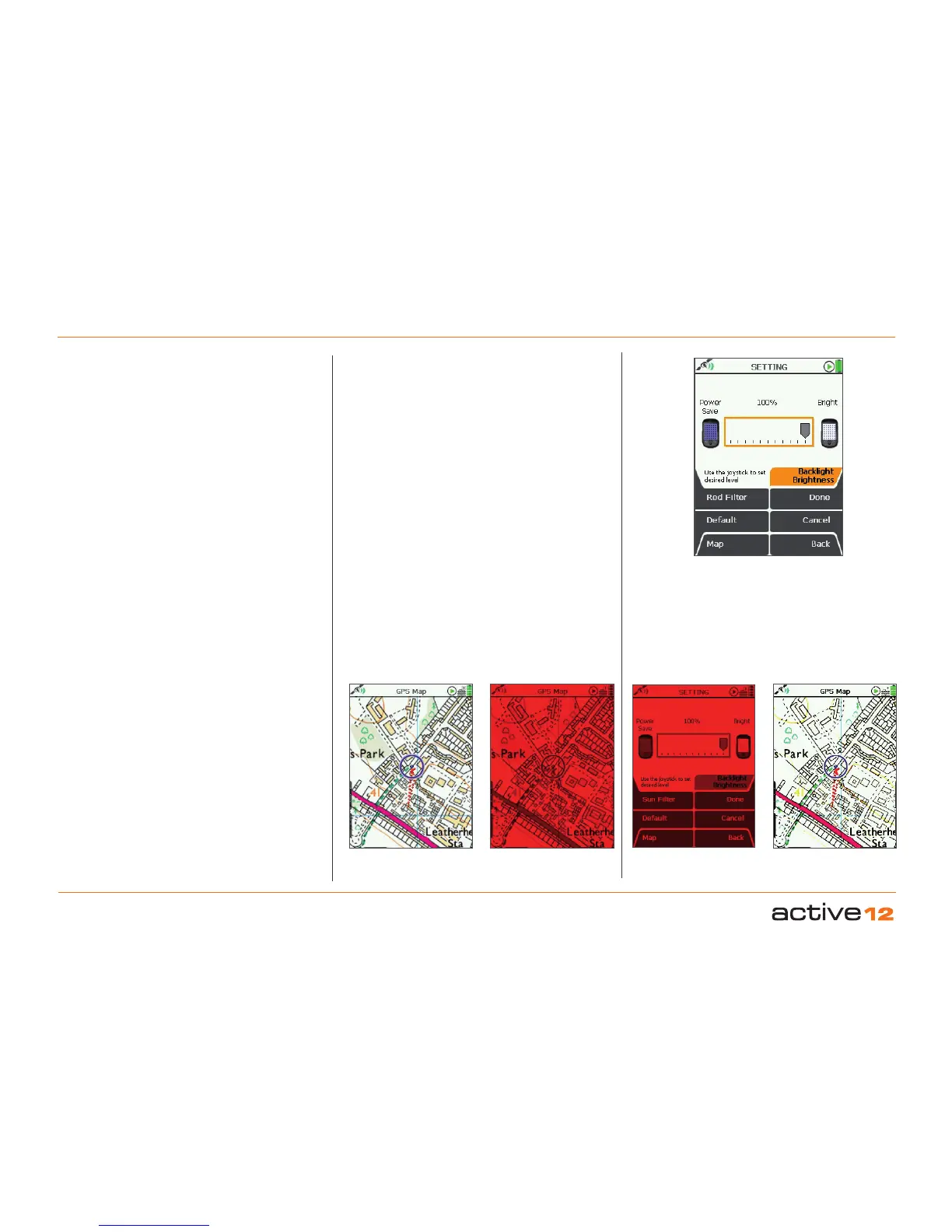
The Backlight setting is used to control the
brightness of the GPS screen. It has significant
impact on the battery life and is therefore
recommended that you choose a setting which you
find comfortable, not necessarily the brightest.
Filter Options:
Within the Backlight settings you will find options for
filtering your screen. These include options for use
at night and in strong sunlight:
• Red Filter: for night vision
Press the Red Filter
button for night use to
preserve your night vision. This adds a red tint
to your screen so your eyes are protected from
viewing a bright screen in the dark.
To preserve night vision, use a low level setting.
Below 10%, the scale goes down in steps of 2%.
(Some text may become illegible using the red lter
with a backlight setting below 10%).
Select Sun Filter, then Normal to return to the
daylight screen.
• Sun Filter: for strong sunlight
Press the Red Filter button to access the Sun
Filter option. This gives your screen a higher
contrast and increases the levels of red, green
and blue, so it is easier to view your map in very
bright sunlight.
Note: With the Sun Filter your screen loses some
intricate map details in order to enhance the visibility of
the map in sunlight.
Select Normal to return to the daylight screen.
The Red Filter, Sun Filter and
Backlight level
can be used in combination to suit your individual
needs.
• Use the joystick, moving left/right to select the
desired level.
• Press Done or centre press the joystick to return
to SETTINGS MENU
.
Pressing the Default button restores the following
setting: 90%
Note: If you are in Advanced Power Saving mode, the
Backlight setting cannot go beyond 80%.
6. MAIN MENU: Settings Menu (... cont)
Adjust backlight
brightness
Red Filter Sun FilterNormal
Adjust brightness



 To Next Page