Software v3.0.9915
© Satmap Systems Ltd 2015
78
12. AOIs (Areas of Interest) (... cont)
12.10 Edit Colour
(GPS MAP → MAIN MENU → OOI Menu → OOI
Folders → Select AOI → Edit → Edit Colour)
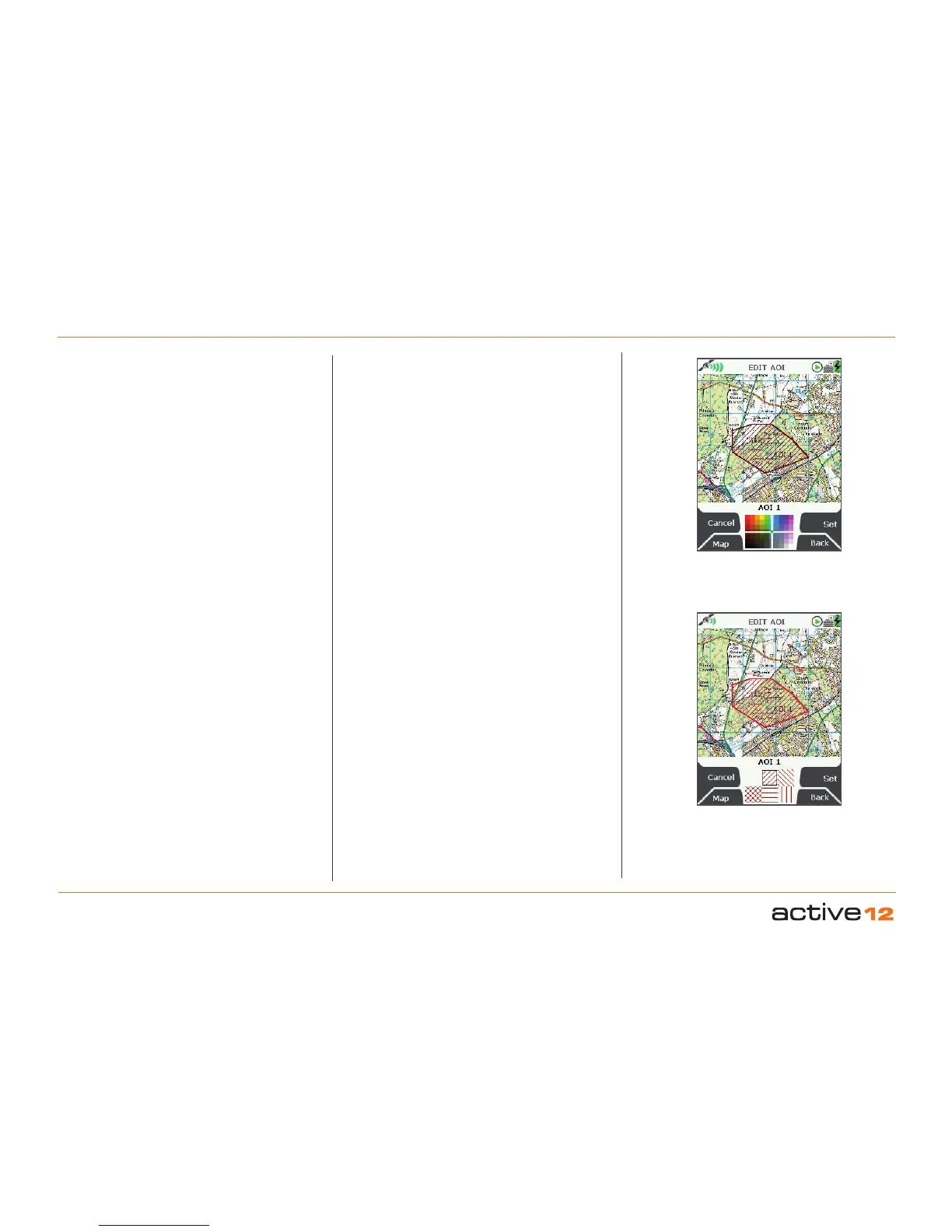
Highlight Edit Colour and use the joystick to make
a selection from the colour palette. As you move
the joystick over a colour, the AOI automatically
changes colour on the map. Once you are happy
with the colour choice, press Set to confirm or centre
press the joystick. This will take you back to the edit
menu.
12.11 Edit Pattern
(GPS MAP → MAIN MENU → OOI Menu → OOI
Folders → Select AOI → Edit → Edit Pattern)
Highlight Edit Pattern and use the joystick to make
a selection from six different pattern options. As you
move the joystick over a pattern, the AOI pattern
automatically changes on the map. Once you are
happy with the pattern choice, press Set to confirm
or centre press the joystick. This will take you back
to the edit menu.
12.12 Delete
(GPS MAP → MAIN MENU → OOI Menu → OOI
Folders → Select AOI → Edit → Delete)
Highlight Delete, then press Delete or centre press
the joystick to access a screen showing the option to
delete the AOI. When Delete is selected the screen
will go back to the OOI Folders. Pressing Cancel will
take you back to the EDIT AOI menu.
Edit AOI fill
colour
Edit AOI fill
style
12.13 Move to SD Card
(GPS MAP → MAIN MENU → OOI Menu → OOI
Folders → Select AOI → Edit → Move to SD Card)
(Only available if an SD card has been inserted).
Move
the AOI from the SD card to the Internal Storage.
Highlight Move to SD Card and either press Move
or
centre press the joystick. (Subsequently this option
becomes Move from SD Card). The screen will go
to the OOI Folders and the AOI will appear in the
SD Card folder. To move the AOI from the SD card
you will need to select Move from SD Card from the
edit menu.
12.14 Copy to SD Card
(GPS MAP → MAIN MENU → OOI Menu → OOI
Folders → Select AOI → Edit → Copy to SD Card)
(Only available if an SD card has been inserted)
. Make
a copy of the AOI onto the SD card. Highlight
Copy
to SD Card and either press Copy or centre press
the joystick. (Subsequently this option becomes
Copy from SD Card). The screen will go to the
OOI
Folders and a copy of the AOI will appear in the
SD
Card folder.



 To Next Page