Software v3.0.9915
© Satmap Systems Ltd 2015
29
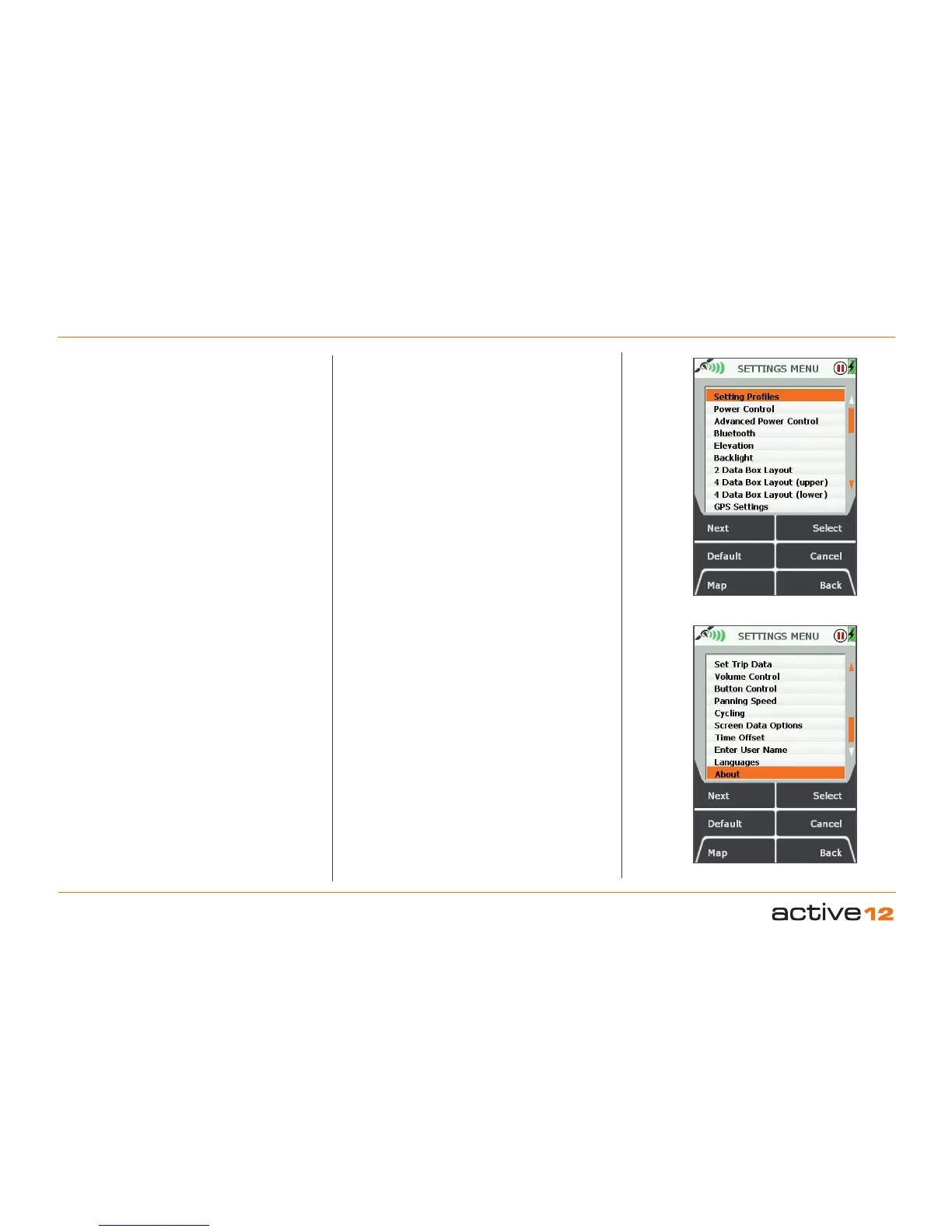
6.1 Access SETTINGS MENU screen
(GPS MAP → MAIN MENU → Settings)
The SETTINGS MENU screen gives you access to a
wide range of settings options.
In addition, use Memory Status to find out how
much RAM/operating memory you are using. If
the consumption is too high, you can reduce it by
adjusting Set Trip Data to 'Hide Inactive Routes' or
only show the start point of an inactive route ('Show
Inactive Routes SP').
The full list of settings options are:
• Setting Profiles
• Power Control
• Advanced Power Control
• Bluetooth
• Elevation
• Backlight
• 2 Data Box Layout
• 4 Data Box Layout (upper)
• 4 Data Box Layout (lower)
• GPS Settings
• Memory Status
• Units and Set Speed
• Compass Settings
• Calibrate Compass
• Set Trip Data
• Volume Control
• Buttons Control
• Panning Speed
• Cycling
• Screen Data Options
• Time Offset
• Enter User Name
• Languages
• About
At any point, should you wish to exit a settings
screen, either press Map (front left button) to go to
the GPS MAP/PLANNING screen, or press Back
(front right button).
Buttons:
Next
Scroll through menu options. Alternatively use the
joystick to highlight an option.
Default
Takes you to the Default Settings screen with the
option to choose Yes or No. Pressing Yes takes you
to the Default Options screen:
• Choose Clear All to reset all the user defined
settings, trail and GPS data, (including OOIs and
routes) to the factory set defaults. The unit will then
turn itself off.
• Choose Reset Settings to reset only the settings
data to the factory set defaults.
(If you choose Yes you will not be able to go back
without choosing one of these options).
Choose No to retain all current settings and return to
the SETTINGS MENU
.
Map
Return to last map screen
Select
Either press Select or centre press the joystick to
select the highlighted option
Cancel / Back
Return to MAIN MENU
6. MAIN MENU: Settings Menu
Figure 7.00
SETTINGS Menu -1
SETTINGS Menu -2



 To Next Page