Software v3.0.9915
© Satmap Systems Ltd 2015
35
6. MAIN MENU: Settings Menu (... cont)
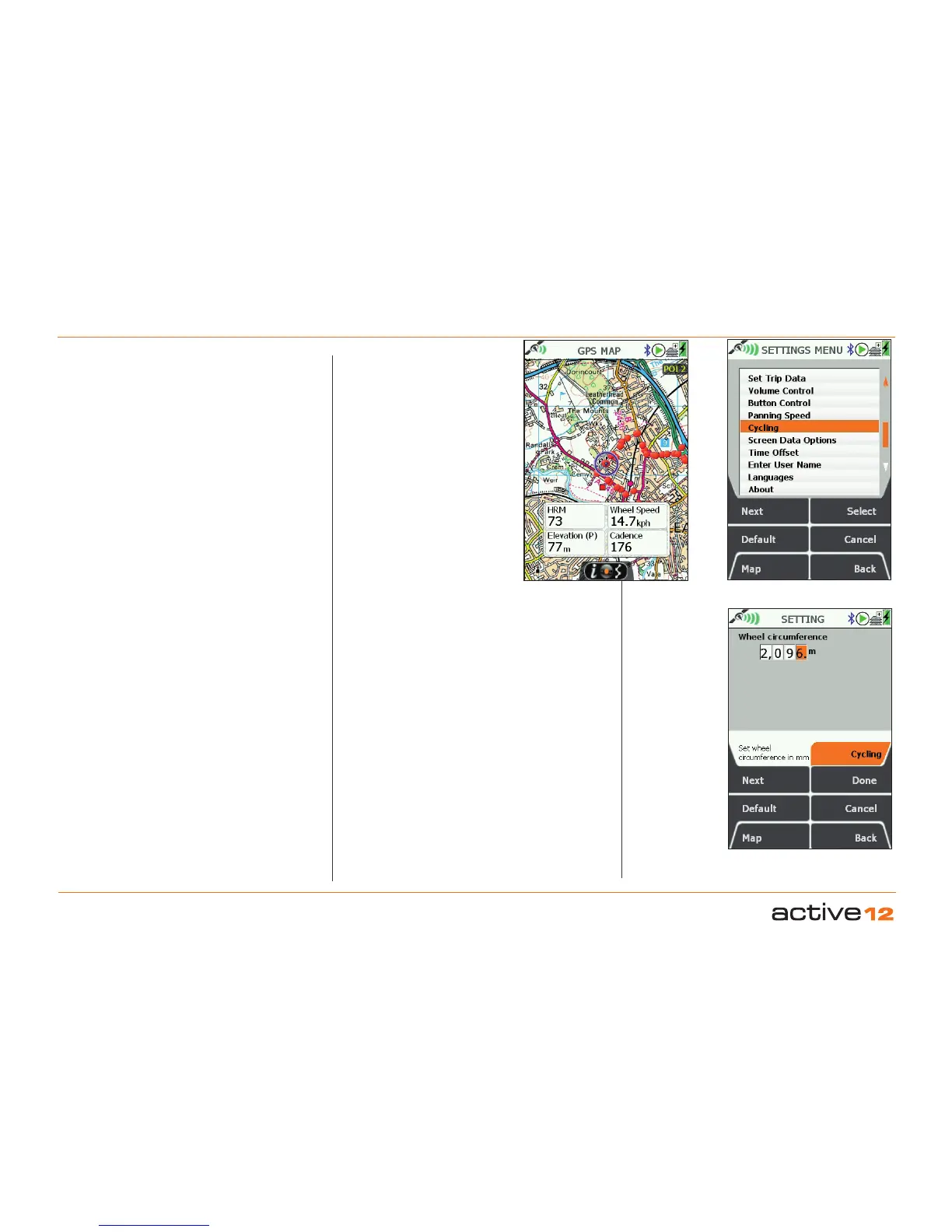
Set up for Wheel Speed. This
relies on a default value for the
wheel circumference, which is then
multiplied by the wheel revolutions
output from the sensor. The default
setting is 2,096mm, and this can be
changed in the SETTINGS / Cycling
screen. Use the joystick to navigate
the numbers and set the values.
Data Output. HRM and cadence
data will be stored on the Active 12.
After your activity, save your data
for later upload. This is done via the
TRIPLOG / Menu / Convert options.
Your data containing the HRM and
cadence values will be stored in a
TCX file (e.g. MyRoute1.tcx). You will
be able to see these files when you
use the SatSYNC PC application to
upload your data.
About TCX les. This is an
industry standard format that is
accepted by a wide variety of 3rd
party activity storing and sharing web
sites. These TCX files can contain
location and speed data, along with
a wide variety of fitness related data
items.
Sensor data displayed
SETTINGS / Cycling
Set your Wheel Circumference in mm.



 To Next Page