EQJW145:
Heating controller
Commissioning
20 7010015003 A
© Fr. Sauter AG
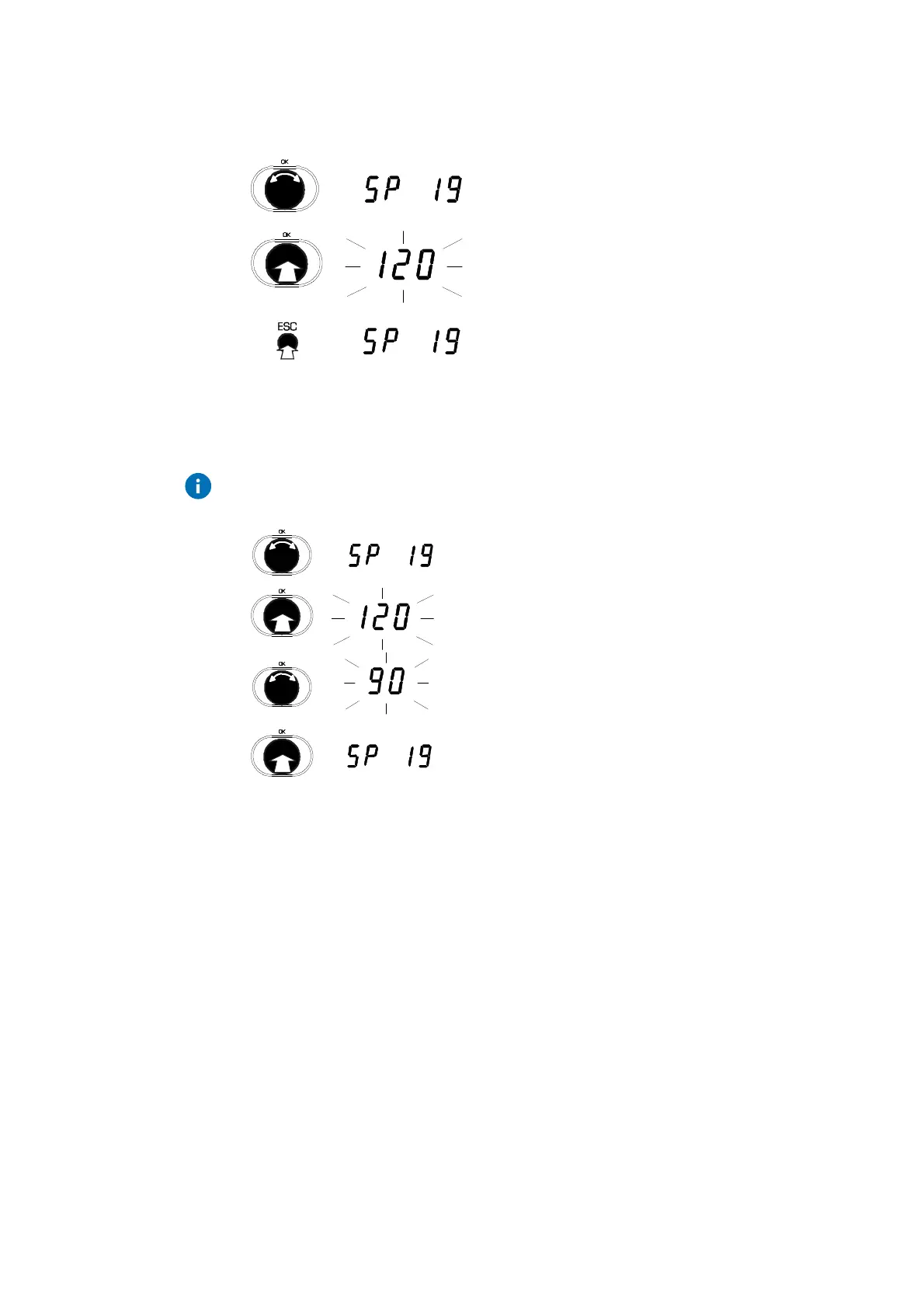
3.3.2 View SERVice parameters
1. Turn the input knob.
2. Select the SERVice parameter you want.
3. Press the input knob.
•
The value of the parameter is shown.
4. To leave the value unchanged, press ESC to
exit the display.
3.3.3 Change SERVice parameters
Press the ESC key to cancel the operation. The value is not accepted unless
it has already been confirmed.
1. Turn the input knob.
2. Select the SERVice parameter you want.
3. Press the input knob.
•
The value of the parameter is shown.
4. Turn the input knob.
•
The value of the parameter is changed.
5. Press the input knob.
•
The new value is confirmed.
sec
sec
sec



 To Next Page