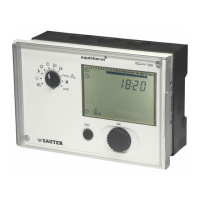
EQJW145:
Heating controller
Faults
80 7010015003 A
© Fr. Sauter AG
The coding is as follows:-
Err 1 (Sensor failure T
F
)
1
Err 2 (Sensor failure T
A
)
2
Err 3 (Sensor failure T
R
)
4
Err 4 (Sensor failure T
RF
)
8
Err 5 (Sensor failure T
W2
,T
RF2
)
16
Err 6 (Sensor failure T
W1
, T
F2
)
32
Err 10 (Error message received via device bus)
512
Err 11 (Prohibited access)
1024
The value shown as the device status is the total of the codings for the
existing errors.
Example: error on T
F
andT
R
(Err1 and Err3) results in error value 5 for the
device status.
Err1 1
Err3 4
Total (= device status): 5
7.2 Logbook
Malfunctions, control offsets and limit violations of flow/output are entered in
the logbook. The following applies:
Control offsets are entered whenever the actual value deviates by more
than 10K for at least 30 minutes
Limit violations are entered whenever the pulse rate remains more than
10% too high for at least 30 minutes
To view the logbook entries, select parameter SP03 in the SERVice level (see
Chapter 3.3).
The entries can be called up as follows. When SP03 is called up, the year in
which the last entry was recorded is shown. Turn the knob to view the years
in which at lease one entry was made. Press the knob to get to the next level,
which shows the days (DD.MM) of the relevant year on which an entry was
made. Press the knob to select a day and show the times (HH:MM) at which
entries were made on the relevant day were made.
Press the knob to view the device status (for coding, see Chapter 7.1.2) or
the control offset or the limit violation. Press the ESC key to move back one
level, or several times to leave the SP03 level.



 To Next Page