EQJW145:
Heating controller
Operation
7010015003 A
55
© Fr. Sauter AG
4.5 Calendar switching programme
4.5.1 Calling up the calendar switching programme
The calendar programme can influence the automatic mode of the heating
circuit over longer periods, in addition to the weekly programme. The
calendar switching programme specifies date periods (e.g. for holidays) when
the weekly switching programme is only enabled up to a defined mode. A
maximum of 20 switching commands (10 periods) comprising the date and
mode are available for this purpose. These can be entered in the day grid. An
'empty' switching programme is interpreted as a switching programme in
normal mode. The switching commands are captive. You are recommended
to note any change to the calendar switching programme in the relevant table
in section 15.4. No commands are entered in the calendar switching
programme in the factory setting. The calendar switching programme does
not influence the switching programme for domestic hot water preparation or
the switching programme for the configurable output.
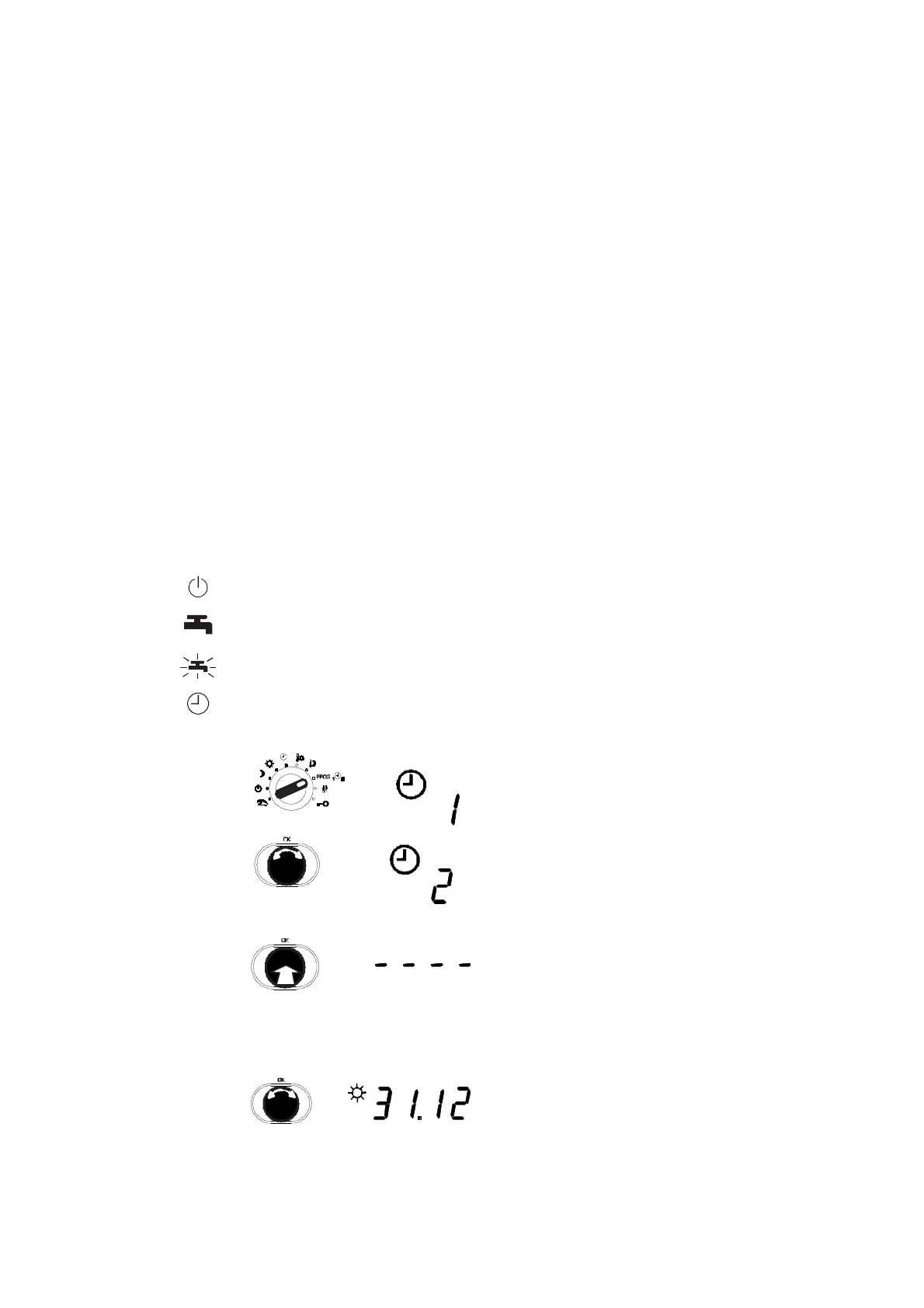
Before you can call up, view or edit the calendar switching programme, the
bottom rotary switch must be moved to one of these positions (see 4.1).
Off mode
Continuous heating to normal DHW temperature
Continuous heating to increased DHW temperature
Automatic mode
1. Set the top rotary switch to PROG.
2. Turn the input knob to go to the calendar
programme.
3. Push the input knob.
•
This selects the calendar programme.
•
You see '_ _ _ _' or the first switching
command if one is present.
4.5.2 View switching commands
Turn the input knob.
•
The individual switching commands are
shown, if any are present.
•
An empty switching command is shown as
'_ _ _ _'.
Procedure



 To Next Page