EQJW145:
Heating controller
Operation
52 7010015003 A
© Fr. Sauter AG
4.3 Enter setpoint temperature in reduced mode
To enter setpoints, the bottom rotary switch must be moved to one of the
following positions (see 4.1).
Off mode
Continuous heating to normal DHW temperature
Continuous heating to increased DHW temperature
Automatic mode
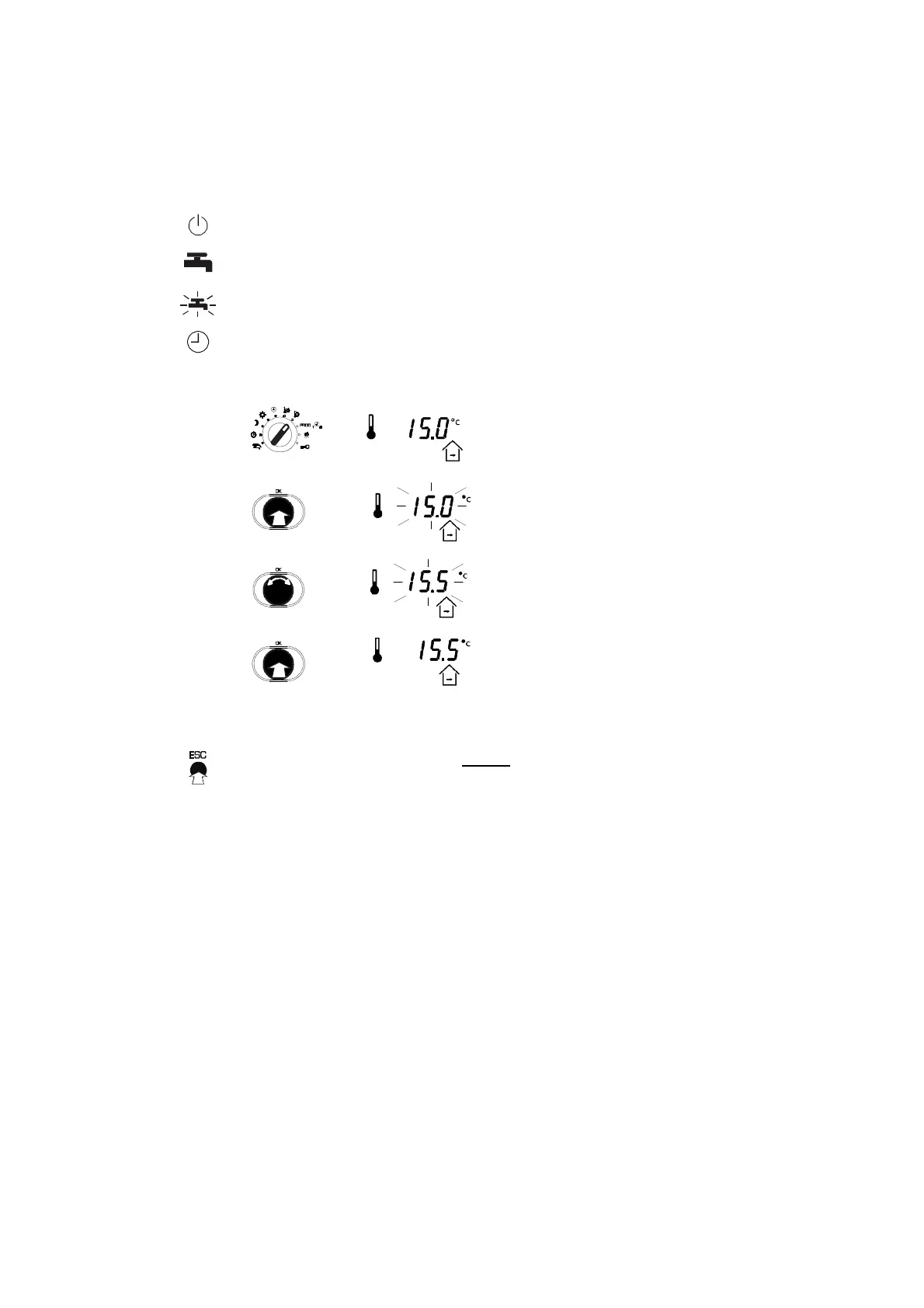
1. After you select the switch position for the top
rotary switch, the current room setpoint
temperature for reduced mode is shown.
•
Push the input knob and the numerical
value will flash...
•
... and you can now change it by turning it
upwards or downwards (step value:
0.1°C).
2. Push the input knob again to confirm the
changed numerical value.
Press the ESC button once before confirming to cancel the input. The old
value is retained.
4.4 Weekly switching programme for heating
The weekly switching programme repeats itself every week. It comprises a
maximum of 48 switching commands (6 for each day and another 6 for the
whole week) with the associated operating modes which can be entered in a
10-minute grid. The switching commands can be modified individually and
they are captive. A switching command may be valid every day (1-7) or on a
specified day of the week (Mon=1, Tue=2, etc.). If a switching command is
present on a certain day of the week (Mon, Tue, etc) the daily switching
command (1-7) is not valid on that day. An 'empty' switching programme is
interpreted as a switching programme in normal mode.



 To Next Page