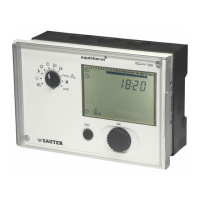
EQJW145:
Heating controller
Commissioning
7010015003 A
25
© Fr. Sauter AG
3.3.5 Explanations for individual SERVice parameters
View software version
The controller's software version number is shown.
View device status
SERVice parameter 2 allows you to read the device status of the EQJW 145.
Value 0 means that the EQJW 145 is operating without faults. The coding for
faults is shown in section7.1.2. Once the fault is rectified, the value for the
SERVice parameter is reset automatically.
Note: this coded error description is primarily used to signal faults via bus,
modem or SMS. Faults can be conveniently read directly from the ERROR
display on the controller (see7.1).
Logbook
This is not a parameter but an indicator for the logbook, in which the date,
time and type of fault is entered for every fault that occurs during operation.
Further information on this function can be found in section 7.2.
Software reset
Switching commands and/or SERVice or communication parameters are
returned to the factory setting. To do this, the value of the SERVice
parameter must be changed and confirmed. After this, the EQJW 145
performs the relevant reset and assigns value 0 to the parameter.
Manual mode
SERVice parameter SP05 is used to disable or enable manual mode. If the
value of the parameter is 0, manual mode is disabled.
Control model
Various control models are stored in the EQJW 145. Use this parameter to
specify the model that the EQJW 145 uses as the basis for control. The
following control models are available for selection.
MOD1: one control valve on the primary side
(SP06 =1)
MOD2: one control valve on the secondary side (SP06 = 2)
MOD3: two control valves on the primary side (SP06 = 3)
With MOD1 and MOD2, it is possible not only to control a heating circuit but
also to prepare DHW. SERVice parameter 33 can be used to configure the
DHW preparation.
With MOD3, the second control valve on the primary side is used for fixed-
value control (e.g. for DHW preparation). The assignment of T
F2
or T
RF2
to
the appropriate terminal is done automatically (see wiring diagram). More
information about the control models and the most important applications is
given in the section on 'Information on applications'.
SP01
SP02
SP03
SP04
SP05
SP06



 To Next Page