EQJW145:
Heating controller
Manual
mode
7010015003 A
65
© Fr. Sauter AG
5 Manual mode
In manual mode, the system can be controlled by hand during installation or
in case of an incident. There is no control in manual mode. The output relays
are opened or closed. The valve is opened or closed according to the
specified values. Before you can work in manual mode, this mode must be
enabled in SERVice mode (see 5.1).
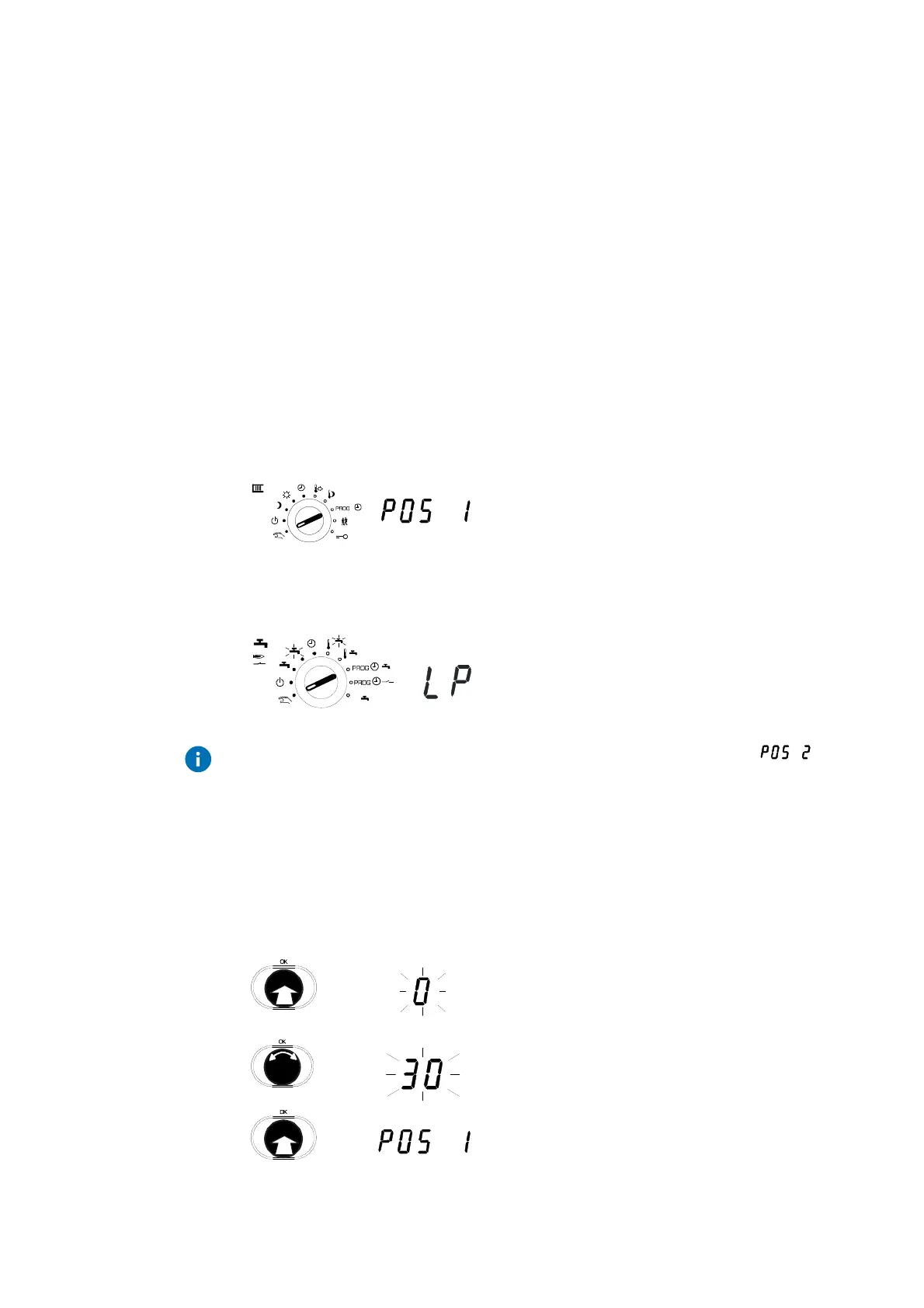
By selecting the switch position for one of the two rotary switches, the mixer
first retains its current position and the heating medium pump is switched on.
The current statuses for the controller outputs (pump on, final control element
open, final control element closed etc.) are shown on the lower edge of the
display (as also happens in other cases - see 2).
5.1 Access to manual mode (heating)
Set the upper rotary switch to manual mode.
5.2 Access to manual mode (domestic hot water, configurable output and second final
control element)
Set the lower rotary switch to manual mode
If a second final control element was configured, the display shows to
start with.
If both rotary switches are set to the manual position at the same time, all the
outputs are then available for selection. Otherwise, only the outputs
belonging to the respective switch are available. Outputs that are not used in
the current controller configuration are not offered for manual mode.
5.3 Set valve position
1. Press the input knob at POS 1 (or POS2 for
the 2nd final control element).
I.e. select the 'final control element opening'
menu sub-item.
2. Turn the input knob.
•
Value for final control element opening in
per cent.
3. Press the input knob.
•
Confirm the value.
2
1
1
x



 To Next Page