31
8014084/ZWT7/V3-1/2020-06 | SICK OPERATING INSTRUCTIONS | TRANSIC111LP
Subject to change without notice
OPERATION 4
4Operation
4.1 Safety instructions for operation
4.2 Device interfaces
There are 3 control interfaces.
● Keypad (on the device front panel)
● Maintenance interface (RS-232)
● RS-485 interface
4.2.1 Control via keypad
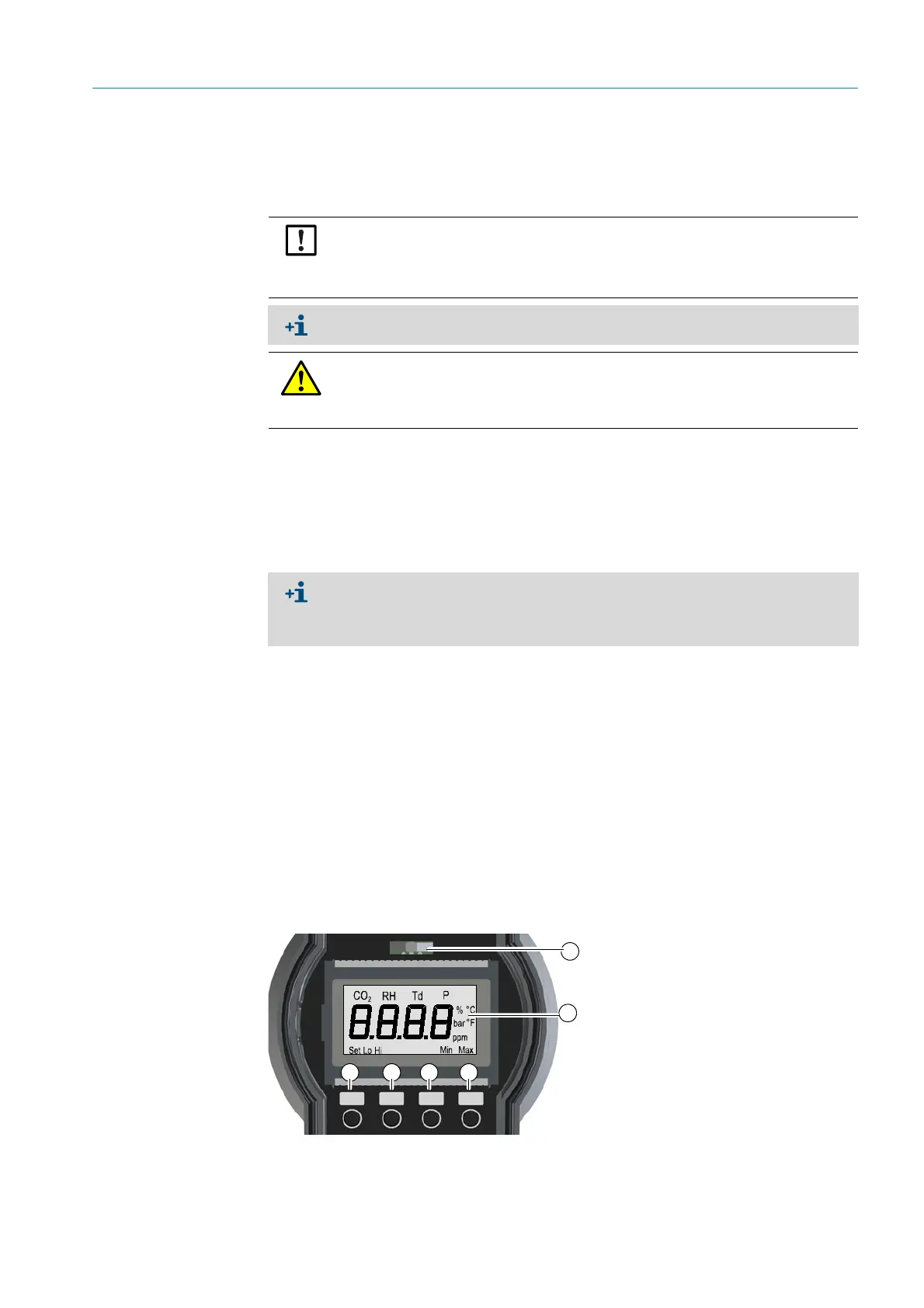
A display and four pushbuttons are located on the front enclosure panel. The measured
oxygen value is shown on the display. LEDs signal the operating mode of the measuring
device. A green LED indicates normal operation.
Characteristics
The main purpose of the integrated interface (keypad/display) is field calibration.
The following values can be set to attain higher measuring precision:
● Process pressure
● Humidity
● Carbon dioxide content
Fig. 15: Display and keypad
NOTICE: Read the instructions through carefully before making any settings or
parameter changes. SICK accepts no responsibility for parameter or setting
changes nor adjustments made by the user. Contact SICK Customer Service
when you require technical support.
The password can be found in the Annex, see “Password”, page 107.
DANGER: Hazard through incorrect parameter settings
Incorrect parameter settings can lead to personal injury and equipment damage. This is
why the password must only be available for authorized technicians.
▸ Note the password in the Manual and keep it safe somewhere else.
The basic commands in the maintenance and RS-485 interface are available for all
users.
Changes to parameters are password protected. The password allows access for
30 minutes after entry.
Up DN
Back
Ent
1 LED (red/green)
2 Seven-part display
3 Up - Upwards button
4 Dn - Downwards button
5 Back - Back button
6 Ent - Input button
4 5 6
1
2
3



 To Next Page