38
8014084/ZWT7/V3-1/2020-06 | SICKOPERATING INSTRUCTIONS | TRANSIC111LP
Subject to change without notice
4 OPERATION
4.5.3 C0
2
content in process gas: Settings (CO2)
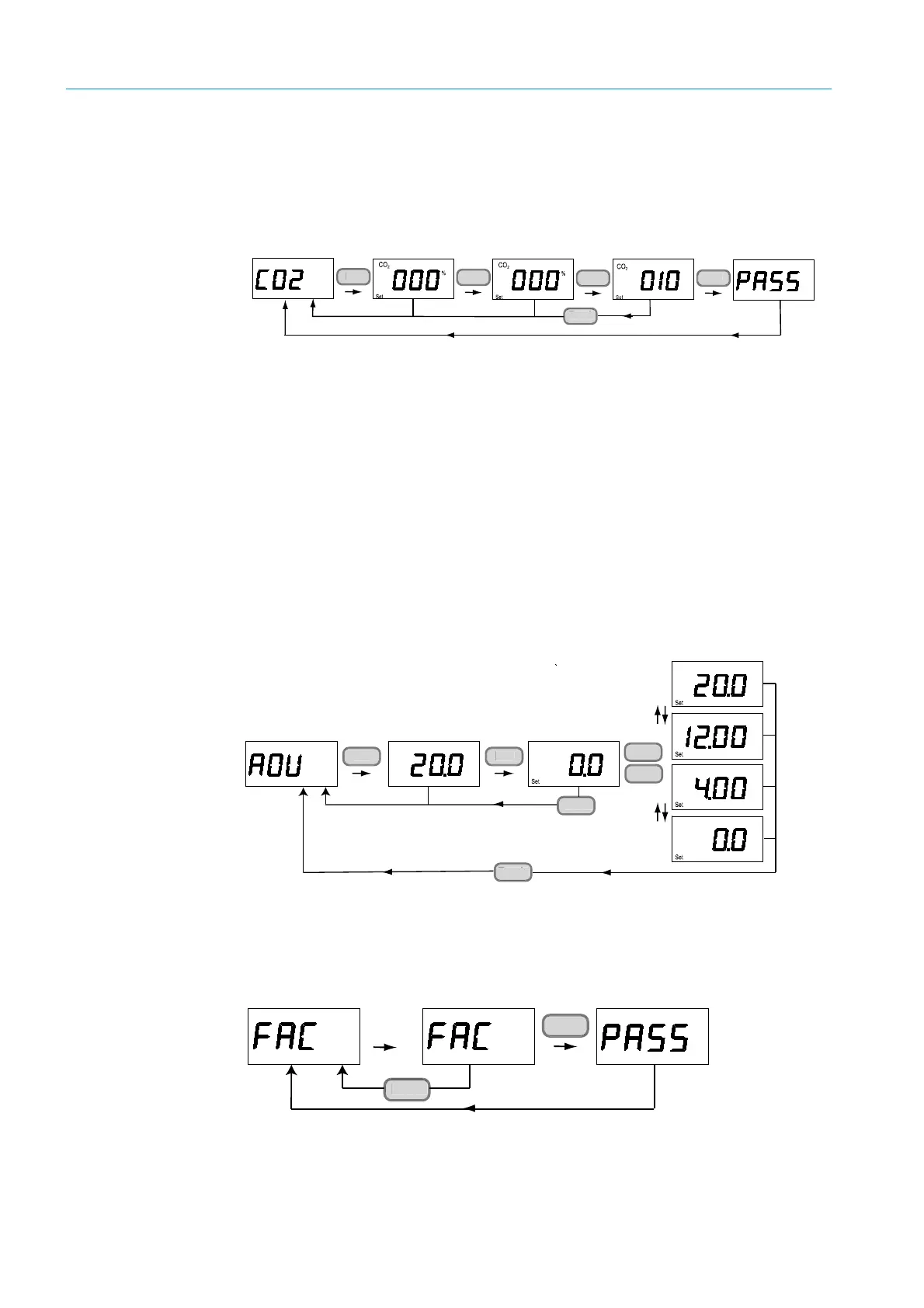
1 Enter the average CO
2
value in the sample gas.
Adjustable range: 0 ... 100% vol.
Fig. 25: CO
2
sample gas setting
4.5.4 One-point calibration (CAL1)
Figure can be found in Section Adjustment, see “One-point adjustment using the keypad”,
page 73.
4.5.5 Two-point calibration (CAL2)
Figure can be found in Section Adjustment, see “Two-point adjustment using the keypad”,
page 76.
4.5.6 Analog output display and settings (AOU)
1 Press Ent to display the current output value on the analog output.
2 To set fixed output values for the analog output (0, 4, 12, 20 mA), press Ent and use Up
and
Dn
to select the analog output value.
Fig. 26: Displaying and setting the analog output value.
4.5.7 Resetting to the factory calibration (FAC)
The adjustment is reset to factory setting.
(Gain value: 1, offset value: 0).
Fig. 27: Resetting to the factory setting for oxygen measurement
<
(0 ... 100 vol%)
<
<
<
<
<
Back
n
n
En
ac
n
n
n



 To Next Page