73
8014084/ZWT7/V3-1/2020-06 | SICK OPERATING INSTRUCTIONS | TRANSIC111LP
Subject to change without notice
ADJUSTMENT 6
9 Enter command ADJUST OFF and press Enter. The adjustment is completed and the
measuring results are displayed again.
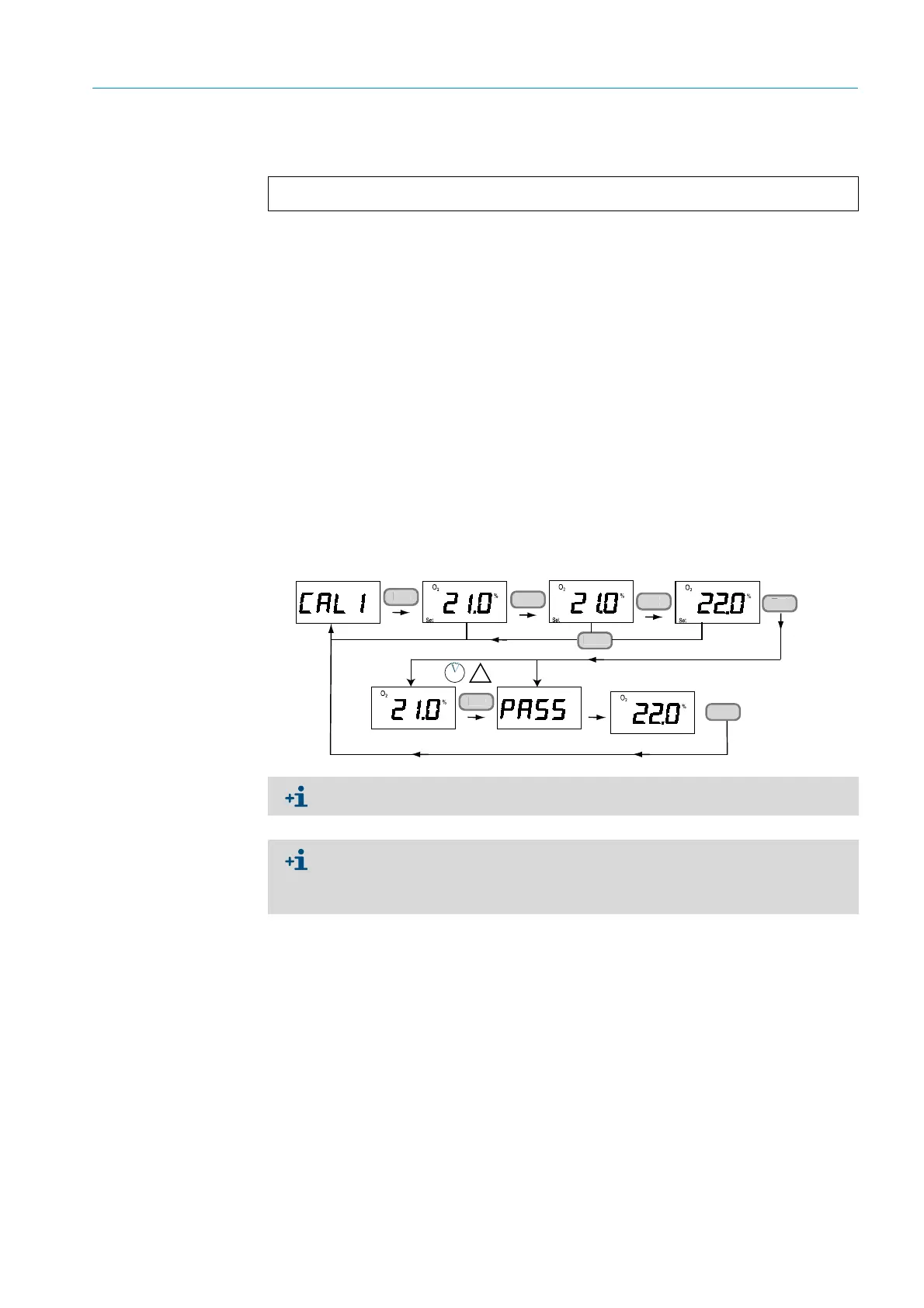
6.3.4 One-point adjustment using the keypad (function CAL1)
1 Check that no error messages are active.
Active error messages influence adjustment. Malfunction messages, see “Error display”,
page 92. (Serial interface) and “Display of active and undeleted errors (ERR)”, page 36
(keypad) Error Table, see “Error Table”, page 92.
2 Enter the password in menu PAS.
3 Select menu item Cal1. This holds the analog output.
4 Connect the span gas.
5 Enter the known O
2
value and confirm with Ent.
6 The measured value display blinks.
7 Feed calibration gas.
8 Wait until the display shows a stable value.
9 Confirm with Ent.
PASS is displayed when the calibration is successful. The device now calculates the new
gain and offset settings and starts to display the new measured value.
10 Press Ent twice. This ends the one-point adjustment.
Fig. 35: One-point adjustment using the keypad
0511-090
>adjust off
Outputs to normal state
En
n
D
n
En
5 s
The adjustment can be aborted at any time with Back.
The reference concentration used determines whether the gain or offset parameter
value is changed.
– Change to the offset value: Oxygen concentration < 10.5% O
2
– Change to the gain value: Oxygen concentration > 10.5% O
2



 To Next Page