37
8014084/ZWT7/V3-1/2020-06 | SICK OPERATING INSTRUCTIONS | TRANSIC111LP
Subject to change without notice
OPERATION 4
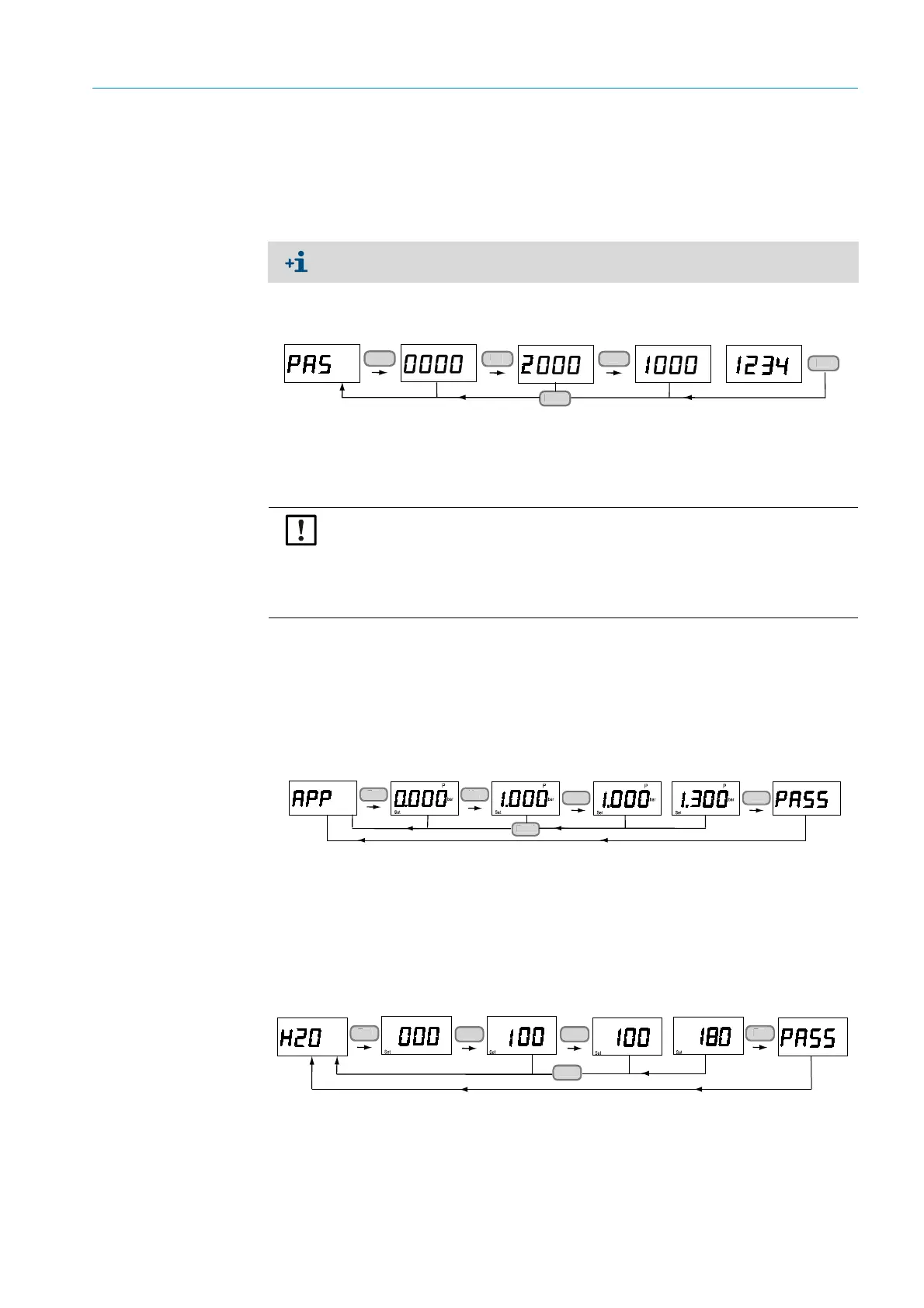
4.4.6 Entering the password (PAS)
1 Entering the password makes additional menu items available.
2 These additional menu items remain accessible for 30 minutes.
3 Observe the safety instructions, see “Safety information on using the password:”,
page 34.
Fig. 22: Entering the password
4.5 Menu navigation with password authorization
The maintenance level is open for all interfaces after the password has been entered.
4.5.1 Process pressure: Display and settings (APP)
1 Enter the average pressure in the sample gas. Further information, see “Pressure com-
pensation”, page 62.
Adjustable range: 800 … 1400 mbar.
Fig. 23: Reading out and changing the process pressure
4.5.2 H
2
0 content in process gas: Settings (H2O)
1 Enter the average H
2
O value in the sample gas. Further information, see “Compensation
of ambient parameters”, page 61.
Adjustable range: 0 … 600 g/m
3.
Fig. 24: Humidity in process gas setting
Menu navigation starts from the top again after the password is entered (Measured
value display).
En
n
NOTICE:
● After entering the password via the keypad, it is recommended to return to the
oxygen statistics display after completing password protected functions.
● Even though the password expires in 30 minutes, maintenance functions remain
available until you return to the basic functions in the menu structure. A message is
not sent via the keypad when the password expires.
<
<
...
<
<
(0.800 ... 1.400 bar)
Back
n
n
<
...
(0 ... 600 g/m³)
<
<
<
<
<
Back
n
U
D
n



 To Next Page