SIGLENT
SDS1000CML+/SDS1000DL+ User Manual 3
No. Description No. Description
1
Power button 10 Trigger Control Area
2
Menu On/Off 11 Probe Compensation
3
Universal Knob 12 Horizontal Control Area
4
Functions Menus 13 Ext Trigger Terminal
5
Default Setup 14 Vertical Control Area
6
Help button 15 Channel Input Terminal
7
Single Trigger 16 Print key
8
Run/Stop Control 17 Menu Softkey
9
Auto Setup 18 USB Host
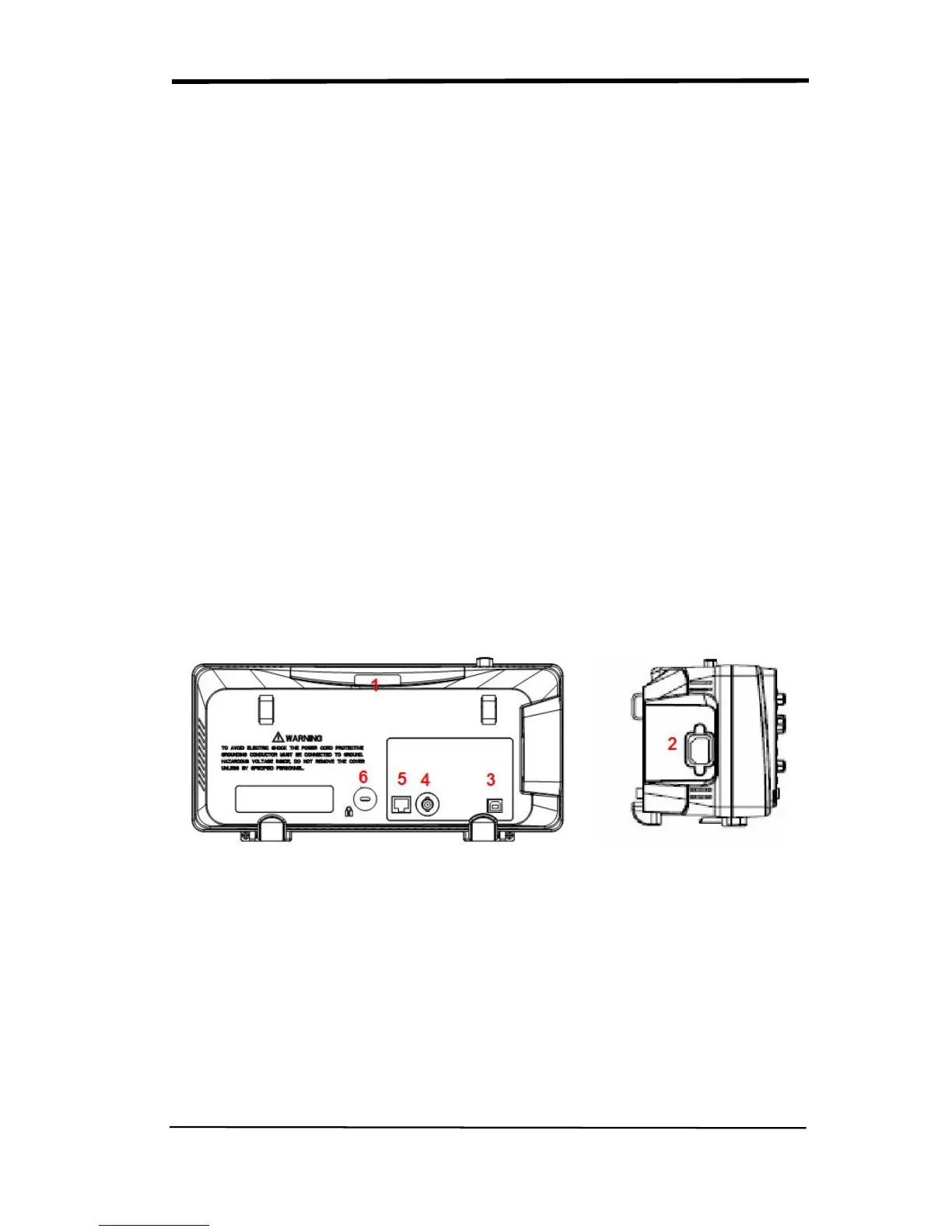
1.1.2 Back and Side Connections
The following images show back and side panel connection locations.
Picture 1.1-2 SDS1000CML+ Back and Side panel
1. Handle
2. AC Power Input Terminal
3. USB Device Connector
4. Pass/Fail Output Connector
5. LAN Port
6. Lock Hole










 To Next Page