SDS1000CML+/SDS1000DL+ Quick Start 11
Function Introduction of Front Panel
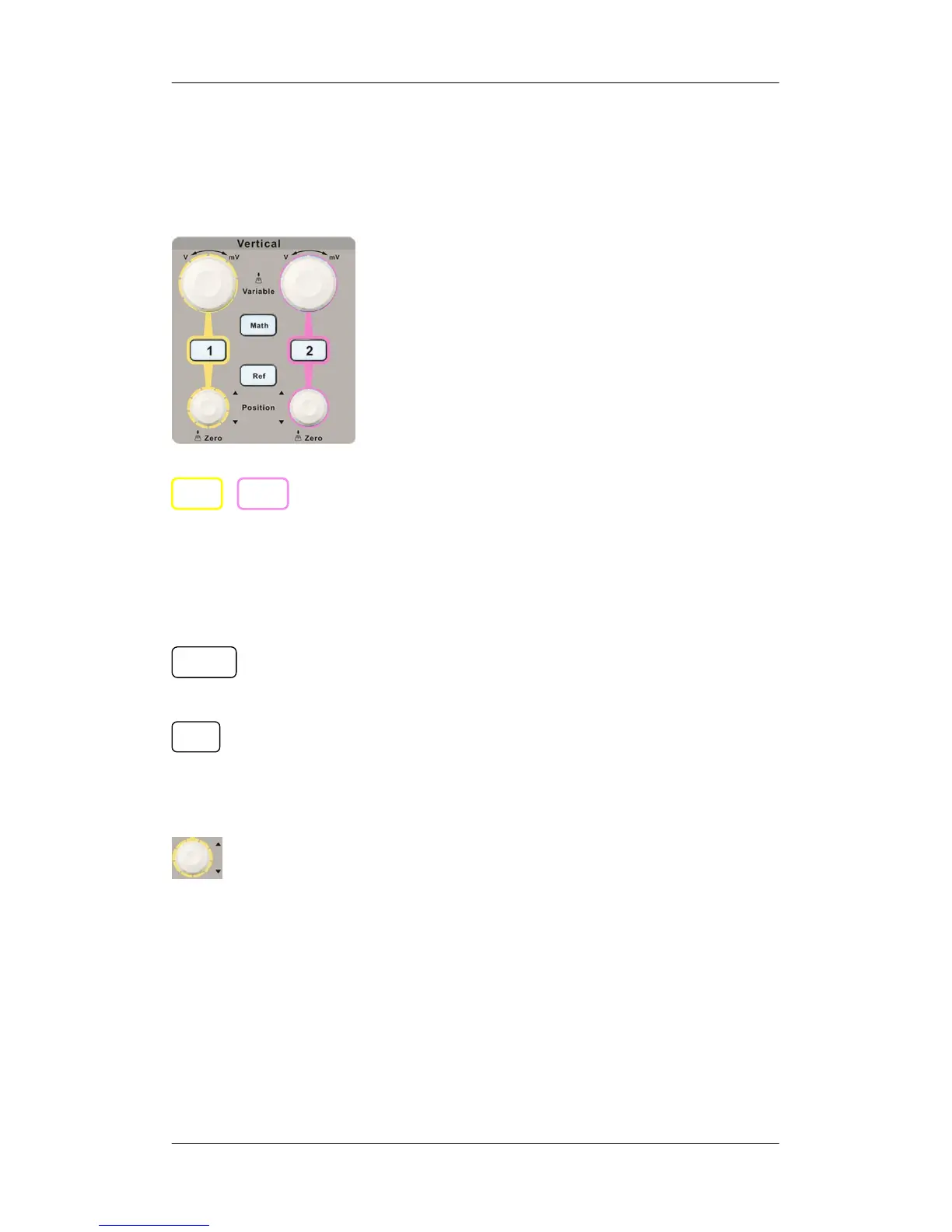
Vertical Control
: Input channels. These two channels are marked with
different colors to distinguish different input channels and their
waveforms. Pressing the channel button will turn on the
corresponding channel as well as its menu, and pressing it twice
continuously will turn off the channel.
: Press the button to enable math function which includes
five operations: adding, subtracting, multiplying, dividing and FFT.
: Press the button to enable the reference waveform function.
By recalling the previously saved waveform, we could compare it
with the current waveform to decide circuit failures.
: Modify vertical position of the current waveform. Turn
clockwise to increase the position while turn counterclockwise to
decrease it. The waveform will move up or down and the position
message at the lower-left corner of the screen will change along.
Press down the knob to quickly reset the vertical position to zero.
Math
Ref
2 1










 To Next Page