SIGLENT
SDS1000CML+/SDS1000DL+ User Manual 49
2.8.6 Trigger Holdoff
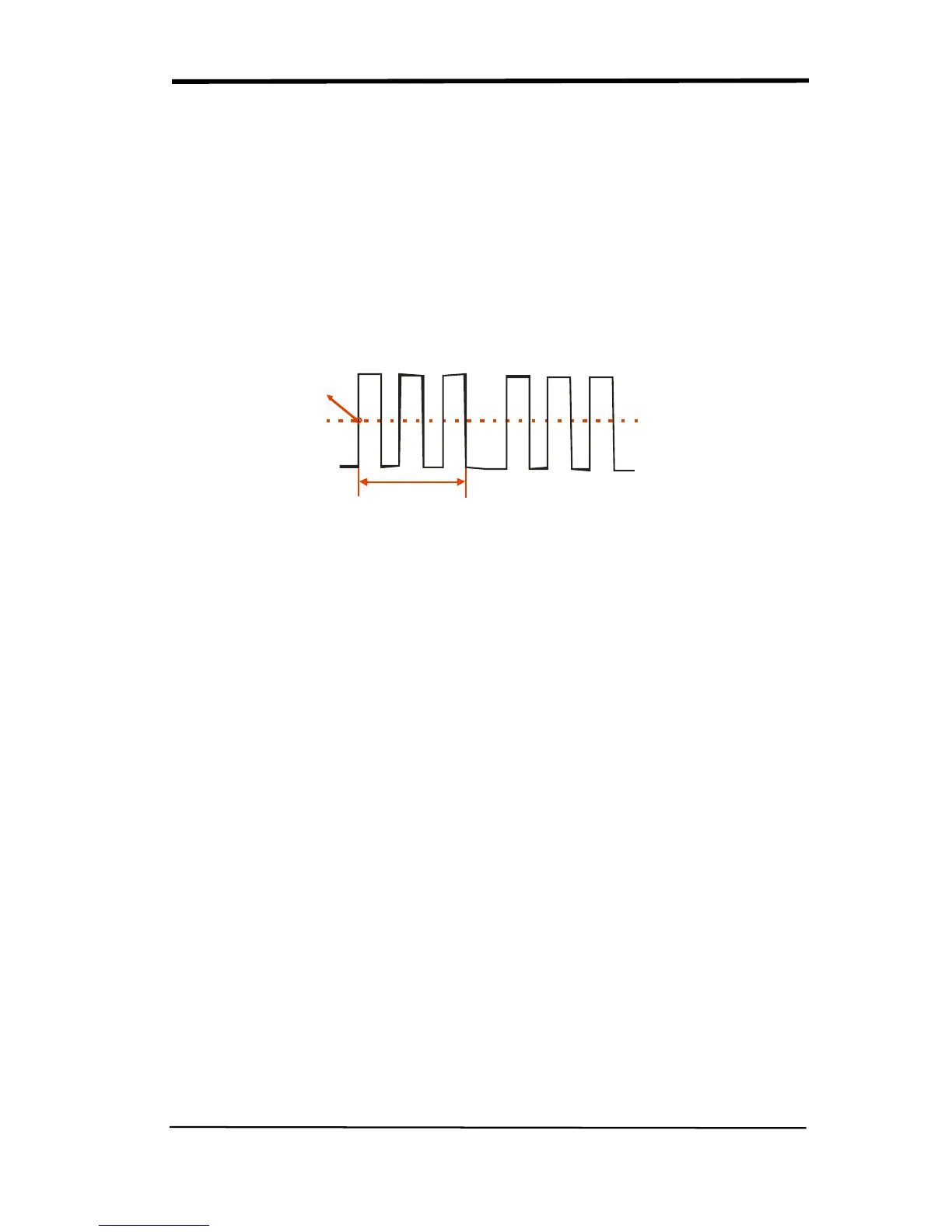
You can use the Trigger Holdoff function to produce a stable display of complex
waveforms. Holdoff is time between when the oscilloscope detects one trigger and
when it is ready to detect another. The oscilloscope will not trigger during the
holdoff time. For a pulse train, you can adjust the holdoff time so the oscilloscope
triggers only on the first pulse in the train.
Holdoff time
Trigger position
Trigger level
Picture 2.8-10
If you want to change holdoff time, please follow next operations:
1. Press the “TRIG MENU” button to show the “TRIG Menu”.
2. Press the “Type” option button to select trigger type.
3. Press the “Set up” option button to enter the “Trigger setup menu”.
4. Press the “Holdoff” option button,turn the “Universal” knob to change the
holdoff time until the waveform trigger steadily.
Note:Use trigger holdoff to help stabilize the display of aperiodic waveforms.










 To Next Page