SDS1000CML+/SDS1000DL+ Quick Start 17
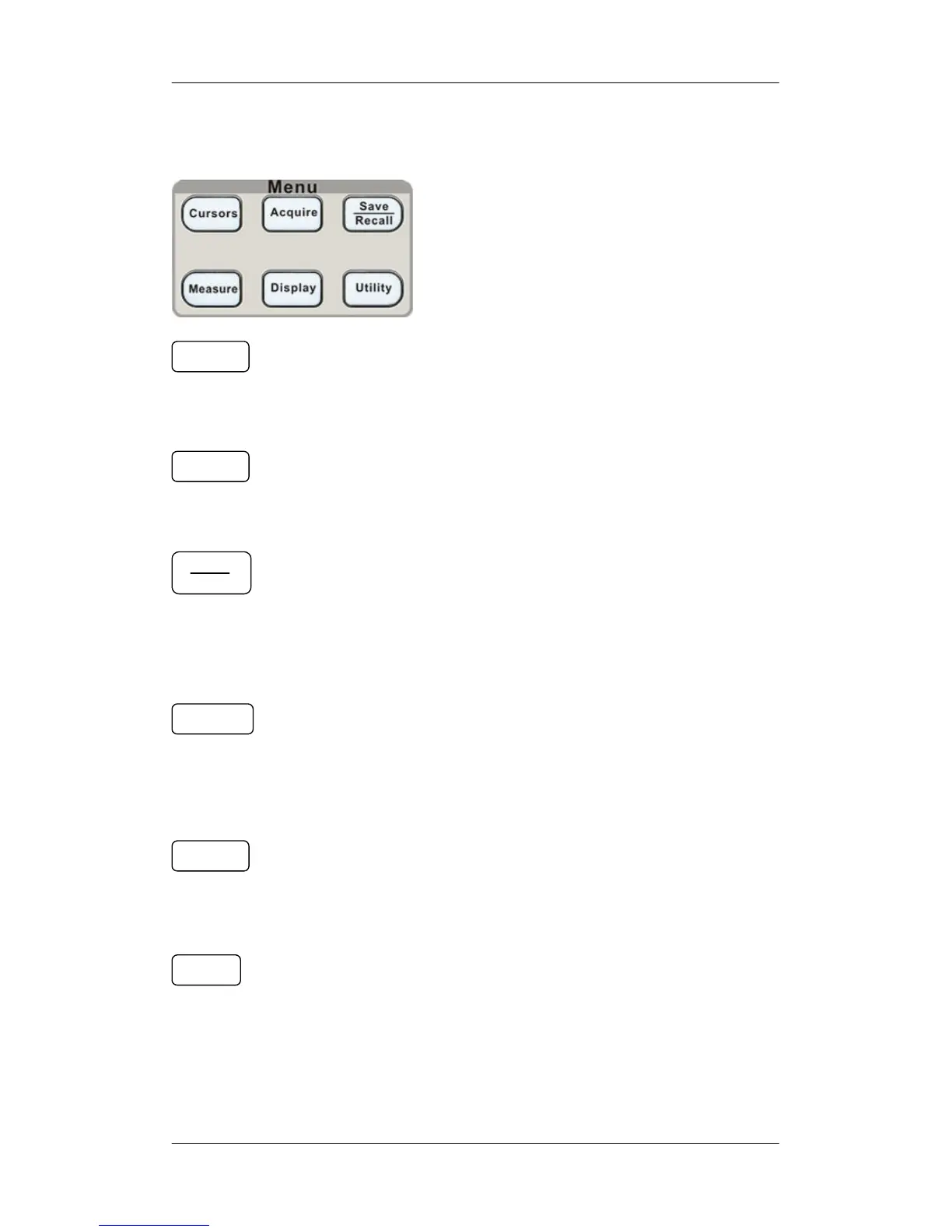
Function Menus
: Press the button to enter the cursor measurement
function menu. The instrument provides three measure modes:
Manual, Track and Auto.
: Press the button to enter the acquire function menu,
under which you could set the acquisition mode, sampling mode
and dot inserting mode.
: Press the button to enter the file save and recall function
menu. There are four types of file to be saved which are
respectively setups, waveforms, picture and CSV, and additionally
the factory setup are supported.
: Press the button to enter the measurement function
menu. There are three measure types: voltage, time and delay.
Each kind of them contains many measurement parameters, you
could press any of them to display the corresponding value.
: Press the button to enter the display function menu,
under which you could set waveform display type, persist time,
waveform brightness, display format, menu display and so on.
: Press the button to enter the utility function menu, under
which you could set the corresponding function of the system,
some parameters like Sound, Language, Interface and so on. In
addition, some advanced functions are also supported such as Self
Calibration, Firmware Update, Pass/Fail test.
Cursors
Acquire
Save
Recall
Measure










 To Next Page