SIGLENT
10 SDS1000CML+/SDS1000DL+ Quick Start
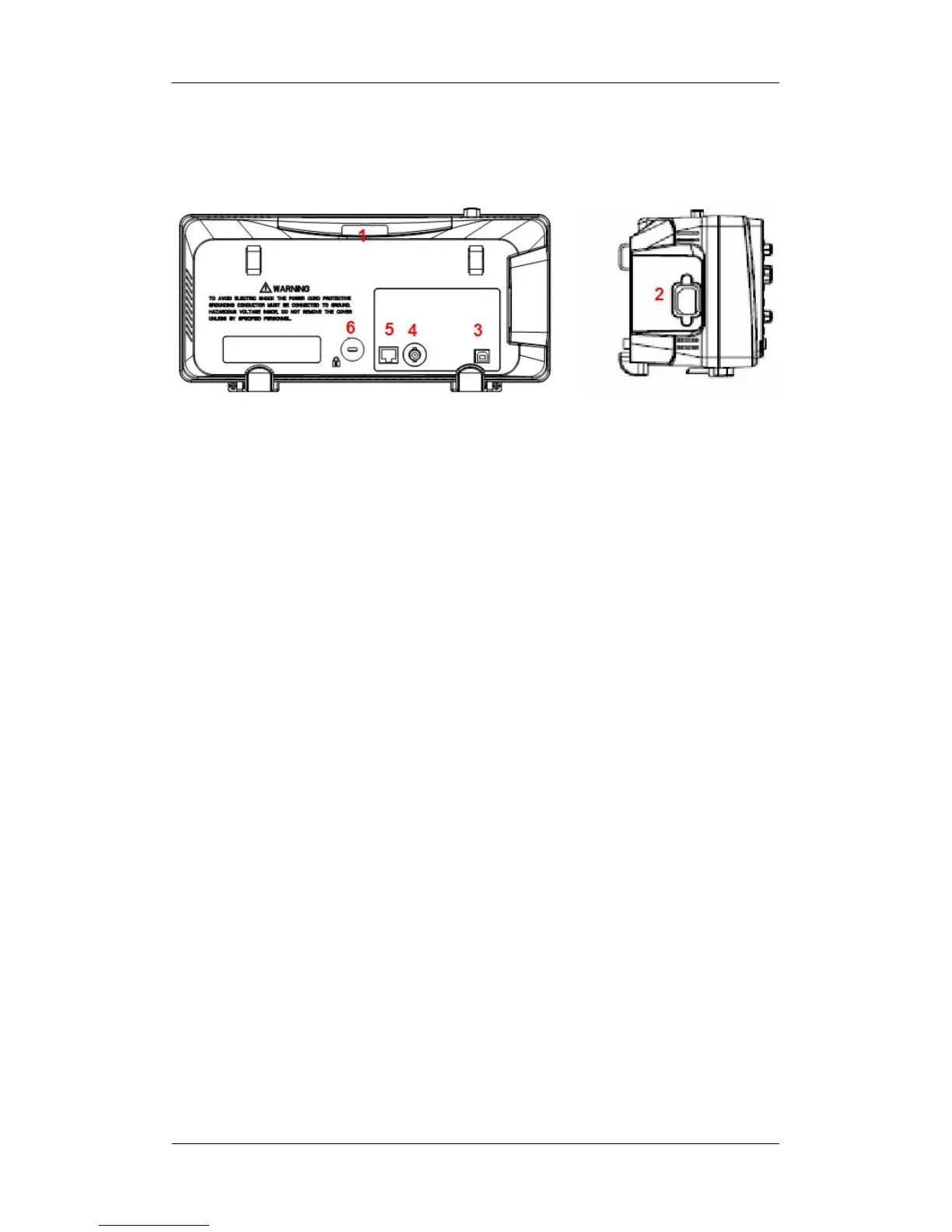
The Rear Panel
1. Handle
Pull up the handle vertically for easy carrying. Press it down if
you do not need the handle.
2. AC Power Input Terminal
The power available of the oscilloscope is 100~240V,
50/60/440Hz. Please use the power cord provided as
accessories to connect the instrument to AC power.
3. USB Device Interface
PC can be connected via this interface to print the current
interface of the oscilloscope or control the instrument through
PC software.
4. Pass/Fail Output Terminal
The pass/Fail testing pulse are put out via this terminal.
5. LAN Port
The oscilloscope can be controlled through the LAN port.
6. Lock hole
You could lock the instrument in a fixed location using a security
lock (please buy it yourself) via the lock hole.










 To Next Page