SIGLENT
26 SDS1000CML+/SDS1000DL+ User Manual
If you input a sine signal to channel 1, follow these steps:
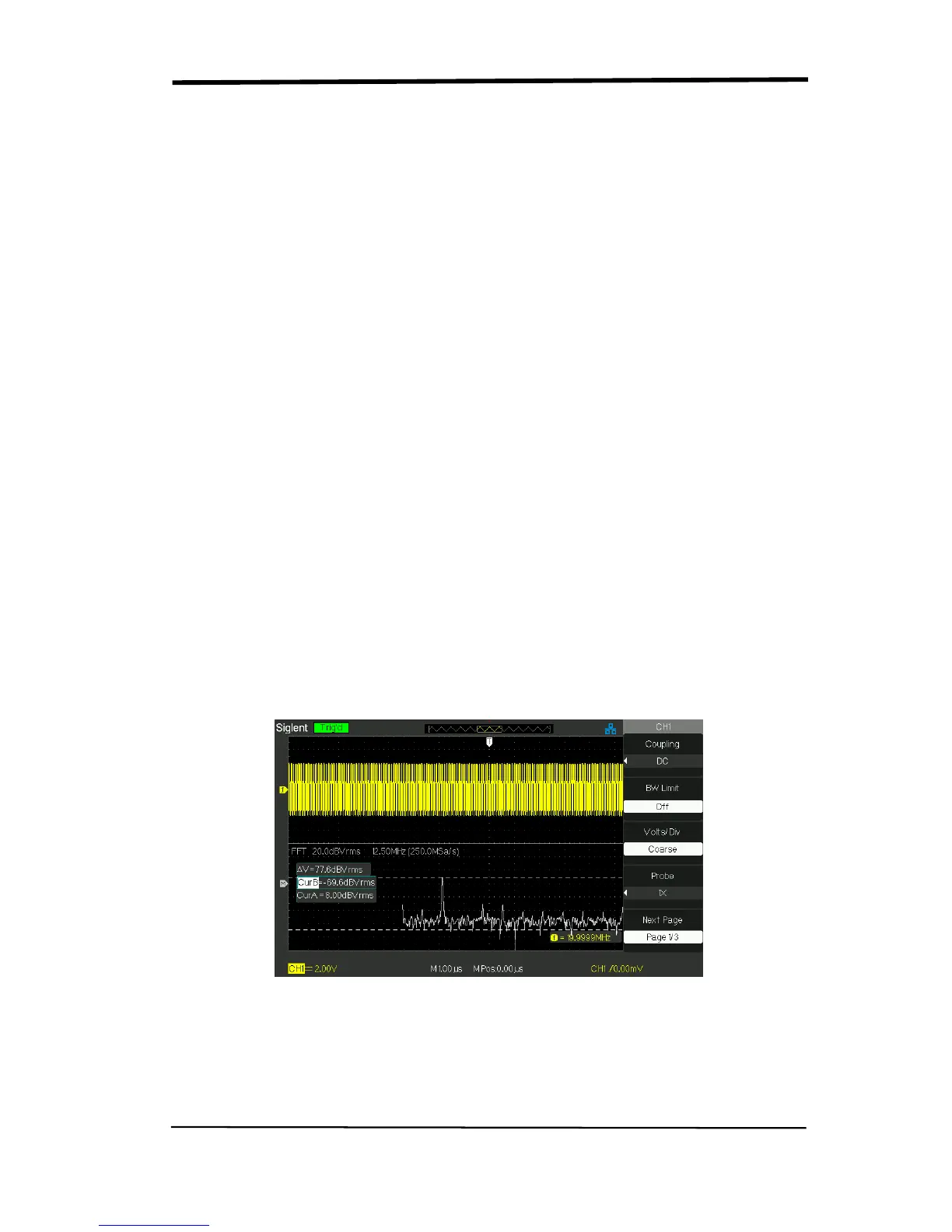
1. Measure FFT Amplitude
1) Input a sine signal to channel 1, and press the “AUTO” button.
2) Press the “MATH” button to enter the “MATH” menu.
3) Press the “Operation” option button to select “FFT”.
4) Press the “Source” option button to select “CH1”.
5) Press CH1 button to display CH1 menu.
6) Turn the “S/div” knob to adjust sampling rate (at least double bigger than
frequency of input signal).
7) If FFT display on full screen, press CH1 button again to remove channel
waveform display.
8) Press the “CURSOR” button to enter “Cursor” menu.
9) Press the “Cursor Mode” button to select “Manual”.
10) Press the “Type” option button to select “Voltage”.
11) Press the “Source” option button to select “MATH”.
12) Press the “CurA” option button; turn the “Universal” knob to move Cursor A to
the highest point of the FFT waveform.
13) Press the “CurB” option button, turn the “Universal” knob to move Cursor B to
the lowest point of the FFT waveform.
14) The amplitude (△T) displays on the top of the left screen.
Picture 2.6-11










 To Next Page