SIGLENT
54 SDS1000CML+/SDS1000DL+ User Manual
Operate Introduction:
Set up Sampling Format
You can press the “Acquisition” option button or turn the “Universal” knob to select
“Sampling” mode, “Peak Detect” mode or “Average” mode..
Set up Averages
When you select “Average” format, you can press the “Averages” option button to
select “4”, “16”, “32”, “64”, “128”or “256”.
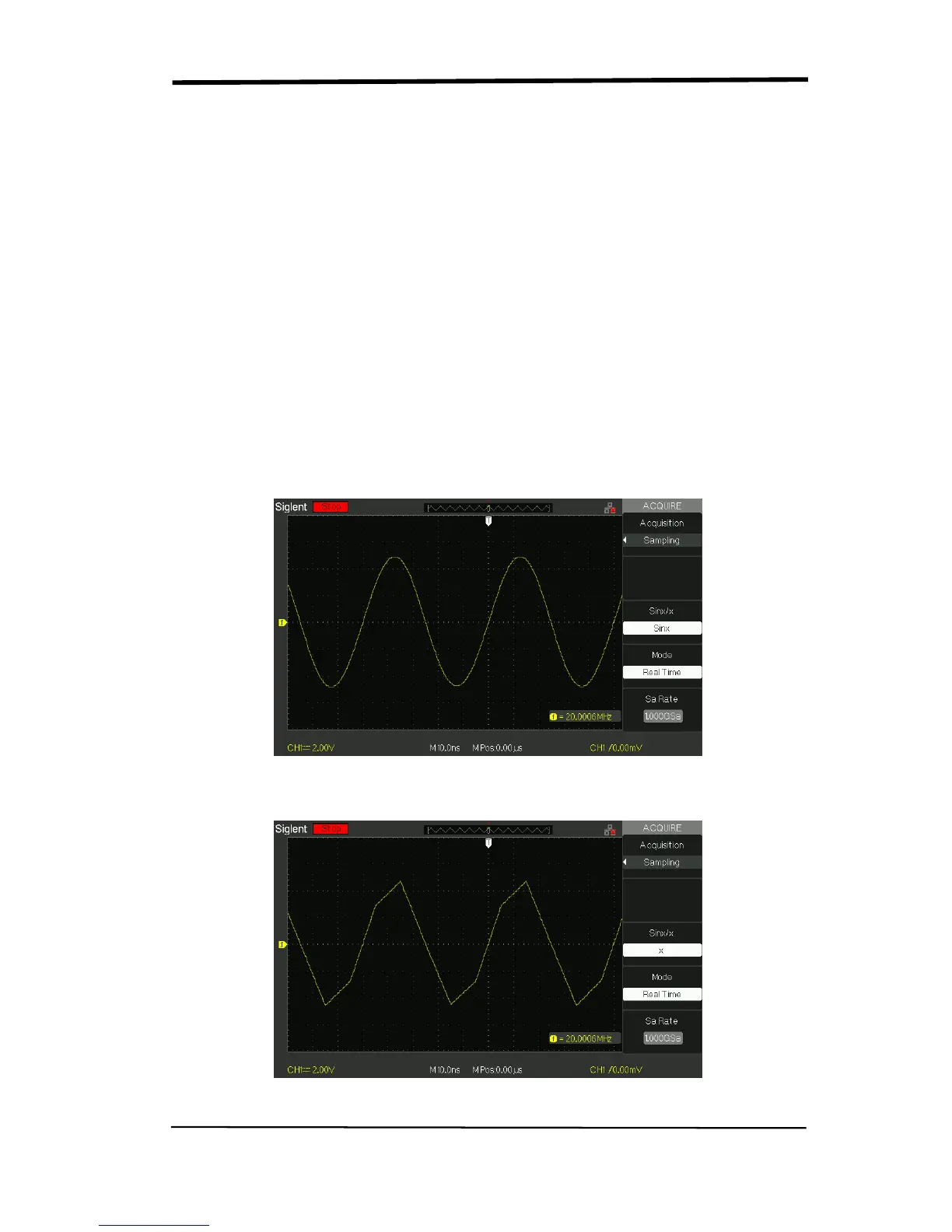
Set up function interpolation
You can also turn Sins/x interpolation on or off. Press the corresponding option
button to turn Sins/s on or off.
“Sinx” is sine interpolation
Picture 2.9-6
“X” is linear interpolation.
Picture 2.9-7










 To Next Page