© Jun 2022 7-4 TB24 Plus&26J Plus Maintenance Manual
REXROTH CONTROL SYSTEM
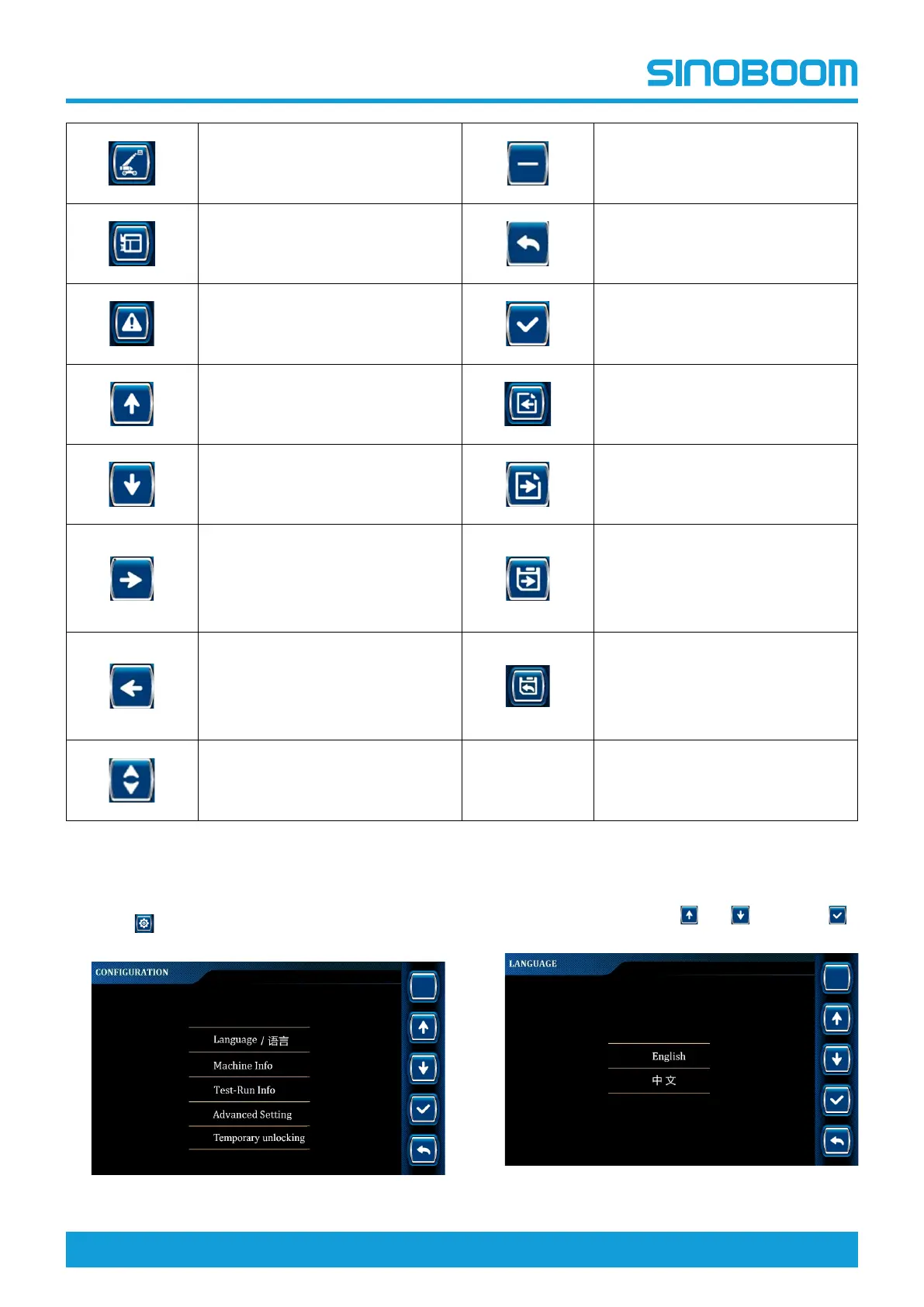
System information Decrease key
Platform information
Return key
Alarm information
Enter key
Up arrow key Previous page
Down arrow key Enter/next page
Right arrow key
Press and hold for 3s to save the
current page parameters and
jump to the next page
/Press to directly jump to the
next page
Left arrow key
Press and hold for 3s to save the
current page parameters and
return to the previous menu
/Press to directly return to the
previous menu
Up/Down arrow key
LANGUAGE SETTING
1. Press on the main interface to enter
CONFIGURATION interface.
Figure 7-3 CONFIGURATION interface
2. Select Language through and , and press
to enter LANGUAGE interface.






 To Next Page