REXROTH CONTROL SYSTEM
TB24 Plus&26J Plus Maintenance Manual 7-5 © Jun 2022
Figure 7-4 LANGUAGE interface
3. Select 中文 or English through and , and
press and hold
for 3s to complete language
setting.
4. Press
successively to return to the main
interface, and power off the machine as required.
TEST-RUN INFORMATION
1. Press on the main interface to enter
CONFIGURATION interface.
2. According to the navigation diagram of display
interface, enter TEST-RUN INFO interface by
pressing
, and successively.
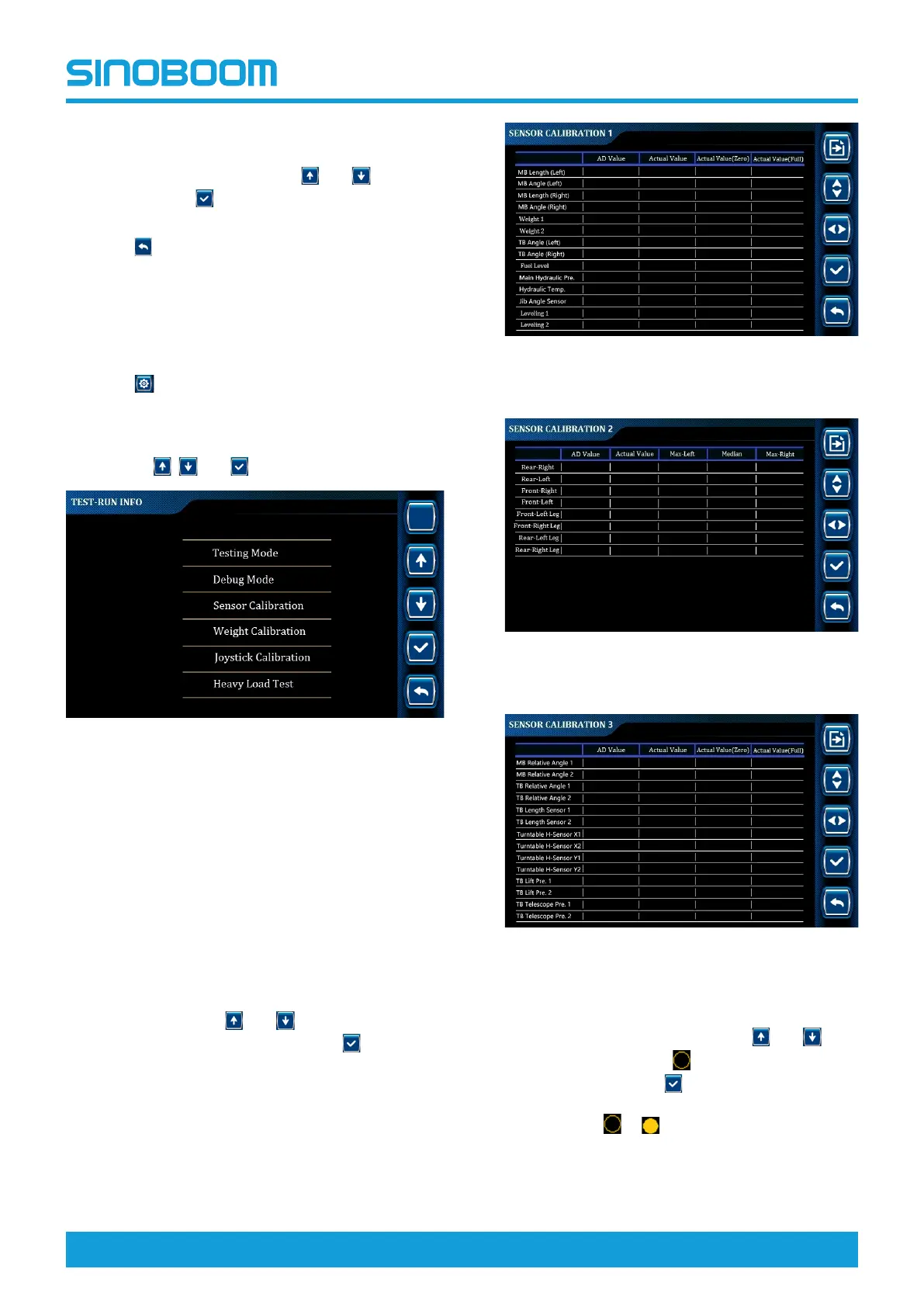
Figure 7-5 TEST-RUN INFO interface
Sensor calibration
• This operation is used to calibrate sensors other
than the weighing sensor (its calibration method will
be described in detail in the subsequent weight
calibration).
• If the machine is equipped with a dual-channel
sensor, only 1 channel is needed to be selected for
maximum and minimum value calibration.
1. On the TEST-RUN INFO interface, select Sensor
Calibration through
and , and enter SENSOR
CALIBRATION interface by pressing
.
Figure 7-6 SENSOR CALIBRATION 1
interface
Figure 7-7 SENSOR CALIBRATION 2
interface
Figure 7-8 SENSOR CALIBRATION 3
interface
2. On the SENSOR CALIBRATION interface, select
the position to be calibrated through
and (-
there will be the flashing
before the selected
option), press and hold
for 3s to complete the
calibration (the icon before the selected option is
switched from
to , indicating calibration
succeeded, and the corresponding actual value will
be changed).






 To Next Page