REXROTH CONTROL SYSTEM
TB24 Plus&26J Plus Maintenance Manual 7-11 © Jun 2022
8
TB Lift Down Inspect
(Up)
To set the time and speed proportion of main boom when
fully raised during luffing-down.
Condition of fully raising: up limit switch is triggered or the
articulated boom is positioned at an angle bigger than the
set value.
AB
9
Jib Lift Up Inspect (Up)
To set the time and speed proportion of jib boom when fully
raised during luffing-up.
Condition of fully raising: up limit switch is triggered or the
jib boom is positioned at an angle bigger than the set
value.
TB, AB
10
Jib Lift Down Inspect
(Up)
To set the time and speed proportion of jib boom when fully
lowered during luffing-down.
Condition of fully lowering: down limit switch is triggered or
the jib boom is positioned at an angle smaller than the set
value.
TB, AB
11
Working Speed (-
Operation on
Turntable)
To set the speed of turntable rotation.
TB, AB
12
Driving Velocity (MB
Extend End)
To set the travel speed with the main boom fully extended.
TB
13
Velocity of Lift Up (MB
Extend End)
To set the luffing-up speed with the main boom fully
extended (max angle).
TB
14
Velocity of Lift Down
(MB Extend End)
To set the luffing-down speed with the main boom fully
extended (max angle).
TB
15
Swing RPM (MB
Extend End)
To set the rotation speed with the main boom fully
extended (max angle).
TB
16
Swing RPM (MB
Extend)
To set the rotation speed with the main boom extended.
Condition: the retracting limit switch disengages or the
main boom is longer than 1.2m.
AB
17
Telescope Velocity
(Max angle)
To set the extending/retracting speed with the main boom
at the max angle.
TB
18
Scope Revise Ratio
To slightly adjust the operating range of telescopic boom
(not used yet).
TB
Notes: All parameters can be adjusted within 0~100.
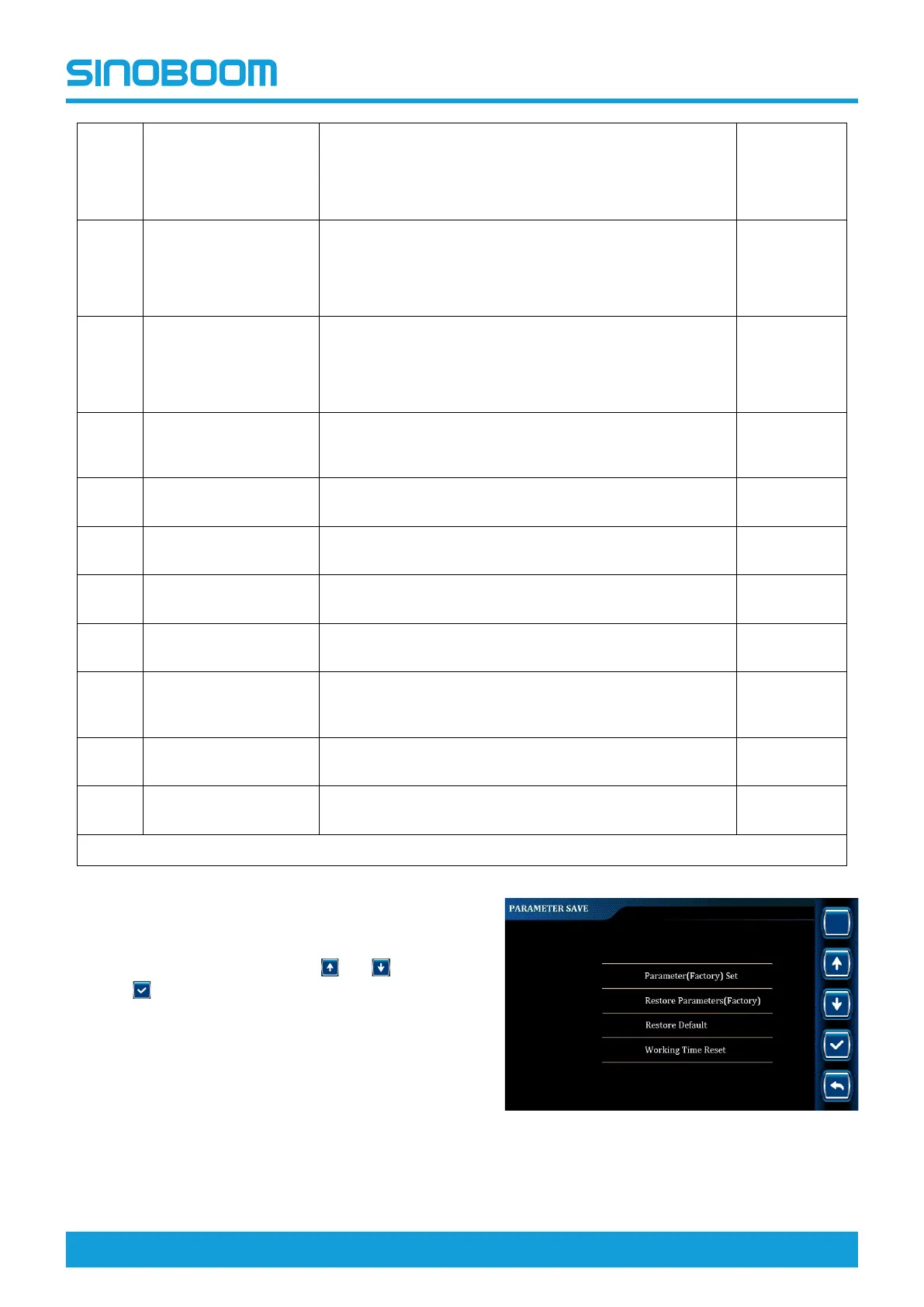
Parameter restore/save
1. On the ADVANCED SETTING interface, select
Parameter Restore/Save through
and , and
press
to enter PARAMETER RESTORE/SAVE
interface.
Figure 7-19 PARAMETER RESTORE/SAVE
interface






 To Next Page