64 57 316 D3543
18 D3543.076.01.04.02 06.2015
5Important information Sirona Dental Systems GmbH
5.2Installing the treatment center software Service Manual INTEGO / INTEGO pro
Software installation via SD card on EasyPad
For details of how to use the DUMC to prepare the SD card for the
software update process, please refer to the "Dental Unit Management
Console Service Manual" (DUMC) with order number 6194497.
✔ The treatment center is switched off.
✔ The connection box cover on the patient chair has been removed
(see Removing the connection box cover [ → 97]).
✔ The SD card has been prepared for the firmware update process
using the DUMC.
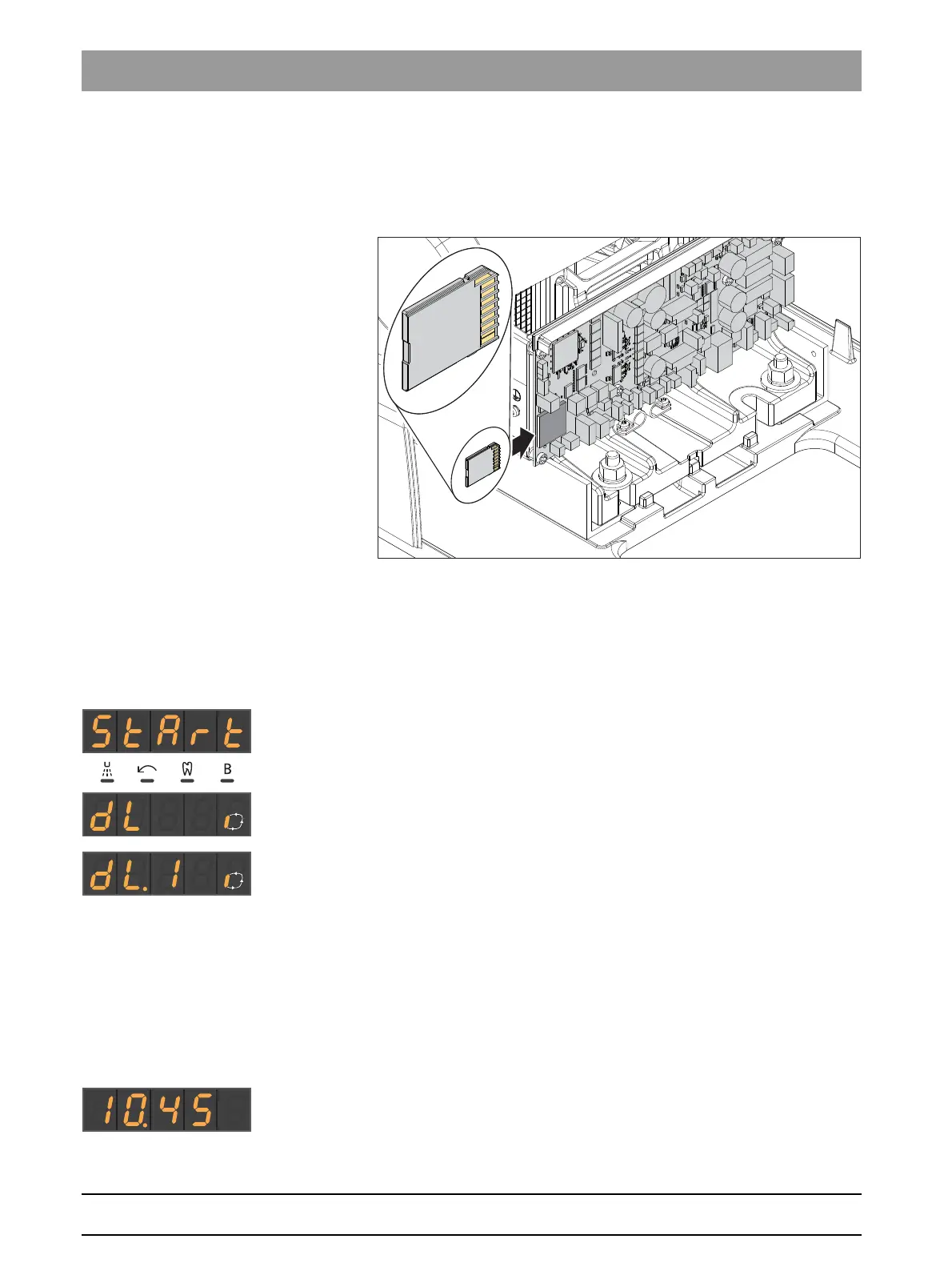
1. Insert the SD card in the SD card slot on the DSA board.
2. Switch the treatment center on.
The SD card is detected.
The firmware update for the individual boards (nodes) has started
and is in progress.
dL.1: DSA
dL.2: DSL
dL.3: DAB
dL.4: DAP
dL.5: NAA
dL.6: DWE
dL.7: NLV
dL.8: DAK
The number after the text "dL." stands for the board ID. It does
not necessarily reflect the update order.
✔ The firmware update has been successfully completed.
1. Remove the SD card.
2. Reattach the connection box cover.



 To Next Page