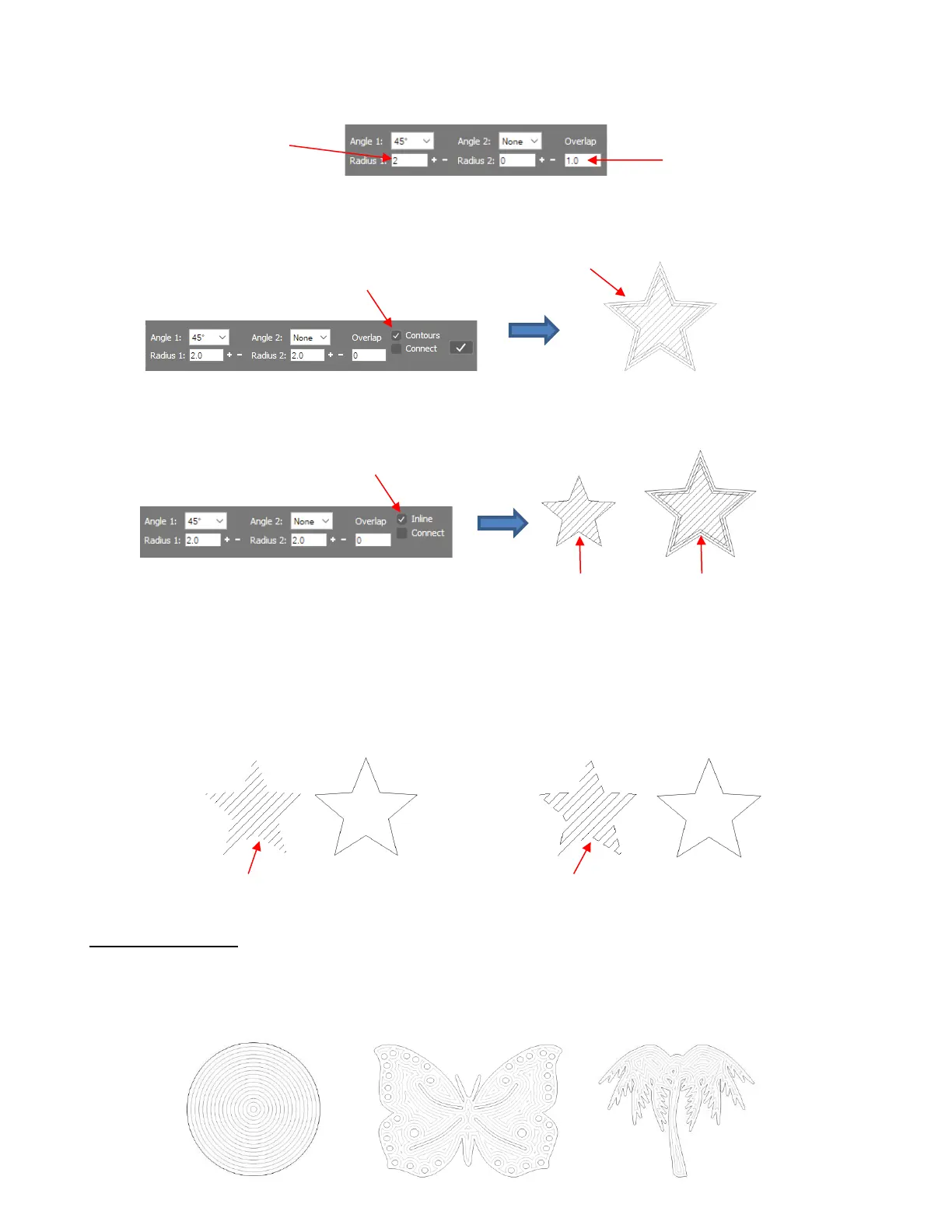
• The Contours option will add both an inset and and outset contour line of the original shape with the
spacing equal the value set in Radius 1:
• Alternatively, if you mark the Contours option a second time, the option changes to Inline and the smaller
internal shape is the result:
• The Connect option controls whether or not the tool stays down or rises at the end of each line. Thus,
marking this option will result in lines connecting which can decrease the amount of time taken for the
engraving to occur. With the outside border still present, it isn’t apparent that the lines are connected.
However, if you drag the original star outline away, you’ll observe the difference:
5.03.2 Contour Fill
• The Contour Fill (sometimes referred to as an island fill) is a progressive inset pattern based on the original
shape; the tool drops to complete a path, raises, moves to the next path, drops to complete that path, etc.
Some shapes work better than others with the Contour Fill:



 To Next Page