2.03.4 Overcut
• Overcut is related to Blade Offset in that it isn’t needed when using a pen, embosser, engraver, and so
forth, because the tips of those tools are aligned with the center of the tools themselves. However, leaving
Overcut at 0 when using the blade holder will result in large shapes not quite closing:
• In some cutting programs, Overcut is not a separate setting but rather automatically calculated and applied
based on the Blade Offset entered. However, in SignCut Pro, you can enter an actual Overcut setting and
should do so any time a blade is used.
• In general, the blade type doesn’t greatly affect the Overcut required. Try using 1.00 mm. In the event you
cut a large closed shape, like an 8” circle, you may find that you’ll need to increase Overcut to 2.00 mm.
2.03.5 Passes
• The Passes setting causes each individual path to be cut the set number of passes before the blade moves
to the next path to cut. This is better than just repeating the entire cut as each repeated pass is cut with the
blade held down throughout the repeated passes, resulting in cleaner cutting.
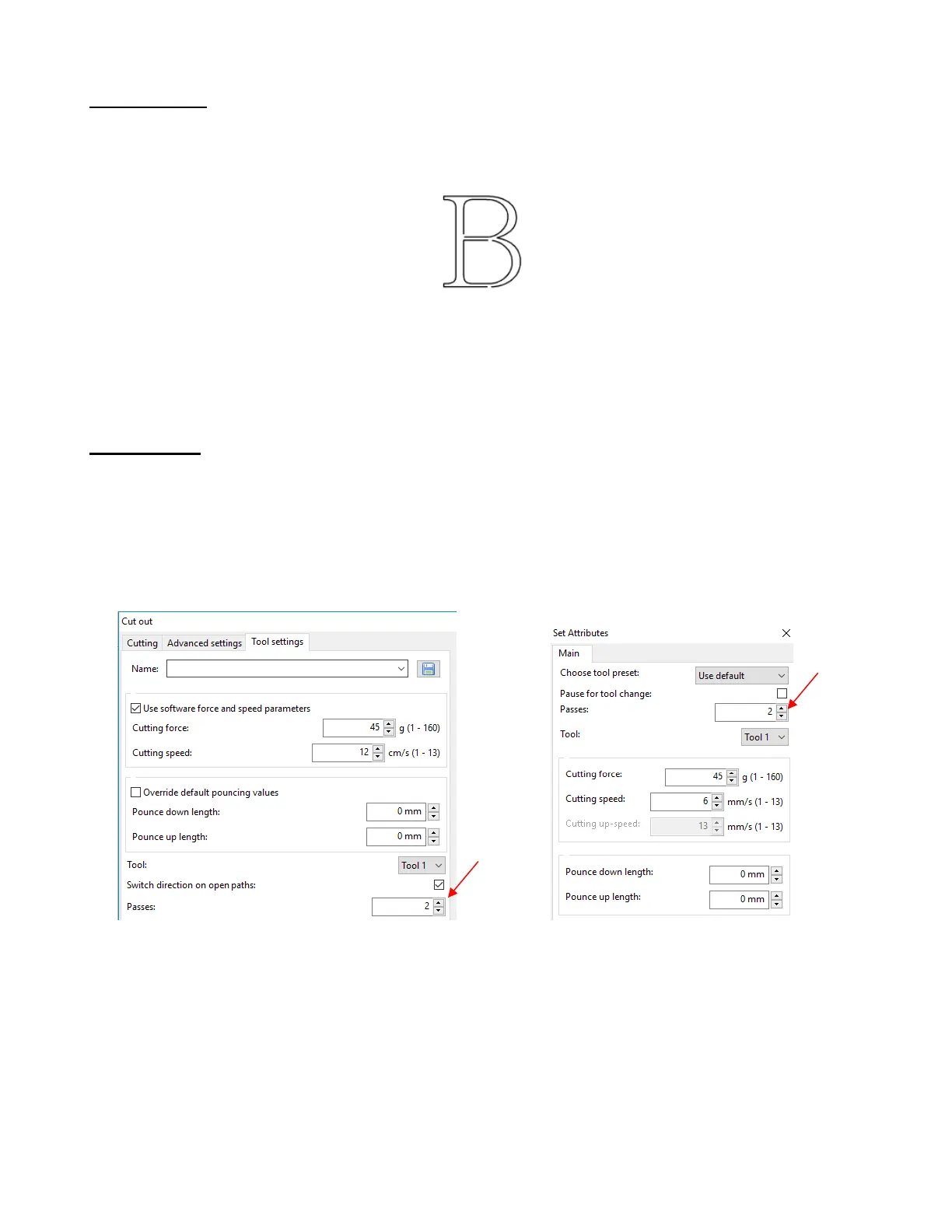
• Both the Cut Out >Tool settings tab and the Set Attributes window have a Passes option which can be
marked and then the number of Passes set:
• In general, when increasing Passes, the Cutting force setting can be decreased. For example, you may
find a cardstock that requires a Cutting force of 55 to cut in a single pass will only need a Cutting force of
45 if cutting in two passes.
• Passes is recommended in the following situations:
Cutting thicker denser materials, such as chipboard, where multiple passes allow the blade to
progressively “carve” through the material
Cutting certain fibrous materials, such as fabric, where a second pass will ensure that all of the fibers
have been cleanly cut
Cutting intricate or detailed shapes (such as script titles) from certain materials, such as heavy or
textured cardstock, where a single pass may leave certain spots not cleanly cut



 To Next Page