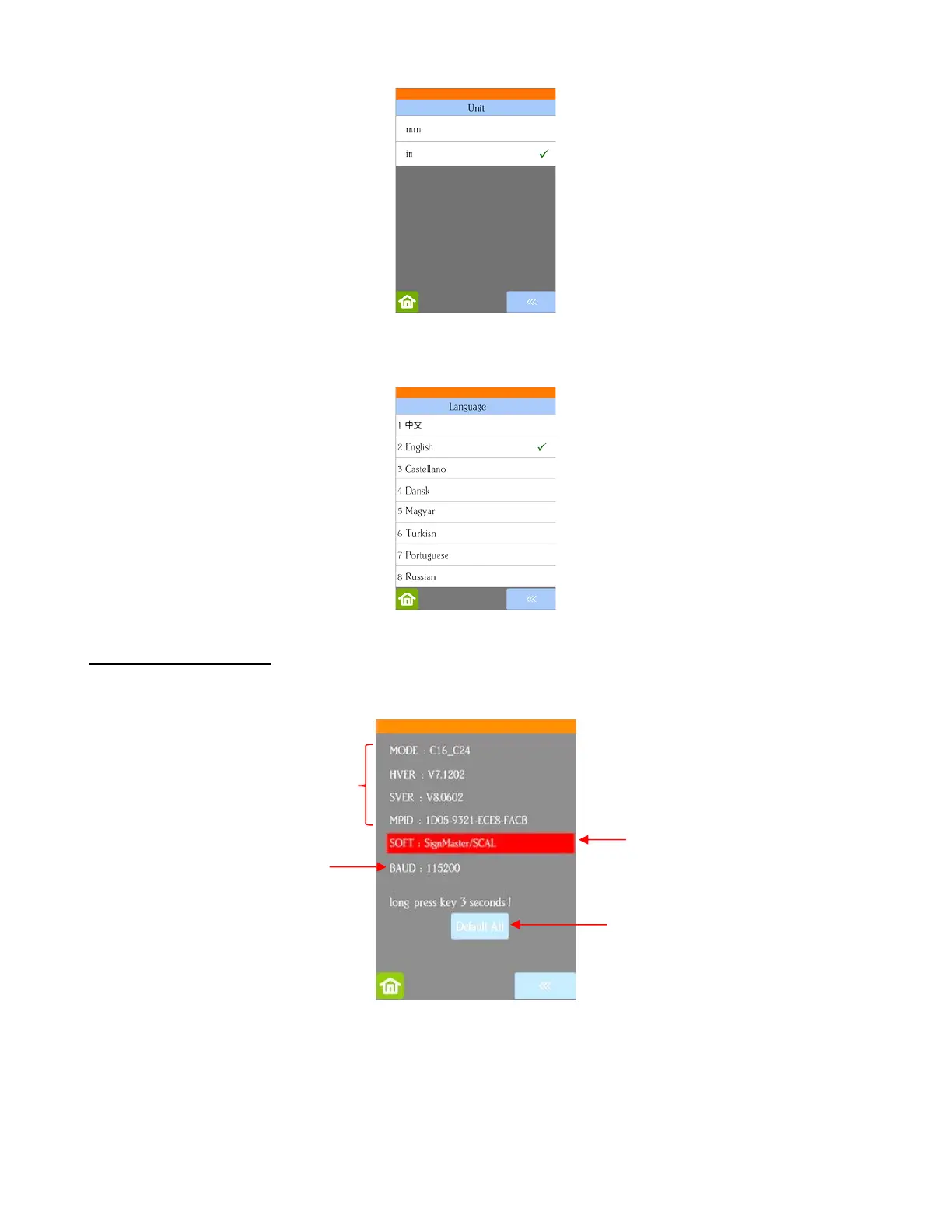
• Language allows you to choose from eight languages to be used throughout the control panel display
screens:
1.14.3 Sys Information
• The Sys Information screen displays information about the Skycut and only has three setting changes
available:
This initial screen displays current version numbers.
If you ever need to reset your Skycut, press and hold Default All until it turns red. Then wait for the
button to update to Success!
If you ever need to change which software is in use with your Skycut, press and hold SOFT for two
seconds and release. The following screen will open:



 To Next Page