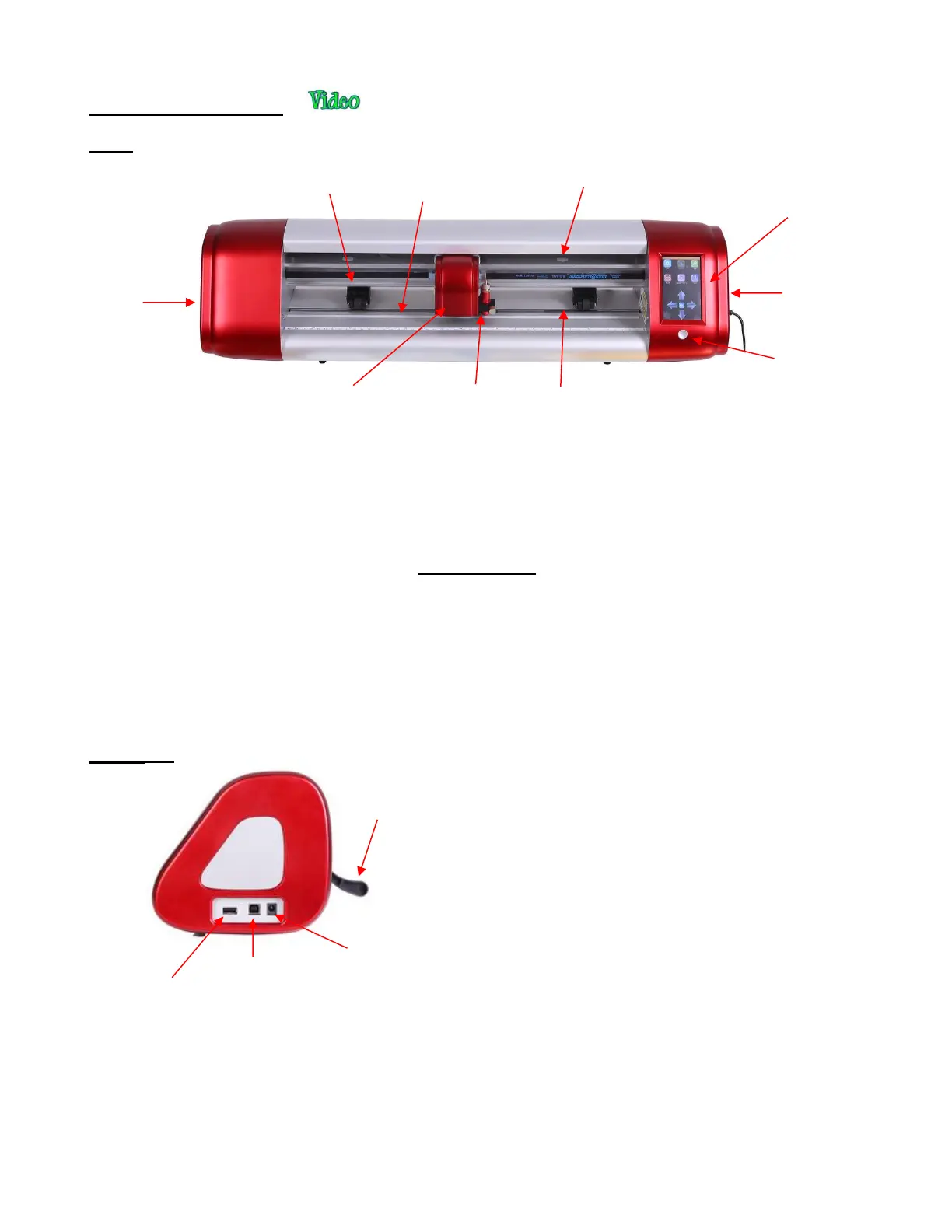
1.06 Parts of the Skycut
Front
• Alignment Arrows: indicate to the user the available positions for the pinch wheels
• Blade Carriage: moves the Blade Holder Seat left and right
• Blade Holder Seat (Jaw): holds the blade holder, test pen, and other accessories
• Control Panel: used to change settings, set up Wi-Fi, calibrate camera, cut PLT files, and more
• Cutting Strip: protects a blade when cutting backed materials without using a cutting mat
• Grit Shafts (3 on 16” model; 4 on 24” model): allow the pinch wheels to grip the mat or material so they can
be moved in and out of the cutter during cutting
• Pinch Wheels (3 on 16” model; 4 on 24” model): grip the mat or material so that the grit shafts beneath will
feed the mat or material in and out during cutting
• Power Button: turns cutter on or off
Right Side
• Pinch Wheel Lever: lifts the pinch wheels up for loading
the mat or material and then lowers the pinch wheels
for cutting
• USB Flash Drive Port: used to load PLT files via control
panel for cutting
• USB Port: option to connect computer to Skycut with
included USB cable
• Power Port: connect Skycut power adaptor



 To Next Page