(9) Press the Home icon to return to the Main Screen. The head should move so that the blade holder is
now located over the origin target and you can proceed with the cutting process.
2.06 Other Cut Setting Functions
• There are other functions and features available in SignCut Pro and on Skycut’s control panel that will be
useful depending on your applications. Some have already been covered. Some will be covered in this
section. Others will be covered in later parts of this manual.
2.06.1 Position After Cutting / Advance Mode
• At the end of a cut, you have the option of controlling where the blade carriage moves before stopping.
While there is a Position after cutting setting in SignCut Pro, (on the Cut out >Cut Cutting tab), the
Advance Mode setting on the Skycut control panel always takes precedence.
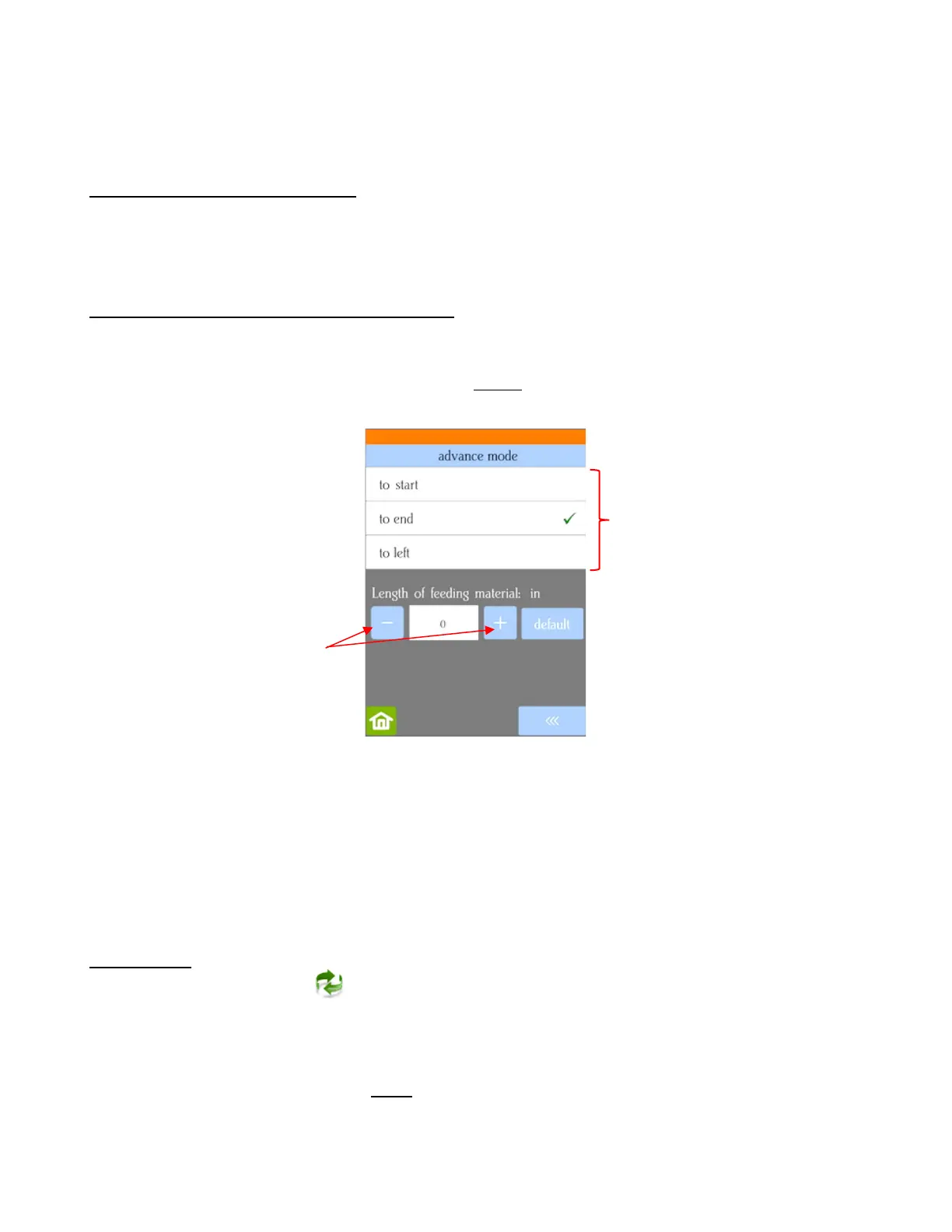
• The function can be opened by going to Set>Advance Mode on the control panel.
to start will cause the blade holder to return to the origin after cutting.
to end will cause the blade holder to advance forward to the end of the cut project.
to left will cause the blade holder to move to the left of the cut project.
The settings below the option are activated when choosing either to end or to left. You can enter a
specific distance for the blade holder to advance. This is useful when cutting repeats of the same
project because it allows for the origin to be set automatically for the next repeated cut.
2.06.2 Mirror
• Checking the Mirror option on the sub-toolbar will apply a horizontal mirror to the shape (s) before
cutting. This is useful in applications such as:
Cutting HTV in which the material is placed faced down so that the heat protection layer is not
penetrated by the blade
Cutting vinyl to be applied to the inside of a car or home window but primarily viewed from outside of the
window
When cutting certain non-homogenous paper materials in which cutting upside down yields cleaner
results



 To Next Page