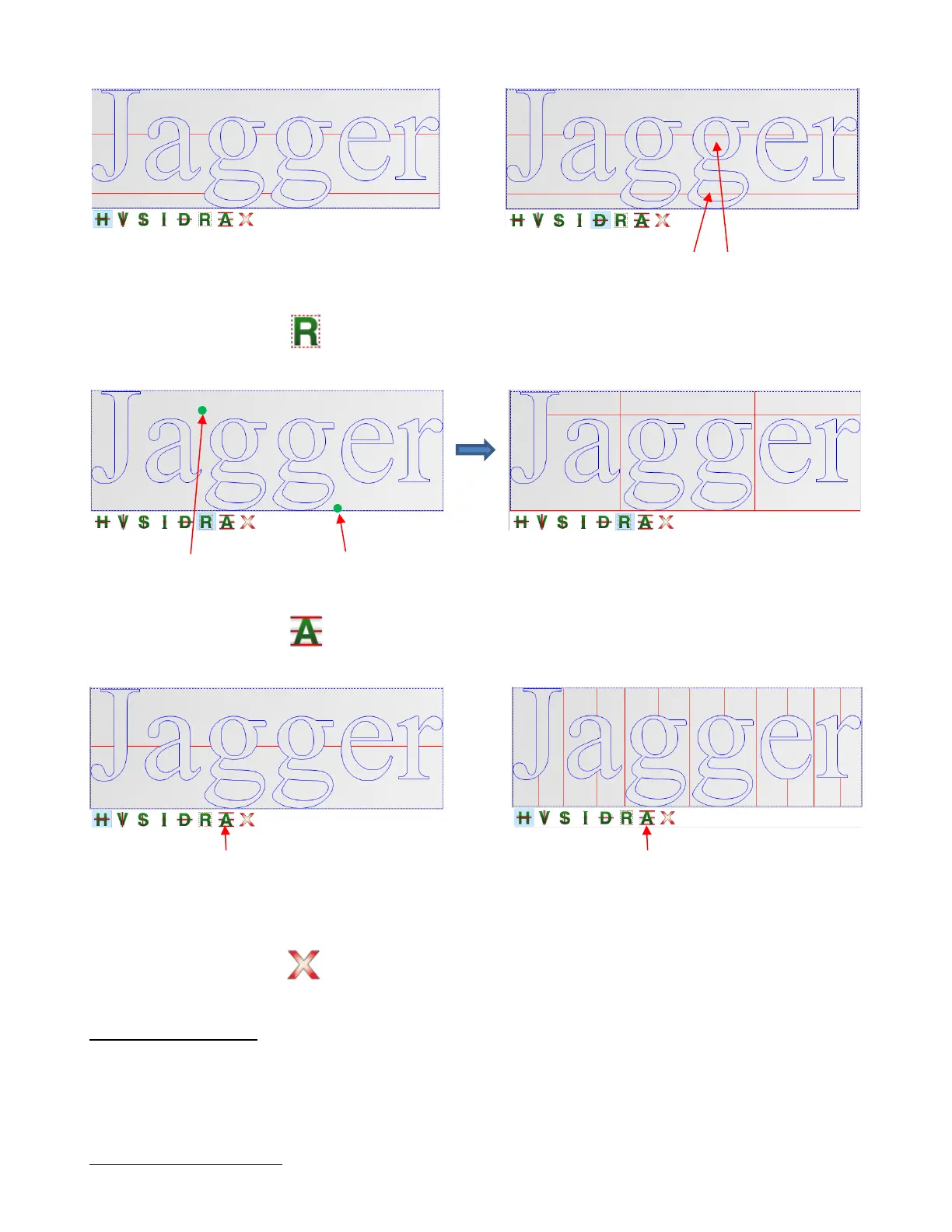
• Short Weed Rectangle - Drag the mouse to create a rectangle which is added as a weed, along with
horizontal and vertical extended weed lines:
• Automatic Weed Lines - Automatically adds weed lines to the design. Left click to add horizontal
lines and/or Shift + left click to add vertical lines:
Note that this option is also available on the sub-toolbar when in Collection of commonly used tools
mode.
• Delete All Weed Lines - Clicking this icon will delete all weed lines.
2.06.4 Tiling Options
When cutting projects that are larger than the maximum cutting width of the cutter or the available material, the
project will require tiling. This involves dividing up the design into rectangles that will later be pieced together
after cutting. SignCut Pro offers two ways to accomplish this: automatically by entering the dimensions of the
desired tile size or manually by clicking to add tile lines to your project.
Automatically Creating Tiles
Detailed weed line option – weed lines pass
through interior shapes, as well



 To Next Page